Technical SEO for B2B Websites
Quick answer
Technical SEO is the reliability layer of a B2B SEO system.
It helps important pages stay:
- discoverable;
- indexable;
- renderable;
- understandable;
- internally connected;
- measurable;
- stable through releases and migrations.
Technical SEO does not create demand by itself. It makes sure demand can be captured when buyers search for the company’s problems, categories, comparisons, use cases, and proof.
The practical rule is simple: prioritize technical work by commercial impact, not by the raw number of warnings in an SEO tool.
A missing canonical on a low-value archive page is not the same as a blocked product page, a broken comparison page, or a lead-generation template that fails on mobile.
What technical SEO means in B2B
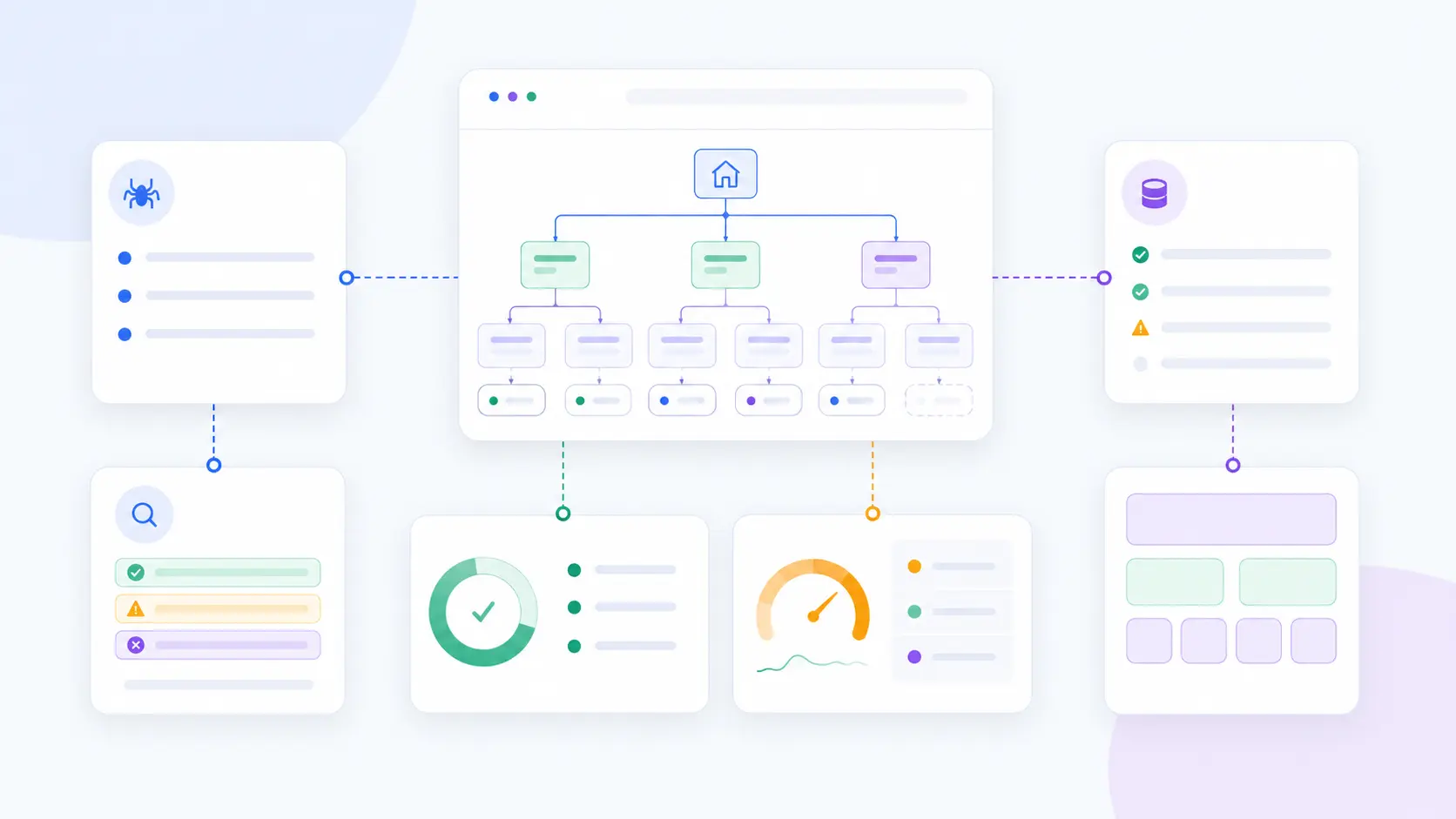
Technical SEO for B2B websites is not just a crawl export.
It is the process of making sure the pages that matter commercially can be found, parsed, loaded, interpreted, and measured.
That includes:
- crawlability and indexation;
- internal linking and information architecture;
- rendering and JavaScript behavior;
- Core Web Vitals and page experience;
- mobile usability;
- canonical and duplicate-content control;
- structured data;
- migrations and release controls;
- monitoring and regression prevention.
B2B websites often accumulate technical risk slowly.
Common causes include:
- old CMS templates;
- regional and language versions;
- product databases;
- legacy blog structures;
- comparison pages created over several years;
- gated resources;
- JavaScript-heavy page builders;
- migrations without redirect discipline;
- long release cycles;
- disconnected analytics and CRM systems.
The result is usually not one dramatic failure.
It is a slow accumulation of pages that are hard to crawl, hard to maintain, hard to convert, or hard to trust.
Related guide: B2B SEO Audit: Technical, Content, Authority, and Measurement
Start with strategic pages
A technical SEO review should start with a priority URL set.
Before reviewing every warning, identify the pages that matter most.
This usually includes:
- product and service pages;
- category pages;
- use-case pages;
- industry pages;
- comparison and alternative pages;
- pricing pages;
- demo or consultation pages;
- technical documentation pages;
- case studies;
- high-performing educational pages;
- pages that support sales conversations;
- pages connected to the SEO cost calculator or other BOFU assets.
Then ask:
- Can search engines discover these pages?
- Are they indexable?
- Are they canonical?
- Are they internally linked?
- Do they load and render reliably?
- Do they contain visible primary content?
- Do they work on mobile?
- Are conversions and events tracked?
- Are they protected during releases?
This creates a commercial filter.
The goal is not to fix every issue at once. The goal is to keep the revenue system visible and stable.
Related guide: B2B SEO KPIs: Measure Pipeline and Revenue, Not Rankings
Crawlability and indexation
Crawlability means search engines can reach a page.
Indexation means the page can be stored and considered for search results.
For B2B websites, the first question is not “how many URLs exist?”
The first question is:
Can search engines reliably find and index the pages that support demand capture, evaluation, and conversion?
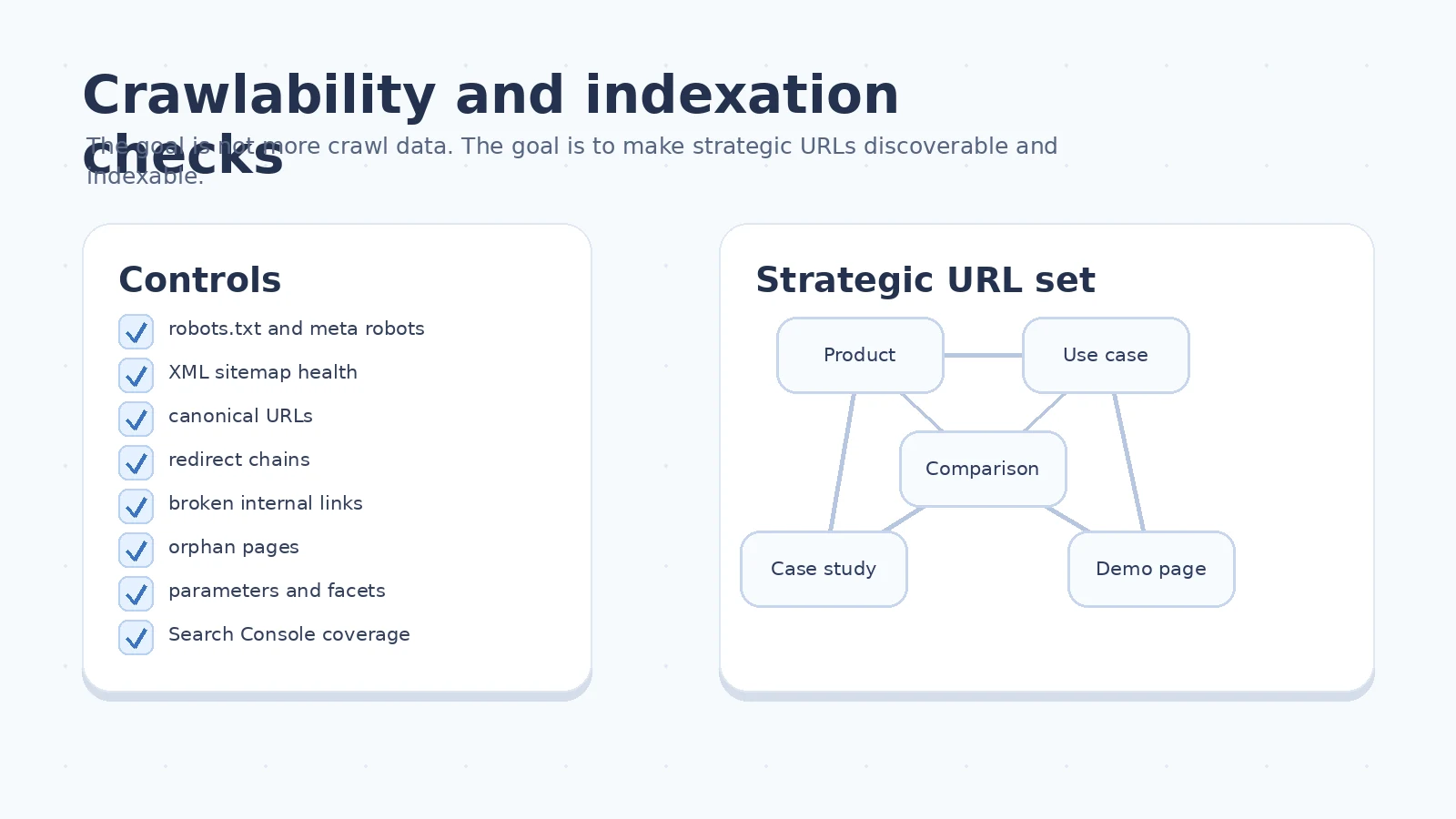
Review:
robots.txt;- meta robots tags;
x-robots-tagheaders;- XML sitemaps;
- canonical tags;
- internal links;
- redirect chains;
- broken links;
- orphan pages;
- duplicate URLs;
- faceted navigation;
- parameterized URLs;
- pagination and archive pages;
- Google Search Console index coverage;
- server errors and blocked resources.
A page that is not discoverable cannot generate organic demand.
A page that is discoverable but not indexable cannot rank.
A page that is indexable but not canonical may compete with variants of itself.
Robots, sitemaps, and canonical URLs
Use robots.txt to guide crawling, not to hide important business pages.
Check that it does not block:
- product templates;
- JavaScript and CSS required for rendering;
- important documentation;
- images used meaningfully on landing pages;
- country or language versions that should be indexed;
- comparison pages;
- BOFU tools and calculators.
XML sitemaps should contain canonical, indexable URLs.
Avoid filling sitemaps with:
- redirected URLs;
- noindex URLs;
- parameter variants;
- duplicate pages;
- empty pages;
- old staging URLs;
- obsolete campaign pages.
Canonical tags should point to the page that represents the main intent.
In B2B, this matters because similar pages often exist for:
- industries;
- use cases;
- regions;
- partner pages;
- pricing variations;
- old and new product names;
- comparison pages;
- migrated documentation.
Canonical confusion can make strong content underperform because search engines cannot easily identify the preferred version.
Internal links expose commercial structure
Technical SEO includes how pages relate to each other.
Internal links help search engines and buyers understand:
- what the company sells;
- which pages are primary;
- which topics support which offers;
- where proof exists;
- what next step fits the intent.
A B2B site should not depend only on navigation menus.
Strategic pages should be reachable through contextual links from related pages.
Examples:
- an educational article links to a relevant use-case page;
- a use-case page links to a product page;
- a product page links to a case study;
- a comparison page links to pricing or a calculator;
- a technical guide links to documentation and a demo;
- a case study links back to the product and problem category.
Use descriptive anchors.
Weak anchor:
Learn more
Better anchor:
compare B2B SEO costs before hiring an agency
Better internal links help both people and search systems understand the destination.
Related guide: B2B SEO Checklist: From Baseline to Revenue
Rendering and page performance
Rendering matters when important content is not reliably available to users or search engines.
Review how key templates behave under real conditions:
- product and service pages;
- category and use-case pages;
- comparison pages;
- lead-generation pages;
- calculators and tools;
- high-value blog articles;
- documentation pages;
- case studies.
Check:
- whether primary content is present in the initial HTML;
- whether JavaScript is required to reveal important copy;
- whether forms load reliably;
- whether accordions hide essential information;
- whether tables and specs are accessible;
- whether third-party scripts delay interaction;
- whether images are oversized;
- whether fonts block rendering;
- whether server response time is stable.
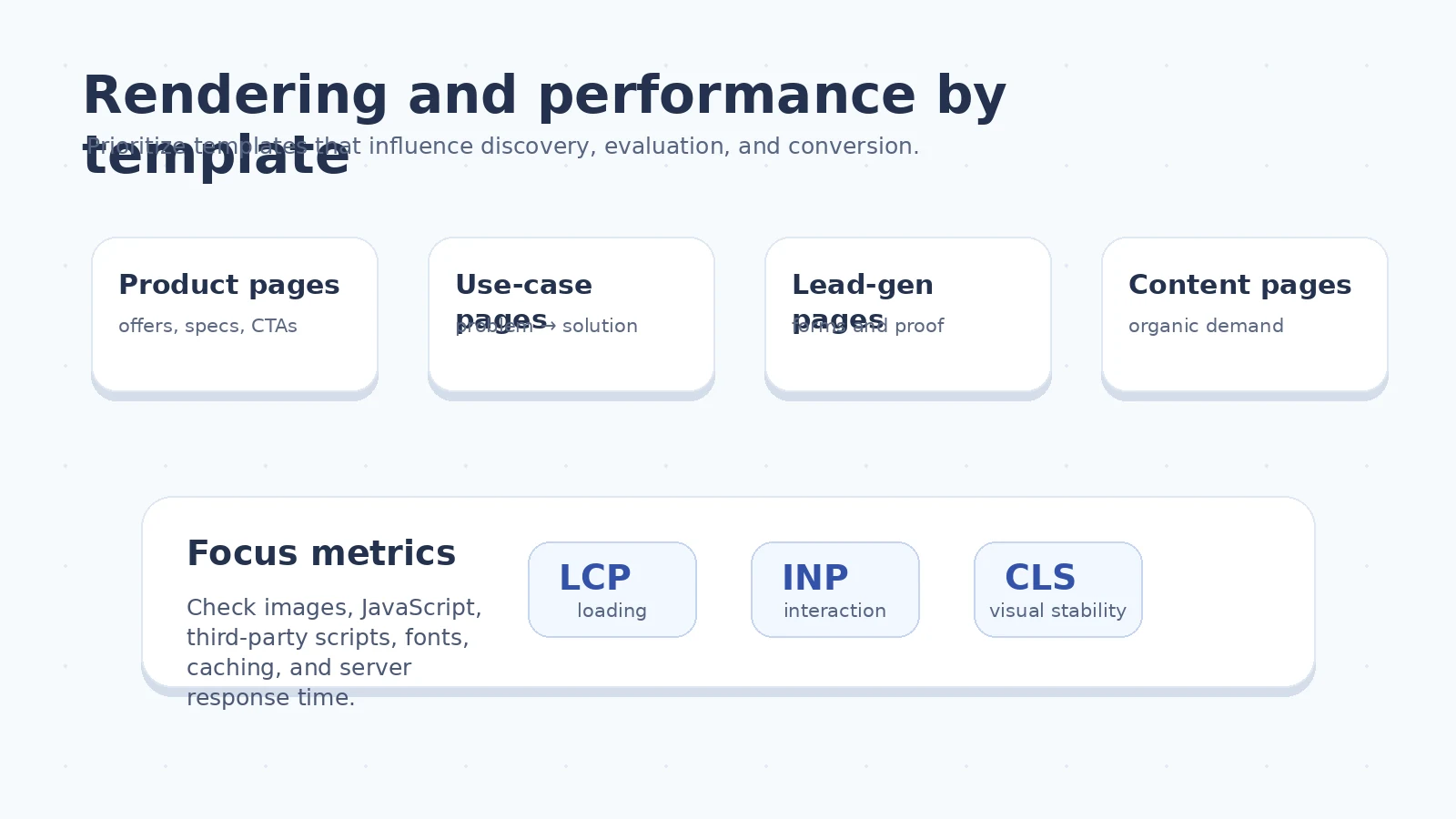
Core Web Vitals are useful here because they measure loading performance, interactivity, and visual stability from a user-experience perspective.
The practical metrics are:
- LCP for loading performance;
- INP for interaction responsiveness;
- CLS for visual stability.
But do not chase a perfect score while strategic pages are missing, duplicated, blocked, or commercially unclear.
Mobile usability for B2B buyers
B2B decisions may close on desktop, but research still happens across devices.
Mobile usability matters because buyers may:
- read an article on the way to work;
- check a vendor after a meeting;
- open a link from Slack or LinkedIn;
- review a comparison page from email;
- forward a technical resource to a colleague;
- revisit a page after a sales conversation.
Verify:
- readable typography;
- usable spacing;
- accessible navigation;
- visible CTAs;
- forms that are easy to complete;
- tables that do not overflow;
- technical specifications that remain readable;
- comparison blocks that work on small screens;
- images that scale correctly;
- essential content parity between desktop and mobile.
Mobile quality is not a growth hack.
It is a minimum operating standard for a professional website.
Information architecture is technical SEO
Information architecture is not only a content strategy problem.
It is also a technical SEO problem because it defines how search engines and buyers understand the site.
The site should make clear:
- which pages represent primary products or services;
- which pages represent industries, segments, and use cases;
- which educational topics support commercial pages;
- which comparisons and alternatives are available;
- which proof assets validate claims;
- where the next commercial step lives.
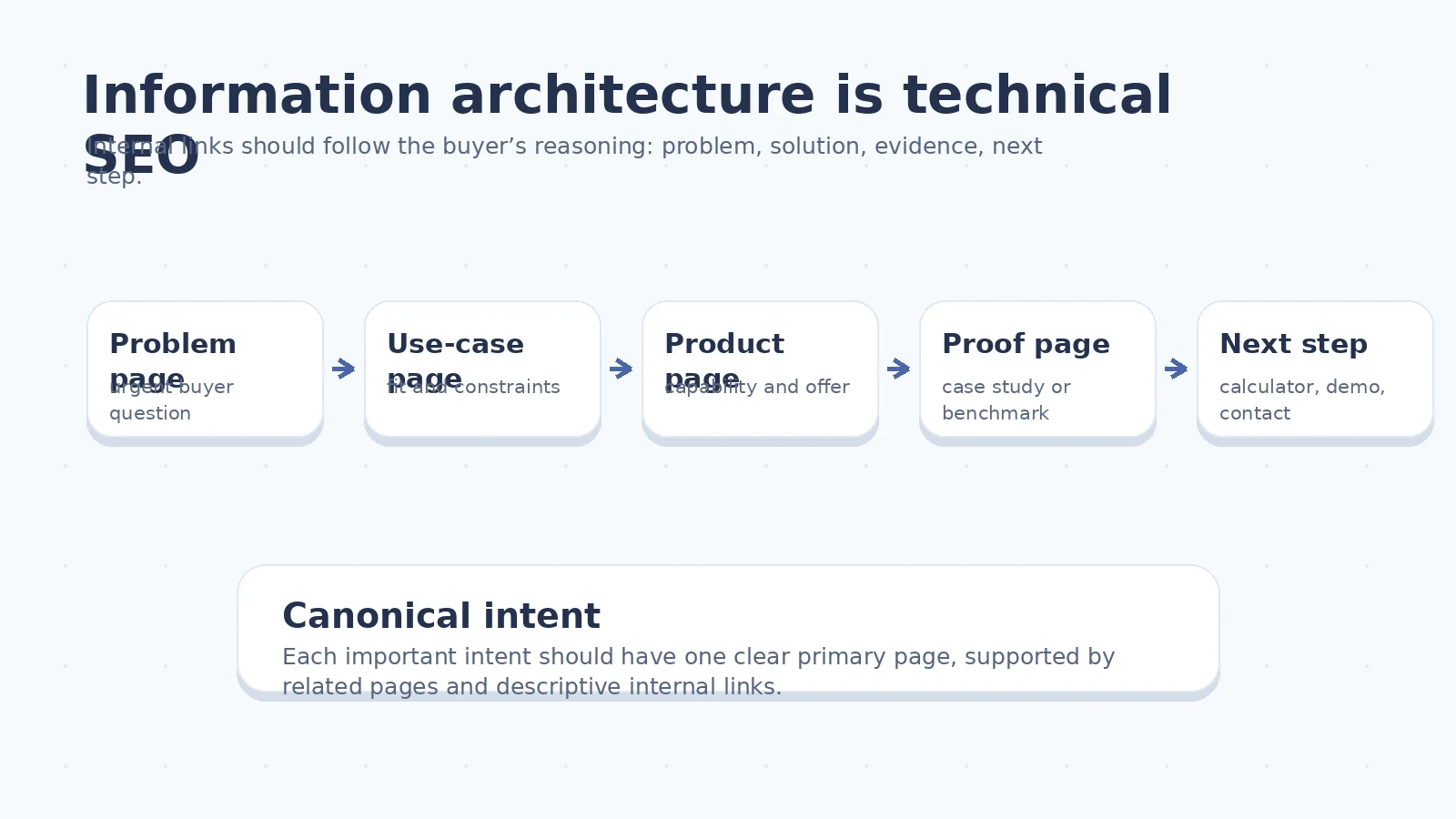
The structure should follow buyer reasoning.
A typical path might be:
Problem
→ use case
→ product capability
→ proof
→ calculator, demo, or consultation
This is especially important in B2B because the first visitor may not be the final buyer.
A technical specialist may discover a guide. A manager may later check a comparison. A finance stakeholder may review cost. A decision-maker may search the brand.
The structure has to support all of those journeys.
Duplicate and programmatic content
B2B sites often create duplicate or near-duplicate pages through scale.
Common sources include:
- industry pages with similar copy;
- regional pages;
- product variants;
- partner pages;
- tag pages;
- category filters;
- documentation versions;
- legacy campaign pages;
- CMS-generated archives;
- programmatic landing pages.
Before scaling templates, define quality rules.
A variation deserves its own indexable URL only when it has a distinct:
- audience;
- intent;
- use case;
- geography;
- product need;
- comparison context;
- proof requirement;
- decision value.
Do not index a page just because a URL can be generated.
A good programmatic B2B page should contain unique decision value.
That may include:
- specific use-case explanation;
- relevant examples;
- segment-specific objections;
- pricing or cost implications;
- integration details;
- implementation constraints;
- proof or case-study references;
- FAQs from sales or support;
- a next step that matches the intent.
Consolidate pages that serve the same intent.
Control filters and parameters when they create crawl waste.
Avoid indexable empty states and thin combinations.
Structured data
Structured data should describe the page accurately.
It should not be treated as decoration.
Depending on the site, useful schema types may include:
Organization;Product;BreadcrumbList;Article;VideoObject;FAQPage, when the implementation meets current eligibility requirements;SoftwareApplication, when relevant and accurate;RevieworAggregateRating, only when the content and policy requirements are genuinely met.
Good structured data should:
- match visible page content;
- use accurate names and descriptions;
- avoid fake or hidden information;
- be validated before release;
- be monitored after template changes;
- remain consistent across language and regional versions.
For B2B SEO, structured data usually supports clarity.
It does not replace useful content, strong internal links, or trustworthy proof.
Technical SEO for AI search and LLM visibility
AI search does not remove the need for technical SEO.
It increases the value of pages that are easy to access, parse, and verify.
For AI search readiness, check whether important pages have:
- crawlable HTML content;
- clear headings;
- visible answers to the core query;
- explicit product, category, and use-case language;
- original examples or data;
- accurate tables and specs;
- author, company, and proof signals where relevant;
- consistent internal links;
- schema that matches visible content;
- accessible images with useful alt text;
- no important claims locked inside image-only assets;
- no essential content hidden behind fragile JavaScript.
Do not create a separate “AI version” of the site.
Make the real website easier for humans and systems to understand.
A technically stable page with clear expertise, proof, and structure is more useful than a page optimized around speculative AI hacks.
Related guide: Brand Positioning Through B2B SEO
Technical SEO for calculators and tools
B2B calculators, templates, and interactive assets can be strong decision-stage pages.
They are also easy to make technically weak.
For a tool like an SEO cost calculator, check:
- whether the page has crawlable explanatory content;
- whether the main value proposition is visible before interaction;
- whether the tool works without blocking rendering;
- whether default states are clear;
- whether results can be understood by a human;
- whether events are tracked;
- whether errors are handled gracefully;
- whether the page links to related commercial and educational pages;
- whether the URL is canonical and indexable;
- whether the page can be shared.
A calculator should not be an isolated widget.
It should be a page with context, use cases, assumptions, limitations, and a next step.
Related tool: SEO Cost Calculator
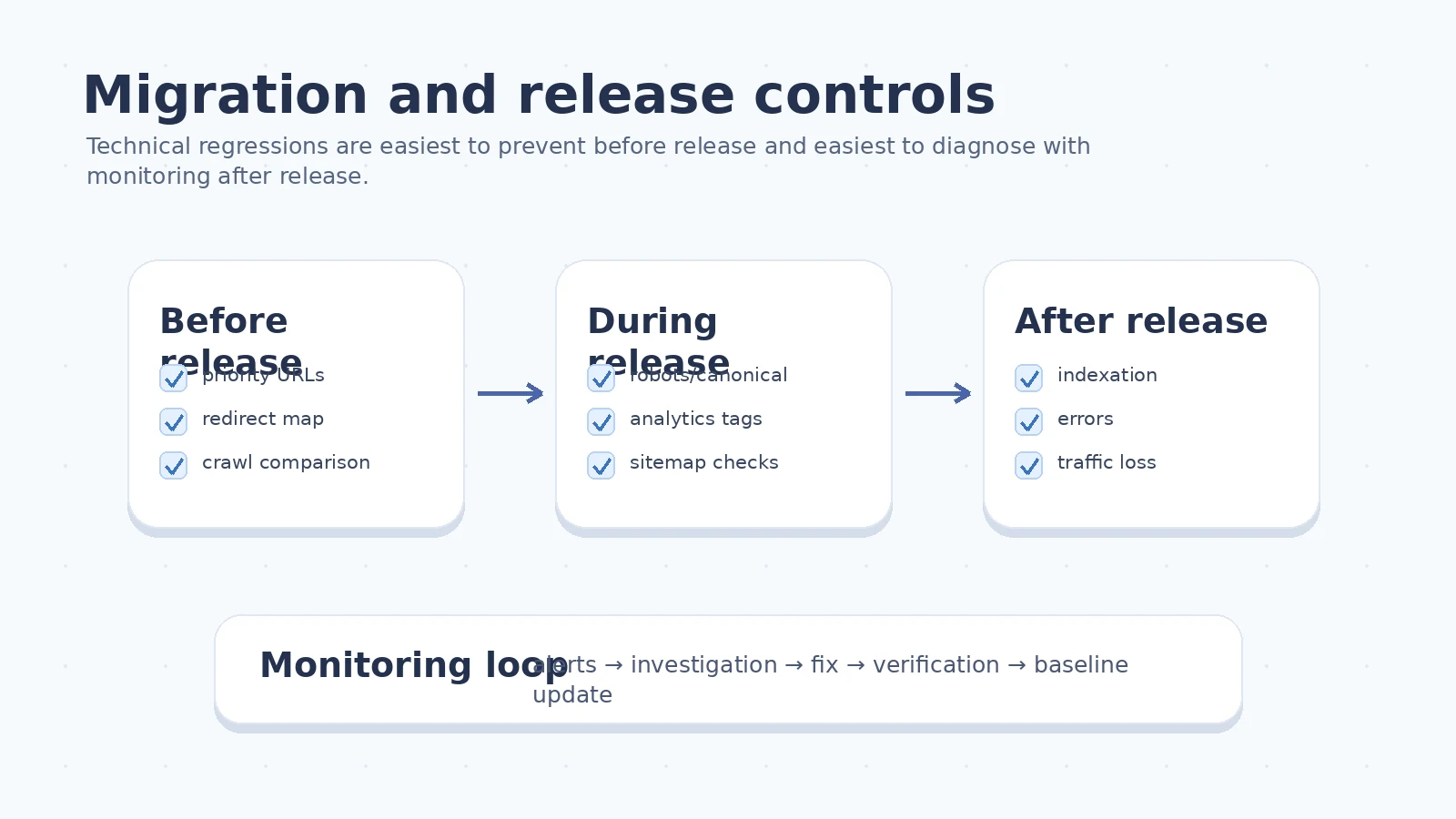
Migration and release controls
Technical regressions often appear during:
- redesigns;
- CMS changes;
- framework migrations;
- template updates;
- analytics changes;
- regional launches;
- domain moves;
- URL restructuring;
- documentation migrations;
- product rebranding.
Protect organic visibility before release.
Maintain:
- a priority URL list;
- a redirect map;
- a crawl of the old site;
- a crawl of the staging site where possible;
- canonical checks;
- robots checks;
- sitemap checks;
- hreflang checks where relevant;
- structured data validation;
- analytics and tag verification;
- form and event testing;
- post-release indexation monitoring.
The most expensive technical SEO work is often the work done after a preventable migration mistake.
Ongoing monitoring
Technical SEO is not a one-time cleanup.
Set alerts or recurring reviews for:
- server errors;
- crawl errors;
- indexation changes;
- sitemap errors;
- broken internal links;
- redirect changes;
- unexpected noindex tags;
- unexpected canonical changes;
- template-level performance drops;
- structured data errors;
- traffic loss on strategic pages;
- conversion tracking failures;
- form errors.
The review cadence depends on site complexity.
A simple B2B website may need a monthly technical review.
A large site with product databases, regional versions, documentation, and frequent releases needs tighter monitoring.
The important part is ownership.
Someone must know:
- which alerts matter;
- who investigates;
- who fixes;
- who verifies;
- how the issue is reported;
- whether the impact reached sales or pipeline.
How to prioritize technical SEO tasks
Prioritize technical work by five factors:
-
Commercial impact Does the issue affect pages that support qualified demand, pipeline, or revenue?
-
Severity Does the issue prevent discovery, indexing, rendering, conversion, or measurement?
-
Scope Is the issue isolated to one low-value page or repeated across an important template?
-
Confidence Do you know the issue is causing harm, or is it only a theoretical warning?
-
Implementation effort Can the issue be fixed quickly, or does it require engineering, design, CMS, or analytics work?
A useful priority format:
Issue:
Product comparison pages are indexable but not internally linked from relevant product pages.

Impact:
High. These pages support solution-selection intent and sales conversations.

Confidence:
Medium-high. Pages receive impressions but low clicks and poor discovery.

Effort:
Medium. Requires template links and editorial updates.

Owner:
SEO + content + web team.

Success criteria:
All comparison pages linked from related product pages, indexed, and measured by page group within 30 days.
This is more useful than a long list of generic “issues.”
Common technical SEO mistakes on B2B websites
Avoid these failure modes:
- treating every crawl warning as equally important;
- fixing low-value pages while strategic pages remain blocked;
- launching content without internal links;
- letting old comparison pages decay;
- indexing thin programmatic pages;
- hiding key content behind unstable JavaScript;
- adding schema that does not match visible content;
- migrating URLs without redirects;
- changing templates without retesting analytics;
- ignoring mobile because “B2B buyers use desktop”;
- reporting technical fixes without measuring downstream impact.
Technical SEO should reduce uncertainty.
If the work does not make important pages more reliable, visible, useful, or measurable, it may not be the right work.
90-day technical SEO plan
A practical 90-day plan can look like this.
Days 1–15: establish the technical baseline
- Define the priority URL set.
- Crawl the site.
- Review Search Console indexation.
- Check robots, sitemaps, canonicals, redirects, and internal links.
- Review performance on key templates.
- Verify analytics and conversion tracking on strategic pages.
Days 16–45: fix blockers
- Repair high-impact crawl and indexation problems.
- Remove broken internal links to strategic pages.
- Consolidate duplicate pages.
- Improve internal links between commercial and educational pages.
- Fix major template rendering issues.
- Validate structured data on important templates.
Days 46–75: strengthen templates and architecture
- Improve product, use-case, comparison, and proof-page templates.
- Add contextual internal links.
- Improve calculator and tool pages.
- Retest mobile experience.
- Improve performance where it affects users or rendering.
Days 76–90: build monitoring and release controls
- Create a pre-release SEO checklist.
- Set recurring technical reviews.
- Build alerts for indexation, traffic, and template issues.
- Document owners and escalation paths.
- Connect technical reporting to the B2B SEO KPI model.
Related guide: How to Choose a B2B SEO Partner
FAQ
What is technical SEO for B2B websites?
Technical SEO for B2B websites is the work that keeps important pages discoverable, indexable, renderable, understandable, internally connected, measurable, and stable through releases or migrations.
Why is technical SEO important for B2B SEO?
B2B companies often rely on strategic pages with high commercial value. If those pages are blocked, slow, duplicated, orphaned, or hard to render, expert content and strong offers may not become visible to buyers.
Which technical SEO issues should B2B teams prioritize first?
Prioritize issues that affect strategic pages: crawlability, indexation, canonicals, redirects, internal links, performance on important templates, duplicate content, structured data accuracy, analytics tracking, and migration risk.
Is Core Web Vitals the most important technical SEO metric?
Core Web Vitals matter because they reflect real user experience, but they should be prioritized alongside commercial impact. A perfect score is less valuable than making important B2B pages discoverable, useful, and measurable.
How does technical SEO support AI search and LLM visibility?
Technical SEO supports AI search by making content accessible, crawlable, clear, and structured. It does not require a separate AI hack; it requires reliable pages with visible expertise, facts, relationships, and useful context.
Should every B2B product variation have its own indexable page?
No. A variation deserves its own indexable page only when it serves a distinct audience, intent, use case, or decision need. Otherwise, consolidate or control the URL to avoid thin and duplicate content.
What should be checked before a B2B website migration?
Before migration, prepare a priority URL list, redirect map, crawl comparison, canonical checks, robots checks, sitemap checks, analytics verification, tag verification, and a post-release monitoring plan.
How often should technical SEO be reviewed?
B2B teams should monitor critical technical signals continuously and run deeper reviews after releases, migrations, template changes, traffic drops, or major content expansions.
Conclusion
The purpose of technical SEO is reliability.
Important B2B pages should remain discoverable, indexable, renderable, understandable, fast enough, internally connected, measurable, and stable while the website changes.
Once that foundation is in place, content, brand, authority, and conversion work can compound.
Without it, strong expertise may remain invisible.
Questions about a B2B growth system? Contact me via LinkedIn, Telegram, or email.