TXT vs Markdown vs PDF vs JSON for ChatGPT Export
Quick answer
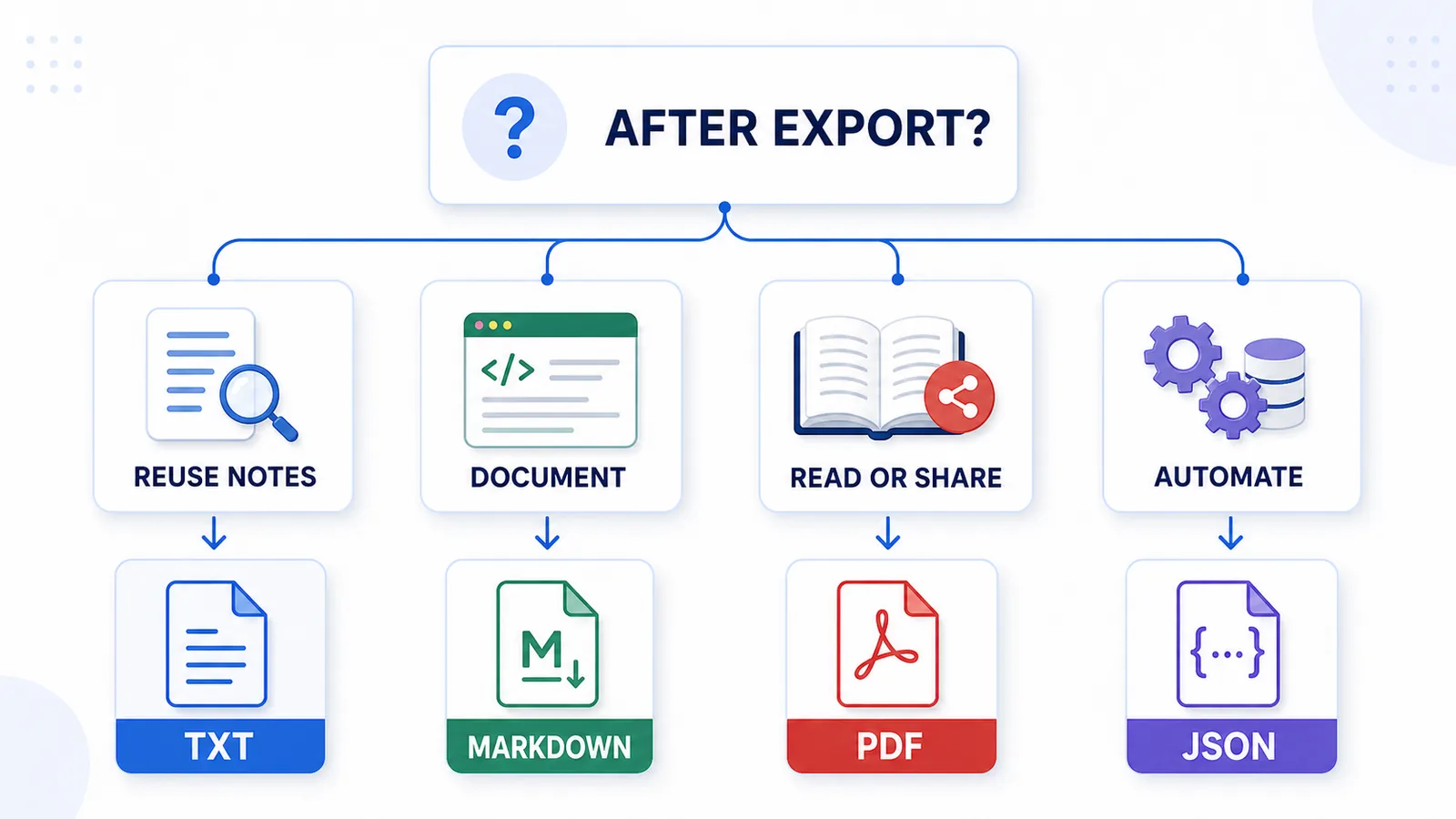
The best format for ChatGPT export depends on what you want to do with the conversation after saving it.
Use TXT if you want simple, searchable, editable notes.
Use Markdown if you want structured notes for documentation, Obsidian, GitHub, or a personal knowledge base.
Use PDF if you want a stable file for reading, printing, or sharing.
Use JSON if you want structured data for automation, scripts, or developer workflows.
For most reusable ChatGPT notes, TXT or Markdown is usually more useful than PDF or JSON.
Difference in one sentence: TXT, Markdown, PDF, and JSON are not competing versions of the same thing; they solve different jobs after a ChatGPT conversation has been exported.
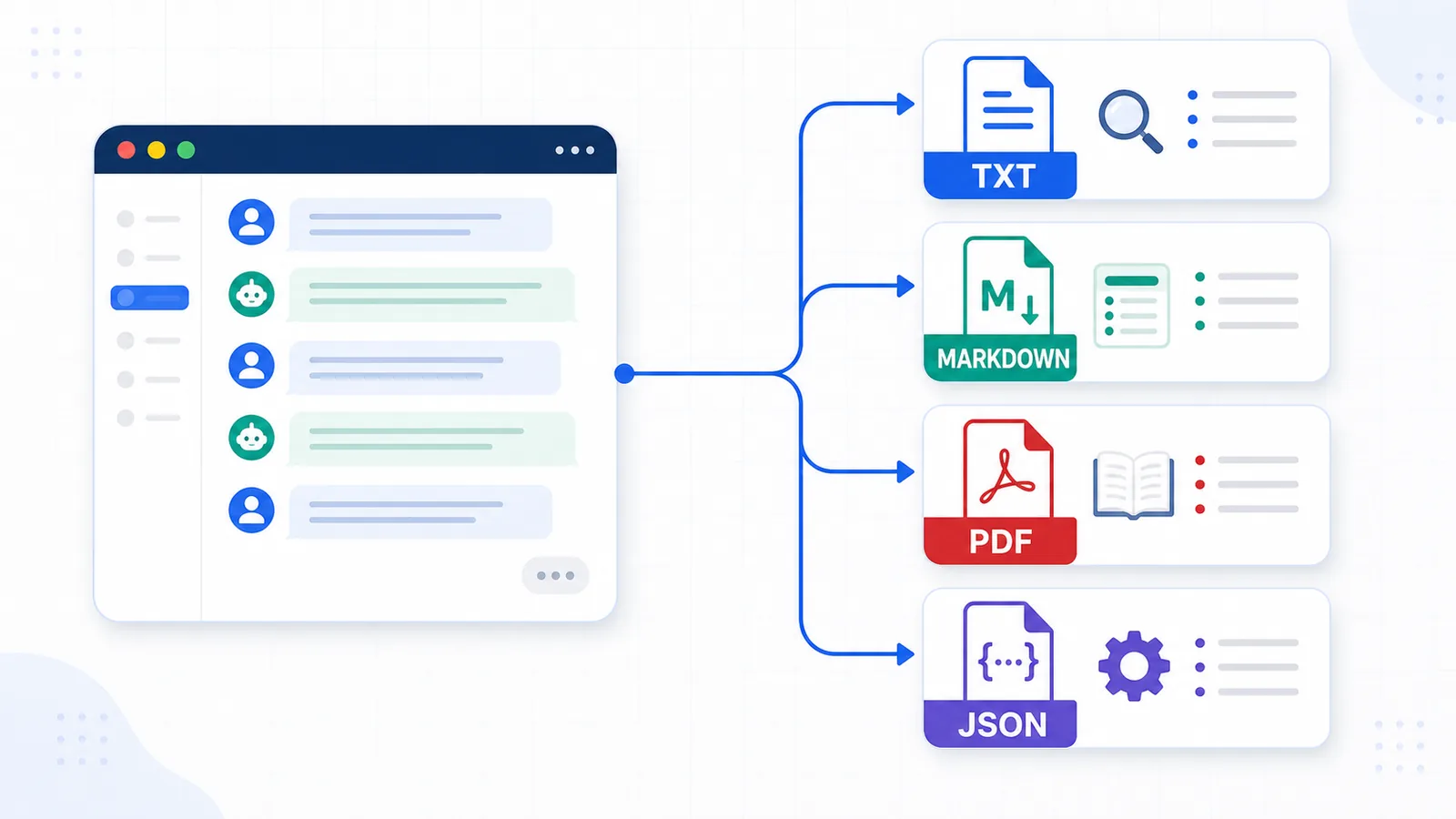
Why export format matters
Saving a ChatGPT conversation is only the first step.
The real question is:
What do you want to do with the exported conversation later?
A format that is good for reading may be bad for editing. A format that is good for automation may be bad for normal humans. A format that is simple and searchable may not preserve rich layout.
This is why ChatGPT export formats should be compared by job, not by which one sounds more advanced.
A good export format should match your goal:
- reusable notes;
- private local archive;
- sharing with someone else;
- reading later;
- editing and rewriting;
- searching inside saved conversations;
- building a personal knowledge base;
- automation or data processing.
Quick comparison
| Format | Best for | Main limitation |
|---|---|---|
| TXT | Simple reusable notes, search, local archive | Minimal visual formatting |
| Markdown | Structured notes, docs, code, knowledge bases | Requires a Markdown-friendly workflow |
| Reading, sharing, printing, visual archive | Harder to edit and reuse | |
| JSON | Automation, scripts, structured data | Not comfortable for normal reading |
There is no universal “best” format.
There is only the best format for the job.
Format comparison by use case
| Use case | Best format | Why |
|---|---|---|
| Clean reusable notes | TXT or Markdown | Easy to search, edit, copy, and store |
| Q&A-style export | TXT or Markdown | Keeps prompts and answers readable |
| Reading later | Preserves a stable document view | |
| Sharing with non-technical users | Easy to open and send | |
| Personal knowledge base | Markdown or TXT | Works well in notes apps and folders |
| Developer automation | JSON | Machine-readable and structured |
| Long-term local archive | TXT, Markdown, or PDF | Depends on whether you need editing or layout |
| Preserving visual layout | Better for page-like presentation | |
| Copying into another AI tool | TXT or Markdown | Simple text is easy to reuse as context |
For most ChatGPT conversations, the main choice is between TXT, Markdown, and PDF.
JSON is powerful, but only when you have a technical reason to use it.
TXT export
TXT export means saving a ChatGPT conversation as a plain text file.
TXT is the simplest format in this comparison.
It is good for:
- clean notes;
- local files;
- search;
- copy-paste into another tool;
- Q&A-style exports;
- long-term readability;
- lightweight archives.
TXT is especially useful when the conversation is mostly text and the goal is reuse.
For the complete TXT workflow, including naming, storage, and conversion, read How to Export ChatGPT Chats as TXT.
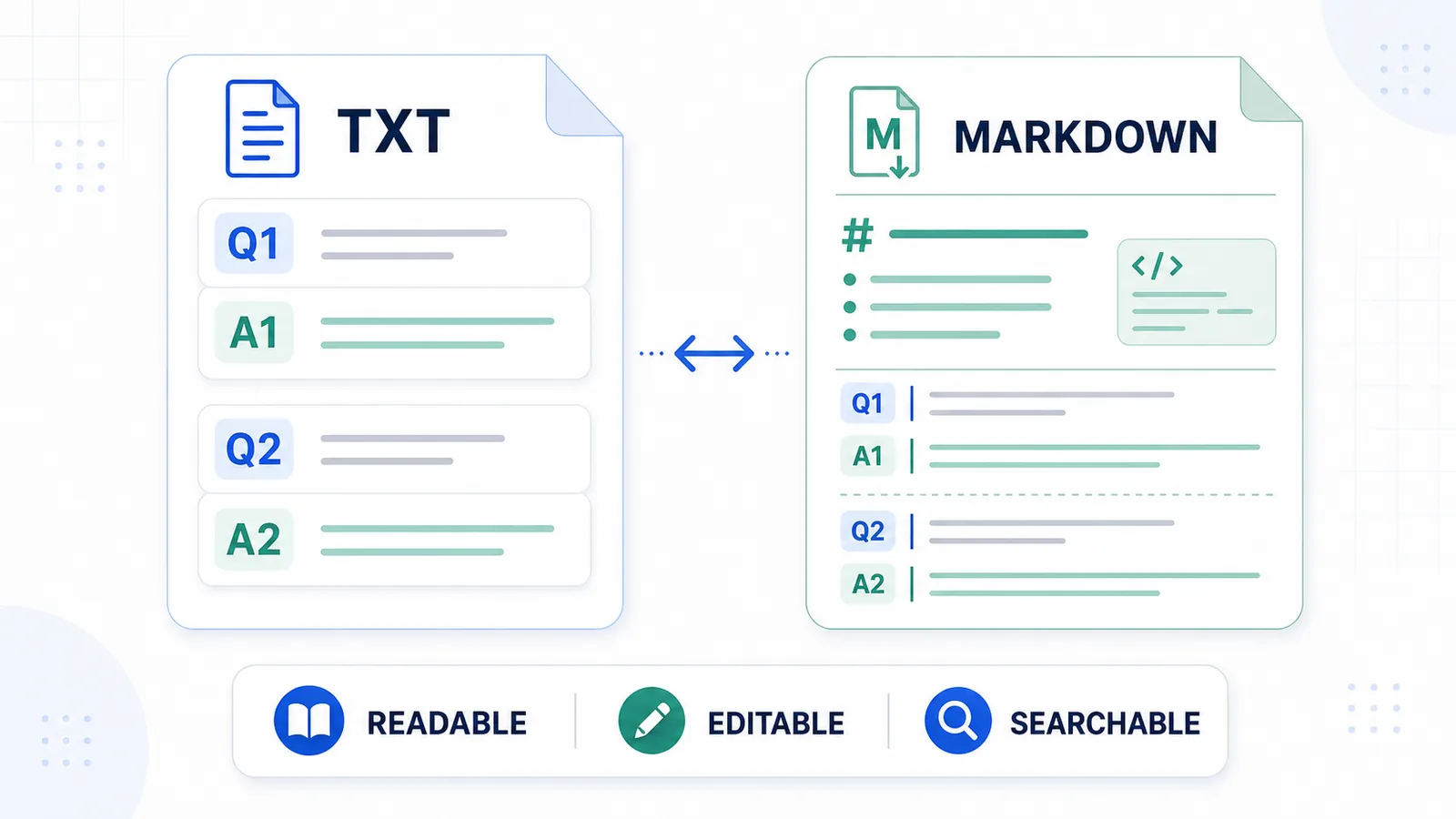
A TXT export can look like this:
Q1: What is the main problem?

A1: The main problem is that long ChatGPT chats often lose structure when saved as raw transcripts.

Q2: What is the best format for reusable notes?

A2: TXT or Markdown is usually best because both are searchable, editable, and easy to move into a notes system.
This is not visually fancy, but it is practical.
When TXT is the best format
TXT is the best choice when you want the exported conversation to be:
- readable;
- editable;
- searchable;
- lightweight;
- local;
- easy to store;
- easy to copy into another app;
- easy to use as context in a future prompt.
TXT is also strong for long-term durability. Plain text files are easy to open across devices, operating systems, editors, and note-taking tools.
If your main goal is to keep useful ChatGPT answers and prompts, TXT is often enough.
TXT limitations
TXT is not ideal when you need:
- rich visual formatting;
- embedded images;
- polished layout;
- clickable table of contents;
- presentation-ready documents;
- complex metadata;
- automation-friendly structured fields.
TXT can preserve code, lists, and basic spacing, but it is not designed for visual design.
Use TXT when the content matters more than the layout.
Markdown export
Markdown export means saving a ChatGPT conversation in a lightweight markup format.
Markdown is similar to TXT, but it adds simple structure.
Markdown can preserve:
- headings;
- lists;
- links;
- code blocks;
- quotes;
- simple tables;
- document sections.
A Markdown Q&A export might look like this:
# ChatGPT Export Notes

## Q1: What is the best format for reusable ChatGPT notes?

TXT or Markdown is usually best for reusable notes because both are searchable and editable.

## Q2: When is PDF better?

PDF is better when the goal is reading, printing, or sharing a stable document.
Markdown is often the best format when exported ChatGPT conversations become part of documentation or a personal knowledge base.
When Markdown is the best format
Markdown is a strong choice when you want:
- structured notes;
- clean headings;
- reusable documentation;
- code blocks;
- Obsidian-style workflows;
- GitHub-friendly files;
- developer notes;
- research notes;
- long-form writing drafts.
Markdown gives you more structure than TXT without becoming as rigid as PDF.
It is especially useful when a ChatGPT conversation includes sections, code, links, or reusable content that should become a document.
Markdown limitations
Markdown is not ideal when:
- you want the simplest possible file;
- you do not use Markdown-friendly tools;
- visual layout matters more than structure;
- the recipient expects a PDF or Word-style document;
- you need machine-readable structured data.
Markdown is readable as text, but it still requires some familiarity with Markdown syntax.
For very simple notes, TXT may be easier. For polished sharing, PDF may be better.
PDF export
PDF export means saving a ChatGPT conversation as a fixed document.
PDF is good for:
- reading;
- printing;
- sharing;
- visual archiving;
- stable layout;
- sending a document to someone else.
PDF is often the right choice when the conversation is finished and you want a clean reading copy.
For example, PDF can work well for:
- final reports;
- generated briefs;
- exported explanations;
- shared research summaries;
- client-facing documents;
- conversations that should not be edited much.
When PDF is the best format
PDF is best when you care about presentation and portability.
Use PDF when:
- you want a stable reading file;
- you need to send the conversation to someone;
- layout matters;
- the conversation is mostly final;
- you may print the document;
- the recipient should not need a special notes app.
PDF is also familiar to most users.
That makes it good for sharing.
PDF limitations
PDF is weaker when the exported ChatGPT conversation is still working material.
PDF can be harder to:
- edit;
- restructure;
- clean up;
- turn into Q&A notes;
- copy into another AI prompt;
- move into a knowledge base;
- process with scripts.
A PDF may preserve how the conversation looked, but not make it easier to reuse.
Use PDF when the conversation is something you want to read or send.
Use TXT or Markdown when the conversation is something you want to work with.
JSON export
JSON export means saving conversation content as structured machine-readable data.
JSON is mostly useful for developers and automation.
A JSON-style export might look like this:
[
  {
    "role": "user",
    "content": "What is the best format for reusable ChatGPT notes?"
  },
  {
    "role": "assistant",
    "content": "TXT or Markdown is usually best for reusable notes."
  }
]
JSON is powerful because each message can be stored as a structured object.
This makes it useful for:
- scripts;
- automation;
- migration;
- search indexing;
- analysis;
- custom tools;
- structured archives;
- developer workflows.
When JSON is the best format
JSON is best when a human is not the main reader.
Use JSON when you want to:
- process conversations with code;
- import data into another system;
- preserve roles and metadata;
- build a custom search tool;
- analyze conversation history;
- transform exported data into another format;
- automate workflows.
JSON is not a notes format for most people.
It is a data format.
JSON limitations
JSON is not ideal for normal reading.
It can be:
- verbose;
- technical;
- hard to scan;
- inconvenient for note-taking;
- uncomfortable for non-developers;
- less useful for writing or research workflows.
If you want to read and reuse a ChatGPT conversation manually, TXT or Markdown is usually better.
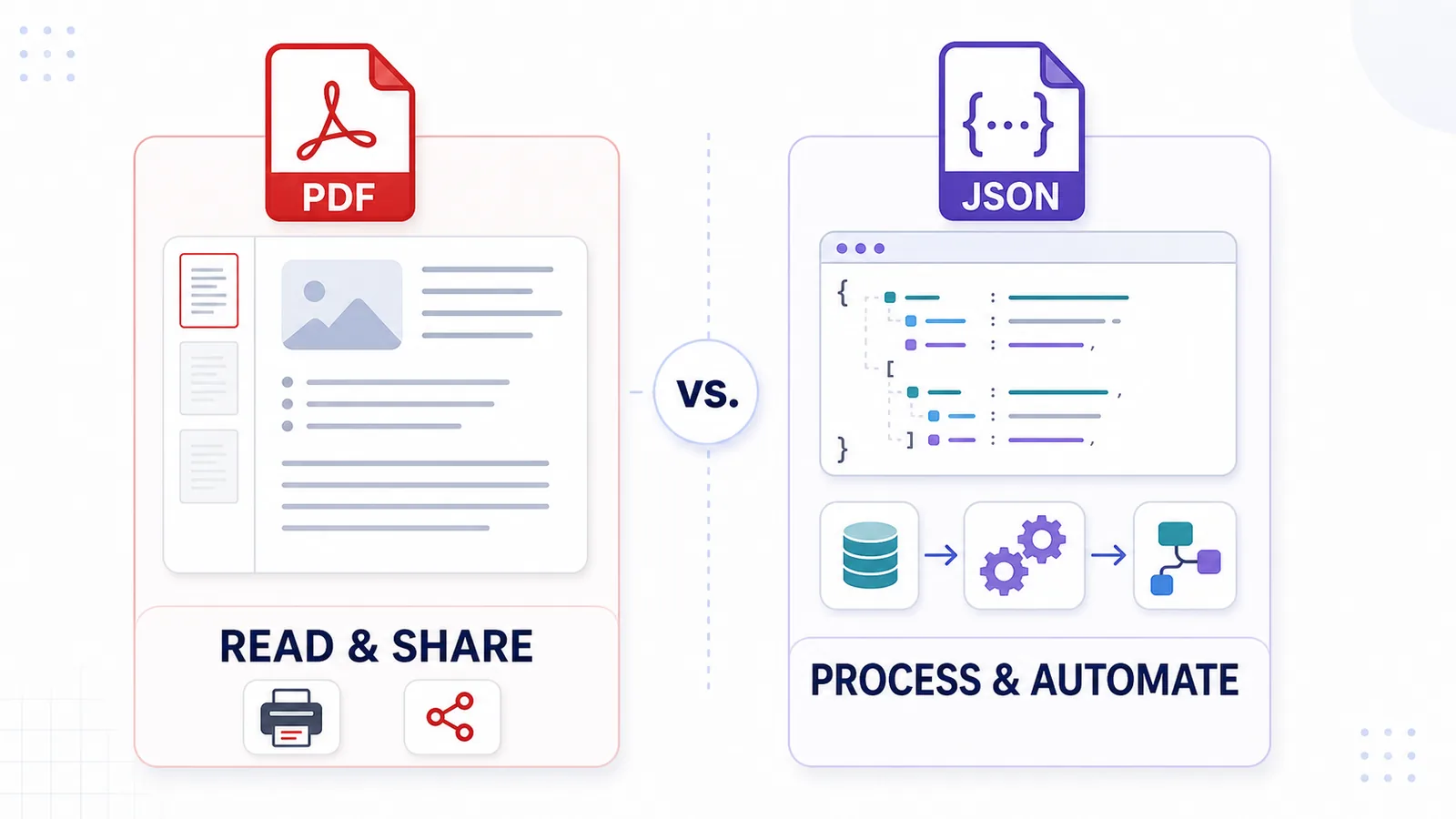
If you want to process the conversation programmatically, JSON is better.
Readability comparison
| Format | Human-readable? | Best reading experience |
|---|---|---|
| TXT | Yes | Simple notes |
| Markdown | Yes | Structured notes |
| Yes | Polished reading | |
| JSON | Limited | Developer/data review |
PDF is usually the best pure reading format.
TXT and Markdown are better when you also want to edit or reuse the content.
JSON is readable if you are technical, but it is not designed for normal reading.
Editability comparison
| Format | Easy to edit? | Notes |
|---|---|---|
| TXT | Yes | Simple editing in any text editor |
| Markdown | Yes | Easy editing with structure |
| Limited | Editing can be awkward | |
| JSON | Yes for developers | Editing manually can break structure |
If editing matters, use TXT or Markdown.
PDF is better for final documents. JSON is better for structured processing.
Searchability comparison
| Format | Searchable? | Notes |
|---|---|---|
| TXT | Yes | Very easy to search locally |
| Markdown | Yes | Easy to search in notes apps |
| Yes | Search depends on PDF quality | |
| JSON | Yes | Searchable, but less readable |
TXT and Markdown are usually the easiest formats for searching saved ChatGPT conversations.
They work well in local folders, notes apps, code editors, and knowledge bases.
Local archive comparison
| Format | Good for local archive? | Why |
|---|---|---|
| TXT | Yes | Simple, durable, lightweight |
| Markdown | Yes | Structured and portable |
| Yes | Stable visual copy | |
| JSON | Yes | Structured data archive |
All four formats can be local.
The difference is how useful they are later.
If you want local reusable notes, choose TXT or Markdown.
If you want a stable reading copy, choose PDF.
If you want structured data, choose JSON.
Sharing comparison
| Format | Good for sharing? | Best recipient |
|---|---|---|
| TXT | Sometimes | People who need plain text |
| Markdown | Sometimes | Technical users and writers |
| Yes | General users | |
| JSON | Rarely | Developers and systems |
PDF is usually the easiest format to share with other people.
TXT and Markdown are better when the recipient needs to edit or reuse the content.
JSON is best when the recipient is a tool, script, or developer.
Automation comparison
| Format | Good for automation? | Notes |
|---|---|---|
| TXT | Limited | Can be parsed, but structure may be weak |
| Markdown | Moderate | Headings and code blocks help |
| Weak | Usually awkward for automation | |
| JSON | Strong | Designed for structured data processing |
JSON is the strongest automation format.
Markdown can also work if the structure is consistent.
TXT is useful but may require cleanup. PDF is usually the weakest format for automation.
Q&A export comparison
| Format | Good for Q&A export? | Why |
|---|---|---|
| TXT | Yes | Simple Q/A pairs are easy to read and search |
| Markdown | Yes | Q/A pairs can become structured notes |
| Sometimes | Good for reading, weaker for editing | |
| JSON | Yes for developers | Each Q/A pair can be structured as data |
For everyday Q&A notes, TXT or Markdown is usually best.
For developer workflows, JSON can be useful.
For reading or sharing a finalized Q&A document, PDF can work.
Best format by goal
| Goal | Best format |
|---|---|
| Save one active chat as notes | TXT |
| Build a personal knowledge base | Markdown or TXT |
| Keep a stable reading copy | |
| Share with a non-technical person | |
| Reuse prompts and answers later | TXT or Markdown |
| Process conversations with scripts | JSON |
| Preserve simple Q&A structure | TXT or Markdown |
| Archive a finished document | |
| Store structured conversation data | JSON |
The right format depends on the job after export.
What format should you choose?
Use this simple decision rule:
- Choose TXT if you want clean reusable notes.
- Choose Markdown if you want structured notes or documentation.
- Choose PDF if you want to read or share the conversation.
- Choose JSON if you want automation or structured data.
Most people exporting ChatGPT conversations for later reuse should start with TXT or Markdown.
Where ChatGPT Session Saver fits
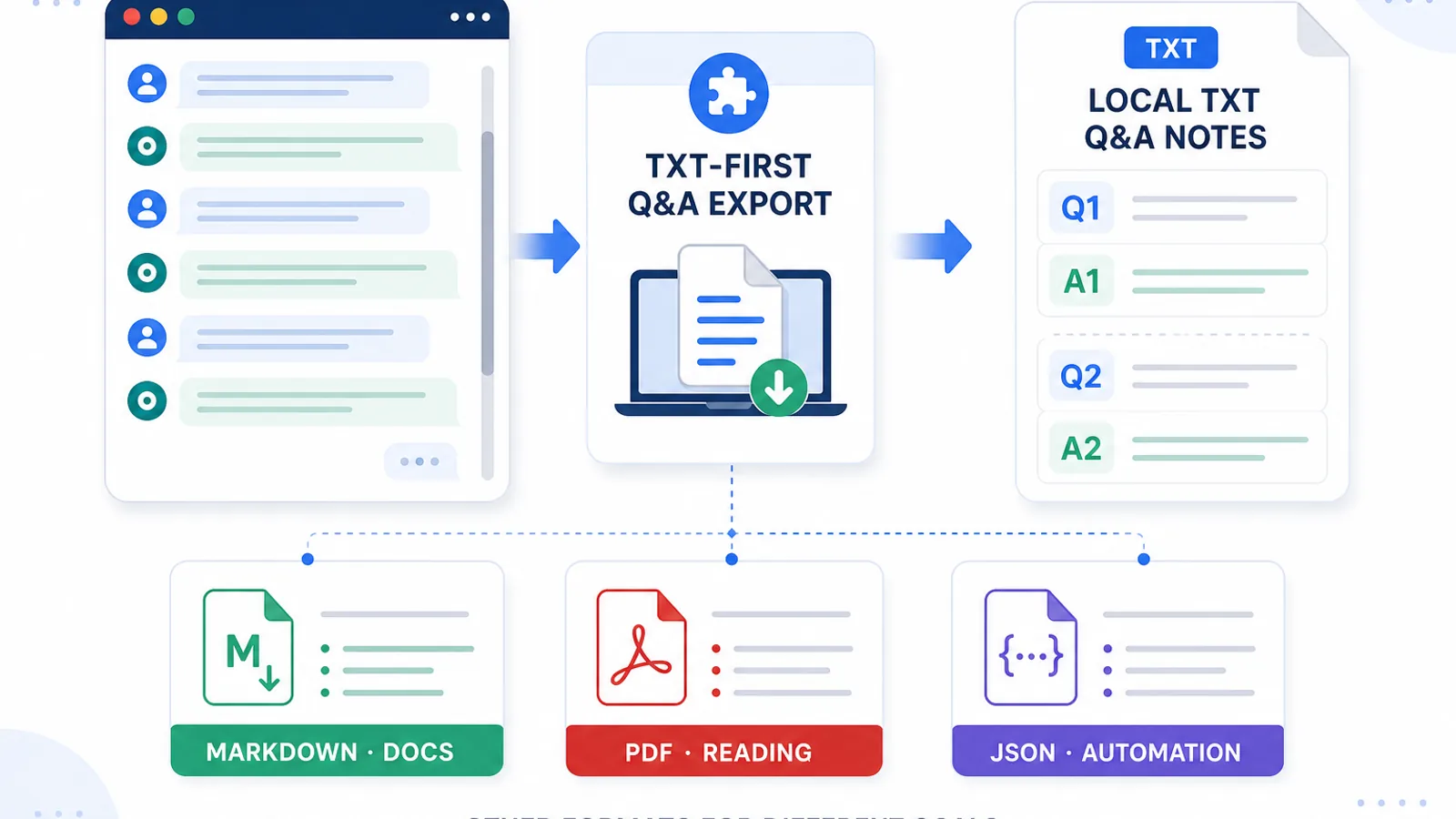
ChatGPT Session Saver is TXT-first.
It is best for saving one active ChatGPT conversation as clean Q&A-style text notes.
That means it is a good fit when you want:
- local export;
- clean text;
- Q&A-style structure;
- reusable notes;
- a simple TXT file;
- one active conversation;
- search and review inside the session.
It is not a PDF-first or JSON-first tool.
It is not meant to replace every export workflow.
Use official account export for full account backup.
Use shared links when you mainly want to show a conversation to someone else.
Use PDF when you want a stable reading document.
Use JSON when you need developer automation.
Use ChatGPT Session Saver when your goal is clean local Q&A-style TXT notes from one active conversation.
Why TXT-first can be a strength
TXT-first may sound simple, but that simplicity is useful.
A plain text export is:
- easy to open;
- easy to search;
- easy to copy;
- easy to store;
- easy to move;
- easy to edit;
- easy to reuse in another prompt.
For long ChatGPT conversations, this often matters more than visual formatting.
If the goal is knowledge reuse, the most important thing is not whether the saved file looks like the original chat.
The most important thing is whether you can understand and reuse the conversation later.
Format mistakes to avoid
Avoid these common mistakes when choosing a ChatGPT export format:
- using PDF when you need editable notes;
- using JSON when you only want to read the conversation;
- saving only the final answer without the prompt;
- using TXT when rich visual layout is required;
- using Markdown when the recipient does not use Markdown tools;
- relying only on a shared link for long-term archive;
- confusing account export with single-chat export;
- assuming one format is best for every use case.
The best format is the one that matches the next job.
How formats connect to Q&A notes
Q&A export is not the same thing as a file format.
Q&A export describes the structure:
Q: user prompt
A: assistant answer
TXT, Markdown, PDF, and JSON describe how that structure is saved.
The same Q&A structure can exist in different formats:
| Q&A format | Example |
|---|---|
| TXT Q&A | Simple Q: and A: labels |
| Markdown Q&A | Headings for each question |
| PDF Q&A | Reading document with formatted pairs |
| JSON Q&A | Objects with question and answer fields |
For most human workflows, TXT or Markdown gives the best balance of simplicity and reuse.
Related guide: How to Export ChatGPT Conversations as Question-Answer Pairs
Writers comparing TXT and Markdown can also use the brainstorming-session archive workflow to organize drafts, tone variants, and final copy after export.
Developers can use the same formats to archive debugging conversations with code blocks, attempted fixes, and final solutions.
TXT and Markdown also work well for structured research notes and searchable student study notes.
How formats connect to long-chat reuse
Long ChatGPT chats are hard to reuse when they lose structure.
The format you choose can either help or make the problem worse.
For example:
- PDF can preserve layout but make editing harder.
- JSON can preserve structure but be hard to read.
- TXT can be easy to search but visually simple.
- Markdown can preserve useful structure without becoming too heavy.
If your goal is to reuse a long chat later, choose a format that keeps the conversation understandable.
Related guide: Why Long ChatGPT Chats Are Hard to Reuse Later
Part of the ChatGPT Export Guides
This guide is part of a practical series about saving, exporting, structuring, and reusing ChatGPT conversations.
FAQ
What is the best format for exporting ChatGPT conversations?
The best format depends on what you want to do after export. TXT is best for simple reusable notes, Markdown is best for structured notes and documentation, PDF is best for reading and sharing, and JSON is best for automation.
Is TXT good for ChatGPT export?
Yes. TXT is a good format for clean, searchable, editable ChatGPT notes. It is especially useful for Q&A-style exports and long-term local archives.
Is Markdown better than TXT for ChatGPT export?
Markdown is better when you need headings, lists, code blocks, links, or notes-app workflows. TXT is simpler and more portable when you only need clean plain text.
Is PDF good for saving ChatGPT conversations?
PDF is good for reading, sharing, printing, and preserving layout. It is less useful when you want to edit, search deeply, restructure, or reuse the conversation later.
Is JSON useful for ChatGPT export?
JSON is useful for developers, automation, structured data, and migration workflows. It is not ideal for normal reading or manual note-taking.
Which format is best for Q&A notes?
TXT and Markdown are usually best for Q&A notes because they keep prompts and answers readable, searchable, editable, and easy to move into a notes app or knowledge base.
Can ChatGPT Session Saver export PDF or JSON?
ChatGPT Session Saver is TXT-first. It is best for saving one active ChatGPT conversation as clean Q&A-style text notes, not for PDF-first or JSON automation workflows.
Should I use local export or shared links?
Use local export when you want a file you control, edit, search, and archive. Use shared links when you mainly want to show a conversation to someone else.
Final thought
TXT, Markdown, PDF, and JSON are not better or worse in isolation.
They are better or worse for specific jobs.
For reusable ChatGPT notes, TXT and Markdown are usually the strongest formats. For reading and sharing, PDF is often better. For automation, JSON is the right tool.
If your goal is to save one active ChatGPT conversation as clean local Q&A notes, a TXT-first workflow is usually the simplest and most practical choice.