How Writers Can Archive ChatGPT Brainstorming Sessions
Quick answer
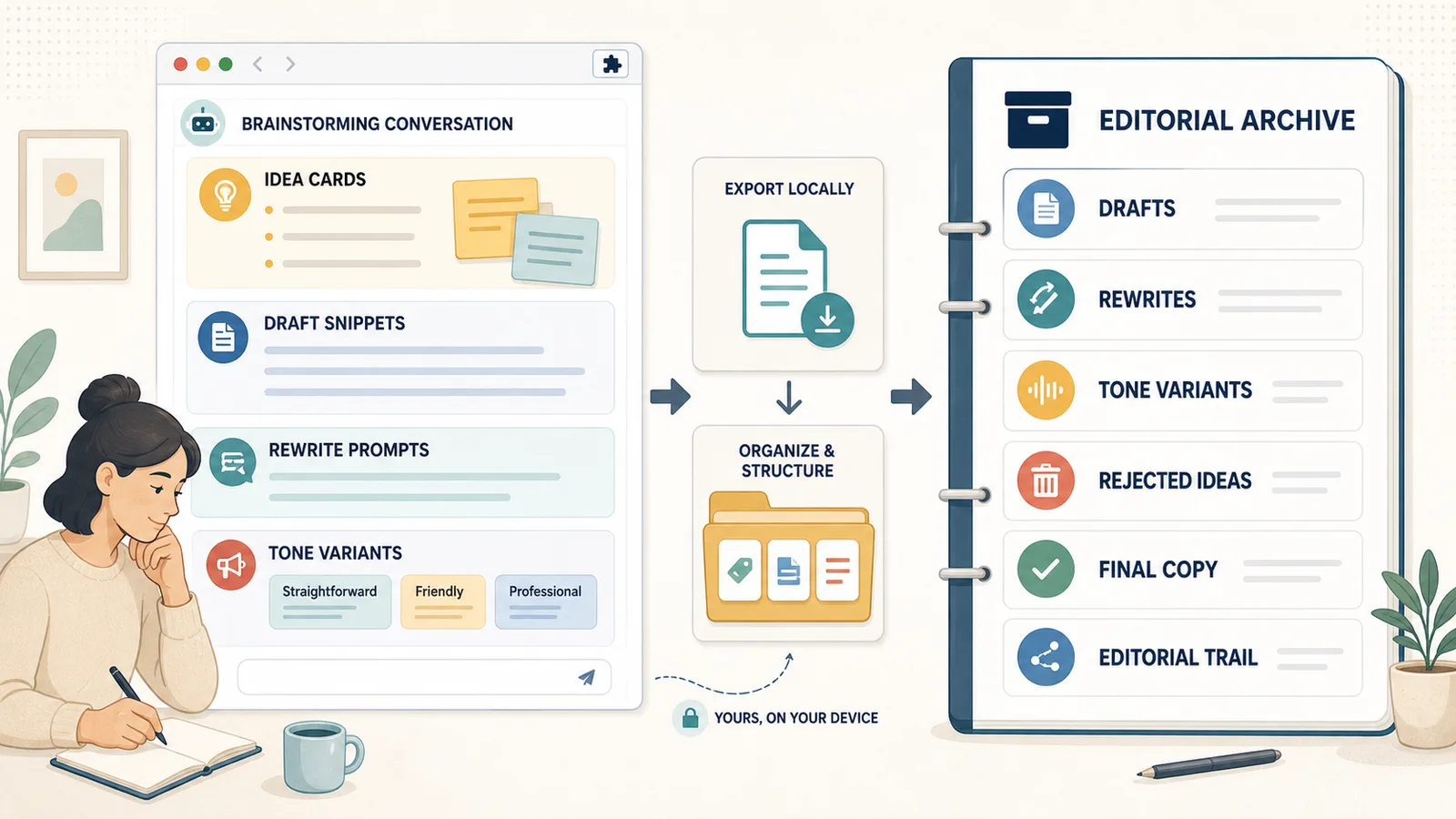
Writers can archive ChatGPT brainstorming sessions by saving the original prompt, draft ideas, rewrites, tone variants, rejected ideas, final copy, and the editorial path that led to the final version.
The goal is not to save every generated word.
The goal is to preserve the useful creative process so you can return later and understand:
- what you were trying to write;
- which angles you explored;
- which drafts were useful;
- which versions were rejected;
- which tone worked best;
- what final copy you chose;
- why that final version was better.
Difference in one sentence: A useful writing archive preserves the editorial trail from idea to final copy, not just the polished final answer.
Why writers should archive ChatGPT brainstorming sessions
ChatGPT writing sessions can produce a lot of useful material very quickly.
A single conversation may include:
- headline ideas;
- article angles;
- opening paragraphs;
- outlines;
- rough drafts;
- rewrites;
- tone variants;
- shorter versions;
- more direct versions;
- rejected ideas;
- final copy;
- notes on what changed.
While the conversation is active, it is easy to remember which version mattered.
Later, it becomes harder.
You may remember that the thread had “the good version,” but not where it appeared, what prompt created it, or why you chose it.
That is why writers should archive important brainstorming sessions as structured notes rather than leaving them as long temporary chats.
The problem with raw writing transcripts
A raw ChatGPT transcript preserves the conversation in order.
That can be useful, but writing sessions often become messy.
A long brainstorming thread may contain:
- ten headline options;
- five rejected angles;
- three introductions;
- multiple tone changes;
- several versions of the same paragraph;
- feedback like “too generic” or “less salesy”;
- a final version buried near the end.
A raw transcript answers:
What happened in the conversation?
A writing archive should answer:
Which ideas were explored, what changed, what was rejected, and what final copy was chosen?
That requires structure.
What a writing archive should preserve
A useful writing archive should preserve the editorial path.
At minimum, save:
| Section | What it captures |
|---|---|
| Writing goal | What you were trying to create |
| Original prompt | The first instruction or brief |
| Draft ideas | Raw angles, headlines, outlines, or concepts |
| Rewrites | Improved or changed versions |
| Tone variants | Different styles, voices, or levels of formality |
| Rejected ideas | Useful alternatives that were not chosen |
| Final copy | The version you decided to use |
| Editorial notes | Why the final version worked |
| Next steps | What still needs editing, publishing, or review |
This turns a brainstorming chat into a reusable writing note.
Start with the writing goal
Every archived writing session should start with the goal.
Without a clear goal, the saved conversation becomes harder to understand later.
Bad title:
ChatGPT writing
Better title:
Landing page headline brainstorm for local ChatGPT export tool
Even better:
2026-06-13 - Landing page headline brainstorm - Session Saver
A clear writing goal helps you understand:
- what the session was for;
- which drafts were relevant;
- which tone was intended;
- how the final copy should be judged;
- whether old ideas can be reused later.
Preserve the original prompt
The original prompt is the brief.
It may include:
- audience;
- tone;
- format;
- length;
- constraints;
- examples;
- product positioning;
- what to avoid;
- where the copy will be used.
If you save only the generated drafts, you may lose why those drafts were created.
Example:
Q1: Write 10 headline options for a browser extension that exports long ChatGPT conversations as clean Q&A notes. The tone should be practical, not hype-driven. Avoid sounding like a generic AI tool.
The answers only make sense because of that prompt.
A good archive keeps the prompt and the output together.
Save draft ideas
Draft ideas are the raw material of a writing session.
They may not be final, but they can be useful later.
Examples:
- article angles;
- title options;
- headline variants;
- intro directions;
- structure ideas;
- metaphors;
- positioning statements;
- section outlines;
- CTA options.
Do not automatically delete all early drafts.
Some early ideas may be useful for:
- future articles;
- social posts;
- landing pages;
- email subject lines;
- product messaging;
- alternative campaigns.
Mark them clearly as draft ideas.
Example:
Draft ideas:
- Export is not backup; it is reuse.
- Long chats fail later because the prompt disappears.
- Q&A export turns a chat into a knowledge object.
- TXT-first is a strength when the goal is reusable notes.
Save rewrites
Rewrites show how the copy evolved.
This matters because the final version often depends on what changed.
A writing session may include prompts like:
- “make it shorter”;
- “make it more direct”;
- “make it less generic”;
- “make it sound more human”;
- “remove the marketing tone”;
- “keep the meaning but change the rhythm”;
- “rewrite for technical readers”;
- “rewrite for beginners.”
If you archive only the final version, you lose the editorial process.
If you archive every rewrite without labels, the note becomes cluttered.
The best approach is to save useful rewrites with short notes.
Example:
Rewrite 1:
More concise, but too flat.

Rewrite 2:
Better tone, but still too generic.

Rewrite 3:
Final direction. Clear, practical, and specific.
Save tone variants
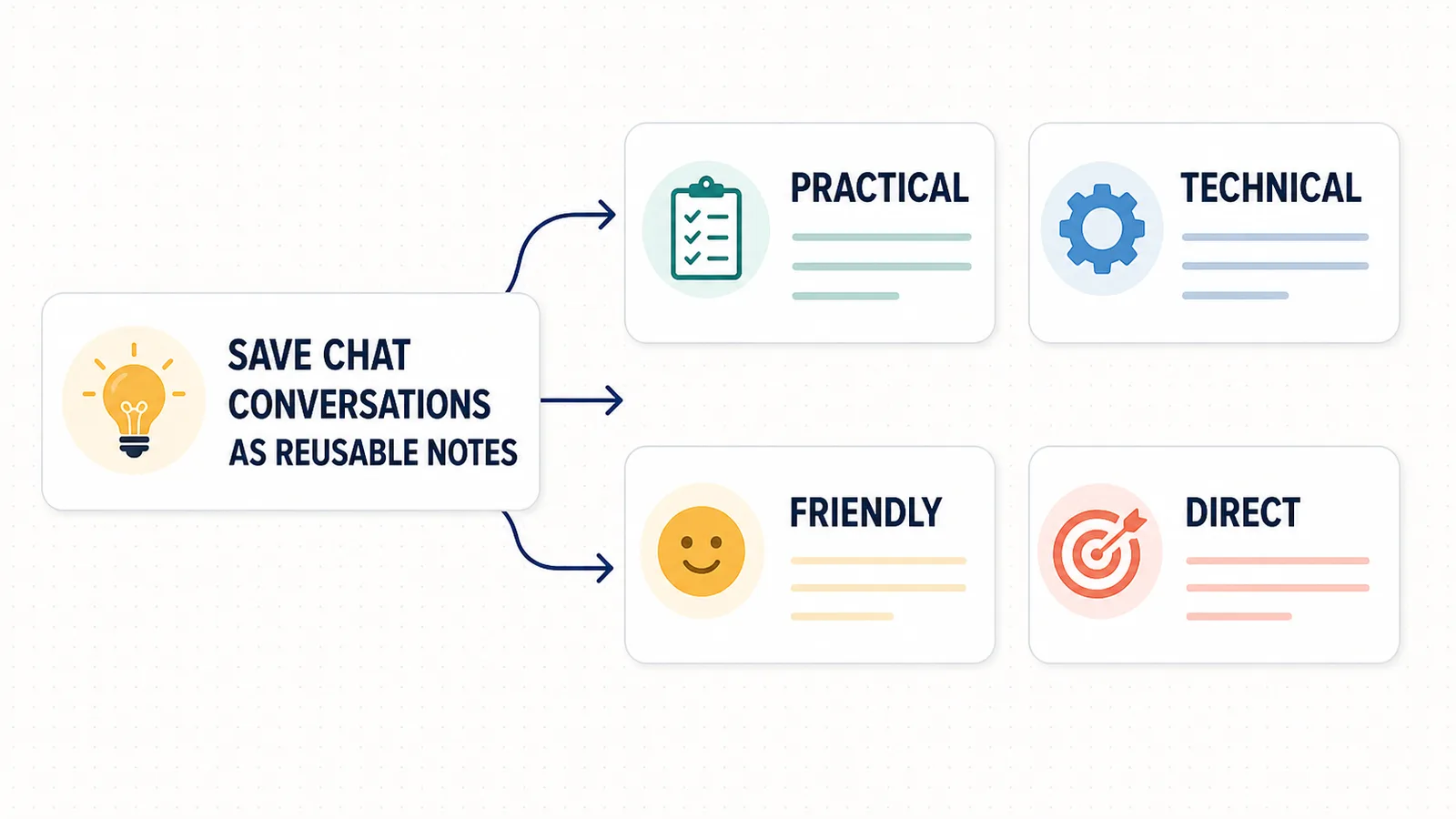
Tone variants are especially useful for writers.
A single idea can become very different depending on tone.
For example:
| Tone | Example direction |
|---|---|
| Practical | Explain the benefit clearly |
| Friendly | Make it approachable and human |
| Technical | Focus on structure, formats, and workflow |
| Editorial | Make it sound like a thoughtful essay |
| Direct | Remove softening and get to the point |
| Professional | Make it suitable for business communication |
Tone variants are not always throwaway drafts.
They can teach you what voice works for a project.
A good writing archive should preserve strong tone variants and label them clearly.
Example: tone variants
Suppose the original idea is:
Save ChatGPT conversations as reusable notes.
Different tone variants might look like this:
Practical:
Save long ChatGPT conversations as clean notes you can search and reuse later.

Technical:
Export the active ChatGPT thread as structured Q&A text for local reuse.

Editorial:
A good ChatGPT export is not just a transcript. It is a record of the thinking path.

Direct:
Stop losing useful ChatGPT answers inside messy long chats.
None of these is automatically “best.”
The best version depends on the context.
Saving tone variants helps you reuse the same idea across different formats.
Save rejected ideas
Rejected ideas are part of the editorial trail.
They show what you considered and why it did not work.
This can be useful later because:
- a rejected idea may fit another project;
- it explains why the final version was chosen;
- it prevents repeating the same weak direction;
- it preserves creative options;
- it helps when you need alternative copy.
But not every rejected idea is worth saving.
Keep rejected ideas that are:
- strategically interesting;
- close but not right;
- useful for another audience;
- good but wrong for this format;
- helpful for explaining what not to do.
Example:
Rejected ideas:
- "Export your AI brain" - memorable, but too vague.
- "Never lose a ChatGPT answer again" - strong, but too broad.
- "Save the thinking path" - useful phrase, maybe for article body.
This turns rejection into usable editorial memory.
Mark the final copy clearly
The final copy should be easy to find.
Do not leave it buried inside the conversation.
Use a clear label:
Final copy:
or:
Selected version:
or:
Final headline:
Example:
Final headline:
Save long ChatGPT conversations as clean Q&A notes
Then add a short note:
Why this version:
It is specific, product-relevant, and clearly explains the reusable notes angle.
This makes the archive useful later.
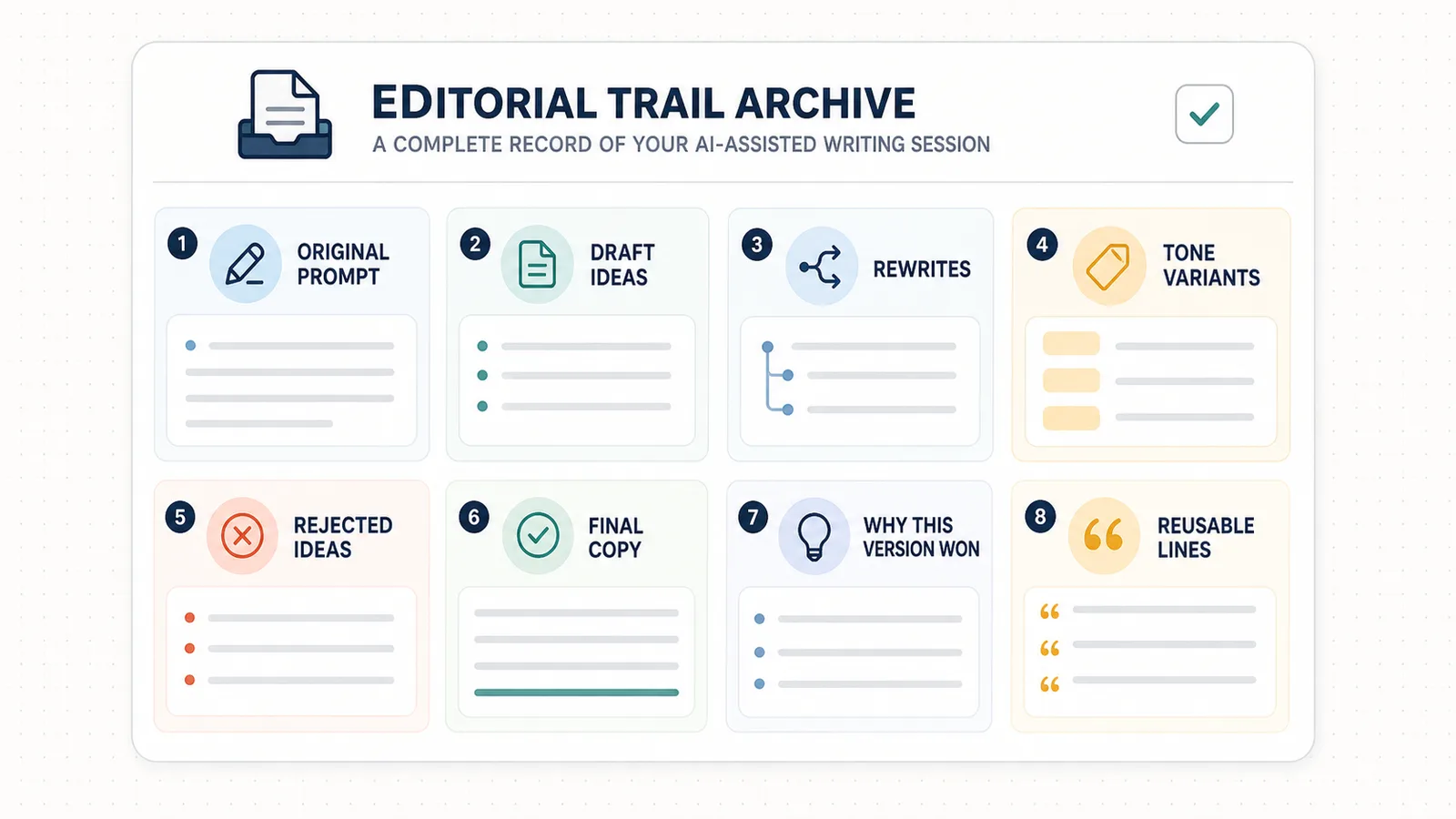
What is an editorial trail?
An editorial trail is the path from initial idea to final copy.
It includes:
- the original writing goal;
- the prompt;
- early drafts;
- rewrites;
- tone variants;
- rejected ideas;
- final version;
- reasoning behind the choice.
An editorial trail is useful because writing is not only the final text.
It is also the decision process that created the final text.
If you save the trail, you can understand and reuse your own editorial decisions later.
Q&A structure helps preserve the writing process
Writing sessions are naturally Q&A-based.
You ask:
- “Give me 10 angles.”
- “Make it more specific.”
- “Rewrite the intro.”
- “Make it less salesy.”
- “Use this tone.”
- “Which version is strongest?”
- “Turn it into final copy.”
The assistant answers each prompt.
Q&A structure keeps each answer connected to the prompt that created it.
Example:
Q1: Give me 10 headline angles for this article.
A1: ...

Q2: Remove generic AI productivity angles.
A2: ...

Q3: Pick the strongest three and explain why.
A3: ...

Q4: Turn the best one into final copy.
A4: ...
This is easier to reuse than a raw transcript.
Related guide: How to Export ChatGPT Conversations as Question-Answer Pairs
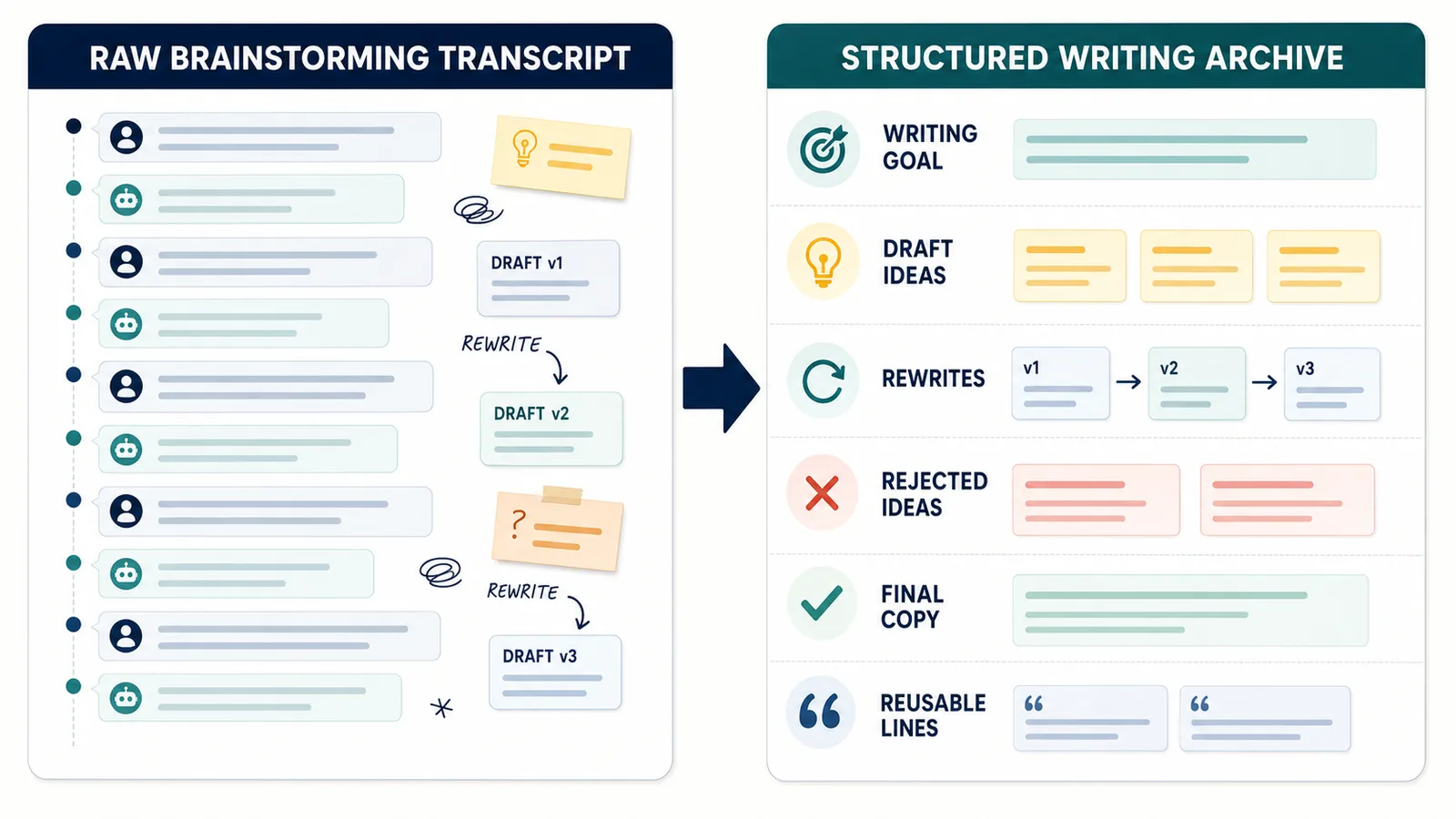
Raw transcript vs writing archive
A raw transcript keeps the conversation.
A writing archive keeps the editorial logic.
| Raw transcript | Structured writing archive |
|---|---|
| Chronological message log | Goal -> drafts -> rewrites -> final copy |
| Hard to identify final version | Final copy is clearly marked |
| Rejected ideas mixed with everything else | Rejected ideas are labeled |
| Tone variants may blur together | Tone variants are grouped |
| Useful phrases get buried | Reusable lines are easy to find |
The archive should make the writing session easier to use than the original chat.
Writing archive template
You can use this template for ChatGPT brainstorming sessions:
# Writing session archive

Date:
Project:
Content type:
Audience:
Goal:

## Original prompt

Paste the first prompt or brief.

## Draft ideas

- Idea 1
- Idea 2
- Idea 3

## Rewrites

### Version 1

Text...

Notes:

### Version 2

Text...

Notes:

## Tone variants

### Practical

Text...

### Technical

Text...

### Friendly

Text...

## Rejected ideas

- Idea:
  Reason rejected:

- Idea:
  Reason rejected:

## Final copy

Final selected version.

## Why this version won

Short explanation.

## Reusable lines

- Line 1
- Line 2
- Line 3

## Next steps

- Edit
- Publish
- Test
- Reuse in another format
This structure works for articles, landing pages, emails, social posts, product copy, and content briefs.
Example: messy brainstorming chat vs structured archive
A messy brainstorming chat might look like this:
User: Give me article title ideas.
Assistant: Here are 20 options...
User: These are too generic.
Assistant: Here are more specific options...
User: Make them more practical.
Assistant: Here are practical versions...
User: I like 3 and 7. Combine them.
Assistant: Here is a combined version...
User: Less boring.
Assistant: Here are stronger options...
User: Use the second one.
Assistant: Final version...
A structured archive is more useful:
Writing goal:
Create a practical article title about exporting ChatGPT conversations as Q&A notes.

Rejected direction:
Generic "AI productivity" titles.

Strong draft ideas:
- Turn messy ChatGPT threads into reusable notes
- Save the thinking path, not just the final answer
- Export ChatGPT conversations as Q&A pairs

Tone direction:
Practical, clear, not hype-driven.

Final title:
How to Export ChatGPT Conversations as Question-Answer Pairs

Why this version:
It is specific, searchable, and clearly defines the format.
The structured version is easier to search and reuse.
Save reusable lines
Writing sessions often produce small phrases that are useful later.
They may not become final copy in the current project, but they can be reused.
Examples:
Reusable lines:
- A good export preserves the thinking path, not just the final answer.
- Copy-paste saves text. Q&A export saves structure.
- The best format depends on what you want to do after export.
- A raw transcript records the conversation. A Q&A note makes it reusable.
Save these separately.
Reusable lines can become:
- headings;
- captions;
- meta descriptions;
- landing page copy;
- social posts;
- product messaging;
- email snippets.
Save copy by content type
If a brainstorming session covers multiple formats, separate them.
For example:
Content types:
- Article title
- Meta description
- Hero section
- CTA
- FAQ answer
- Social post
This helps later because a good line for a landing page may not work as an article heading.
A writing archive should make it clear where each piece of copy belongs.
Best formats for writing archives
For writing sessions, TXT and Markdown are usually the most useful formats.
| Format | Good for writing archive? | Why |
|---|---|---|
| TXT | Yes | Simple, searchable, editable |
| Markdown | Yes | Great for headings, drafts, sections, and notes apps |
| Sometimes | Useful for reading or sharing a finished version | |
| JSON | Rarely | Useful only for automation or structured tools |
Markdown is often best when you want to preserve drafts, sections, tone variants, and final copy.
TXT is best when you want a simple local archive.
Related guide: TXT vs Markdown vs PDF vs JSON for ChatGPT Export
How to name writing session exports
Good filenames make old writing sessions easy to find.
Bad filenames:
chat.txt
article ideas.txt
final copy.txt
brainstorm.txt
Better filenames:
2026-06-13-session-saver-article-title-brainstorm.md
2026-06-13-chatgpt-export-landing-page-copy.txt
2026-06-13-qa-export-tone-variants.md
A useful filename includes:
- date;
- project;
- content type;
- topic;
- draft stage if needed.
This becomes more important as your archive grows.
How to organize writing archives
You can organize ChatGPT brainstorming sessions by project, content type, or stage.
Example folder structure:
Writing archive/
  Articles/
  Landing pages/
  Emails/
  Product copy/
  Social posts/
  Reusable lines/
  Rejected ideas/
  Final copy/
Or by project:
Session Saver/
  Article drafts/
  Landing page copy/
  SEO metadata/
  CTA ideas/
  Rejected angles/
  Final copy/
The right system depends on how you write.
The important thing is that useful drafts and final copy are findable later.
What not to archive
Do not save everything just because it exists.
A writing archive should not become a dump.
You usually do not need to keep:
- weak generic outputs;
- repeated versions with no meaningful difference;
- interface noise;
- empty messages;
- abandoned directions that are not useful;
- accidental pasted text;
- confidential material you do not need;
- copyrighted text you do not have permission to reuse.
Keep the material that helps future writing.
Delete or ignore the rest.
Be careful with originality
ChatGPT can help brainstorm, rewrite, and structure text, but writers should still review the output.
Before using final copy, check:
- does it sound like you or the brand?
- is it accurate?
- is it too generic?
- does it accidentally imitate a source too closely?
- does it make claims that need verification?
- does it fit the intended audience?
- does it need human editing?
A writing archive should support your editorial process, not replace it.
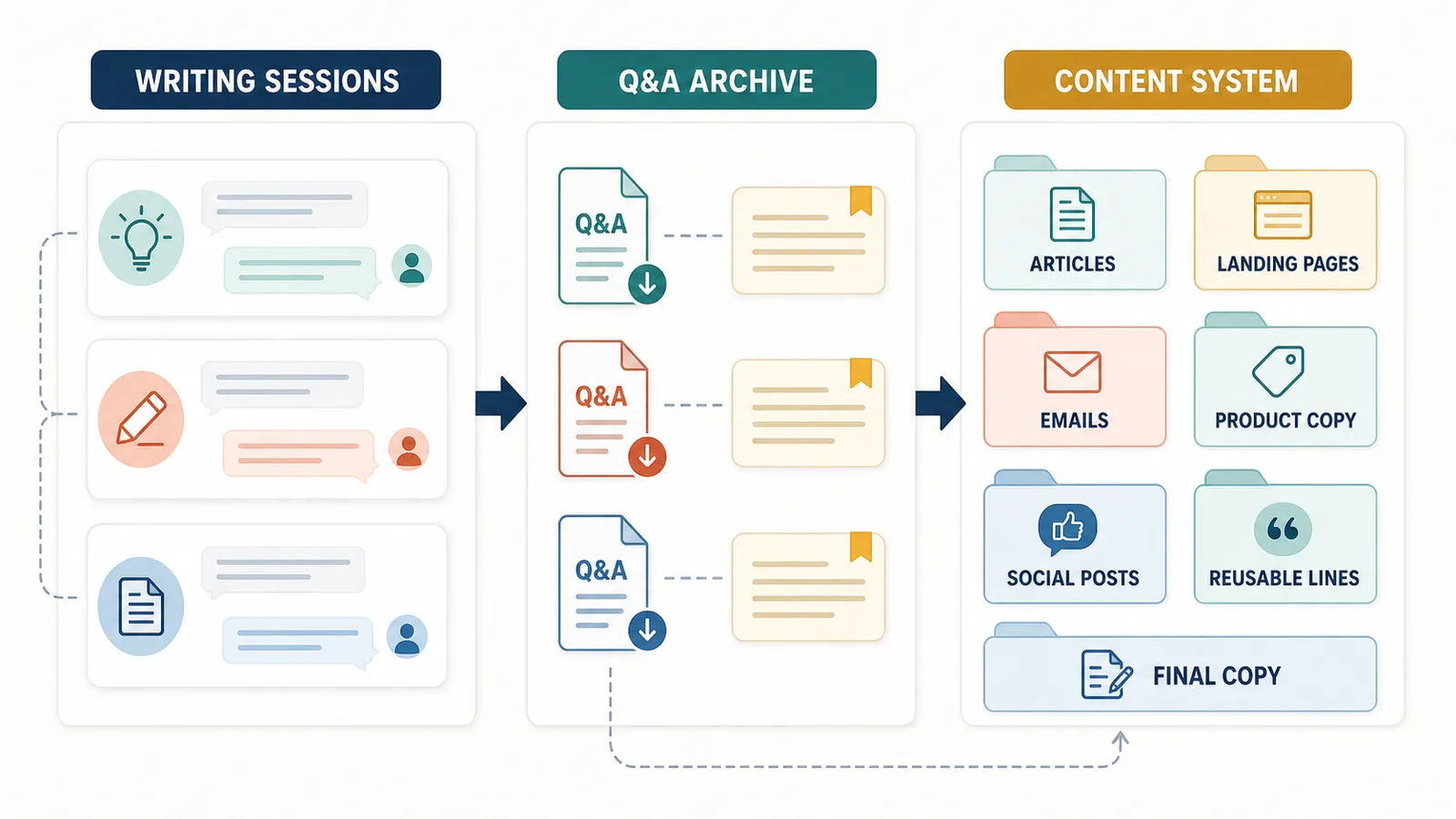
From brainstorming archive to content system
A saved brainstorming session can become part of a larger content system.
For example, one session can produce:
- article outline;
- title variants;
- meta description;
- intro options;
- internal link ideas;
- FAQ answers;
- CTA copy;
- social post drafts;
- future article angles.
If those outputs are organized well, one ChatGPT session can support several pieces of content.
The key is to label the material clearly.
How ChatGPT Session Saver helps
ChatGPT Session Saver is a local-first browser tool for saving one active ChatGPT conversation as clean Q&A-style TXT notes.
For writers, it can preserve the original writing prompts, answers, rewrites, and tone variants without requiring manual reconstruction of the conversation.
It does not automatically classify drafts, choose final copy, remove weak versions, or create sections such as “Rejected ideas” and “Why this version won.” Those editorial labels and decisions are added manually after export.
It is useful when you want to preserve:
- the original writing prompt;
- draft ideas;
- rewrites;
- tone variants;
- final copy;
- the Q&A structure behind the writing process;
- a local TXT archive.
It is not:
- a writing editor;
- a plagiarism checker;
- a citation tool;
- a full account backup;
- a PDF-first exporter;
- a JSON automation product.
Use it when one active writing or brainstorming conversation should become clean local Q&A notes.
When not to use an export tool
You do not always need to export a full writing session.
Manual notes may be better when:
- the chat is short;
- only one final line matters;
- the conversation contains sensitive client material;
- most outputs were low quality;
- the final copy is already saved elsewhere;
- you only need to copy one paragraph.
For important brainstorming sessions, export and structure the conversation.
For quick disposable drafts, copy the useful part and move on.
Common mistakes
Avoid these mistakes when archiving ChatGPT writing sessions:
- saving only the final copy;
- losing the original prompt;
- failing to mark the final version;
- deleting all rejected ideas;
- keeping every weak draft;
- mixing unrelated writing projects in one file;
- using unclear filenames;
- saving PDF when you need editable drafts;
- treating AI output as final without editing;
- keeping confidential or copyrighted material unnecessarily.
A good writing archive should make future writing easier, not create more clutter.
Part of the ChatGPT Export Guides
This guide is part of a practical series about saving, exporting, structuring, and reusing ChatGPT conversations.
FAQ
How should writers archive ChatGPT brainstorming sessions?
Writers should save the original prompt, draft ideas, rewrites, tone variants, rejected ideas, final copy, and notes explaining why one version was chosen.
Why should writers save rejected ideas?
Rejected ideas can be useful later because they show what was explored, why certain angles did not work, and which alternatives may be reused in another draft.
What is an editorial trail?
An editorial trail is the path from initial idea to final copy, including prompts, drafts, rewrites, tone changes, feedback, rejected versions, and the final selected version.
What format is best for saving ChatGPT writing sessions?
TXT and Markdown are usually best for reusable writing notes because they are easy to search, edit, copy, and move into a writing system or content archive.
Is PDF good for archiving writing sessions?
PDF is useful for reading or sharing a finished draft, but TXT or Markdown is usually better when you want to edit, reuse, compare, or continue working with the text.
Should writers save every ChatGPT response?
No. Writers should save useful prompts, drafts, final versions, strong rejected ideas, and important editorial decisions. Repetitive or low-quality outputs can be removed.
How does Q&A structure help writers?
Q&A structure keeps each writing prompt connected to the answer it produced. This makes rewrites, tone variants, and final copy easier to understand later.
Can ChatGPT brainstorming sessions become a writing knowledge base?
Yes. Writers can organize saved brainstorming sessions by project, topic, client, format, draft stage, or final copy to create a reusable writing archive.
Final thought
A ChatGPT brainstorming session is not just a list of generated drafts.
It is an editorial trail.
If you preserve the prompt, drafts, rewrites, tone variants, rejected ideas, and final copy, the conversation becomes useful long after the original chat is over.
For writers, the best archive does not save everything.
It saves the creative path that made the final version possible.