ChatGPT Shared Links vs Local Export: What’s the Difference?
Quick answer
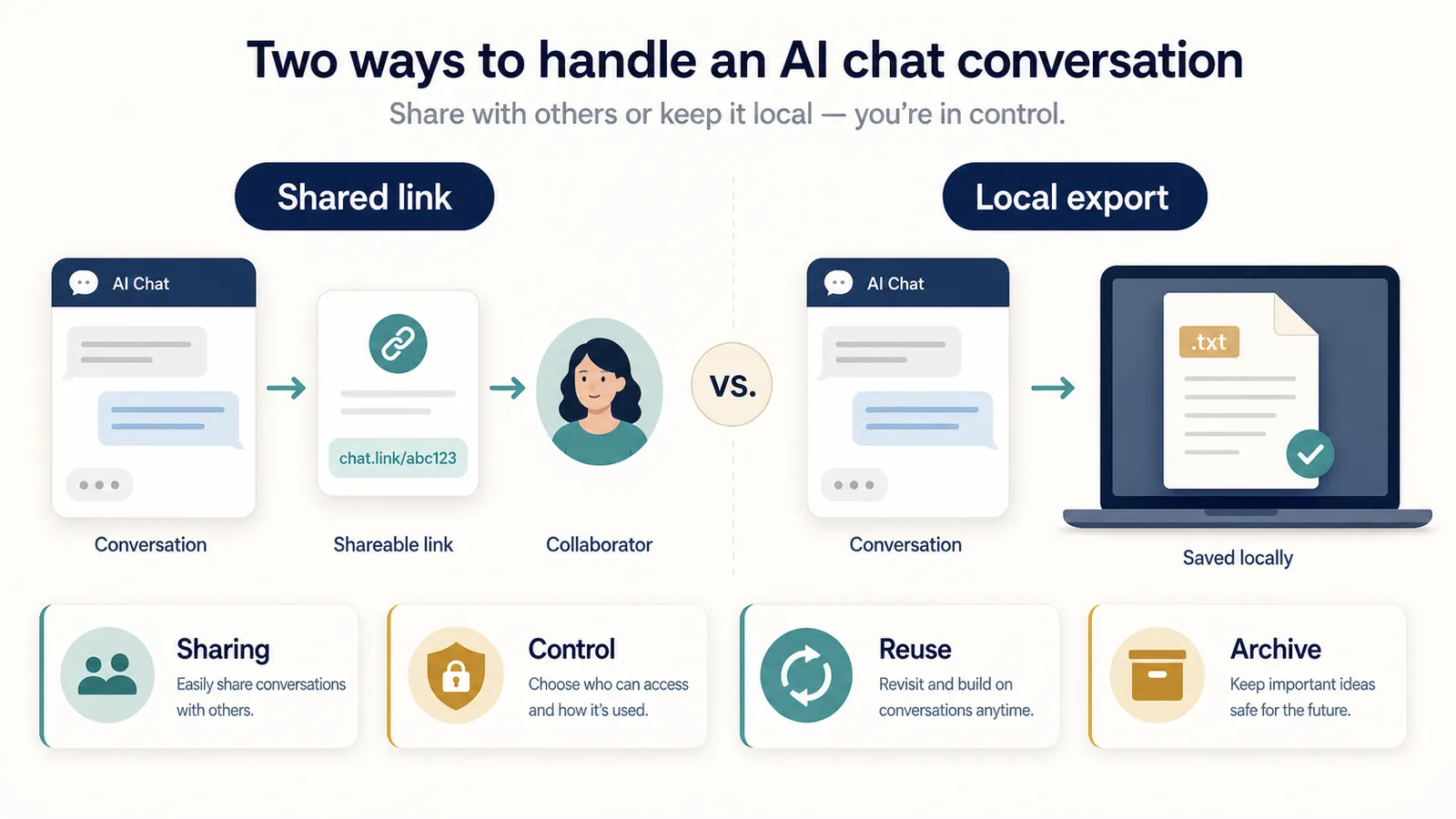
ChatGPT shared links and local export solve different jobs.
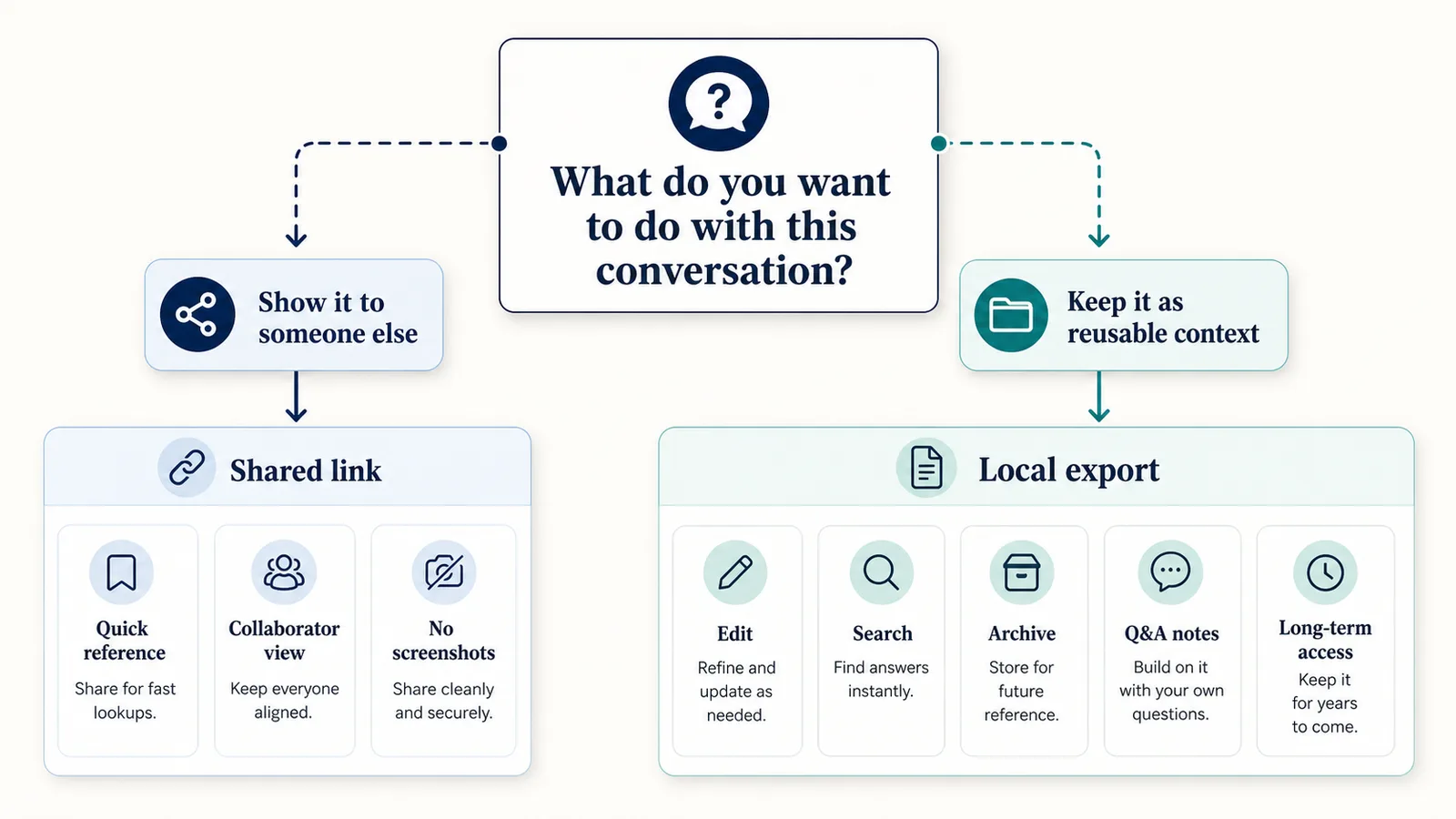
A shared link is mainly for showing a ChatGPT conversation to someone else.
A local export is mainly for saving a conversation as a file you control, edit, search, reuse, and archive.
Use a shared link when the goal is:
- sharing;
- quick reference;
- showing someone a conversation;
- avoiding screenshots;
- collaboration around a specific chat.
Use local export when the goal is:
- control;
- reuse;
- editing;
- private notes;
- local archive;
- long-term access;
- preserving the thinking trail of a conversation.
Difference in one sentence: A shared link makes a conversation viewable by others; local export turns a conversation into a file you can keep, edit, search, and reuse.
Why this comparison matters
A ChatGPT conversation can be useful in two very different ways.
Sometimes you want to show it to someone else.
Other times you want to keep it for yourself.
Those are different workflows.
If you only want someone to view a conversation, a shared link may be enough.
If you want to turn the conversation into notes, documentation, research, study material, debugging history, or a reusable context file, local export is usually a better fit.
The mistake is treating every “save ChatGPT chat” workflow as the same thing.
They are not the same.
What is a ChatGPT shared link?
A ChatGPT shared link is a unique URL that lets other people view a snapshot of a conversation.
It is useful when you want someone else to view a specific ChatGPT conversation without sending screenshots or copying the full transcript manually.
Official reference: OpenAI ChatGPT Shared Links FAQ
A shared link is mainly a sharing mechanism.
It answers:
How can I show this conversation to someone else?
It does not primarily answer:
How can I turn this conversation into my own reusable notes?
That is where local export is different.
What is local export?
Local export means saving a ChatGPT conversation as a file you control.
That file might be:
- TXT;
- Markdown;
- PDF;
- JSON;
- another notes format.
The important idea is that the conversation becomes a file outside the active ChatGPT interface.
Local export is useful when you want to:
- keep your own copy;
- search inside the saved conversation;
- edit the output;
- organize it in folders;
- move it into a notes app;
- reuse prompts and answers later;
- preserve decisions, drafts, examples, or code;
- archive the thinking trail of a session.
A local export is mainly a control and reuse mechanism.
It answers:
How can I keep this conversation as a reusable artifact?
Shared link vs local export at a glance
| Question | Shared link | Local export |
|---|---|---|
| Main job | Sharing | Control and reuse |
| Output | URL | File |
| Best for | Showing a conversation | Keeping a reusable copy |
| Editable? | Not as a normal notes file | Yes, depending on format |
| Searchable locally? | Not as a local file | Yes |
| Good for Q&A notes? | Limited | Strong |
| Good for collaboration? | Yes, for viewing/reference | Yes, if you share the exported file |
| Good for long-term archive? | Limited | Stronger |
| Privacy model | Link-based access | Depends on export method |
| Ownership feeling | Conversation remains tied to link/product behavior | You keep your own file |
The right choice depends on what you want to do next.
Use shared links for sharing
Shared links are useful when your goal is to show a conversation to someone else.
Examples:
- send a useful answer to a colleague;
- share a prompt result with a client;
- show a discussion to a collaborator;
- reference a conversation in a chat or document;
- avoid taking screenshots;
- let someone view the conversation context.
A shared link is convenient because it keeps the conversation in a viewable web format.
You do not need to clean the transcript, format a file, or paste the entire conversation into another document.
But that convenience comes with a different privacy model.
Use local export for control
Local export is useful when your goal is to keep your own copy.
Examples:
- save research notes;
- archive a writing session;
- keep debugging history;
- turn explanations into study notes;
- preserve a product strategy conversation;
- save Q&A notes for future prompting;
- create a local knowledge base.
Local export is better when the conversation is not only something to show.
It is something you want to own, search, edit, reuse, or move into another system.
Privacy comparison
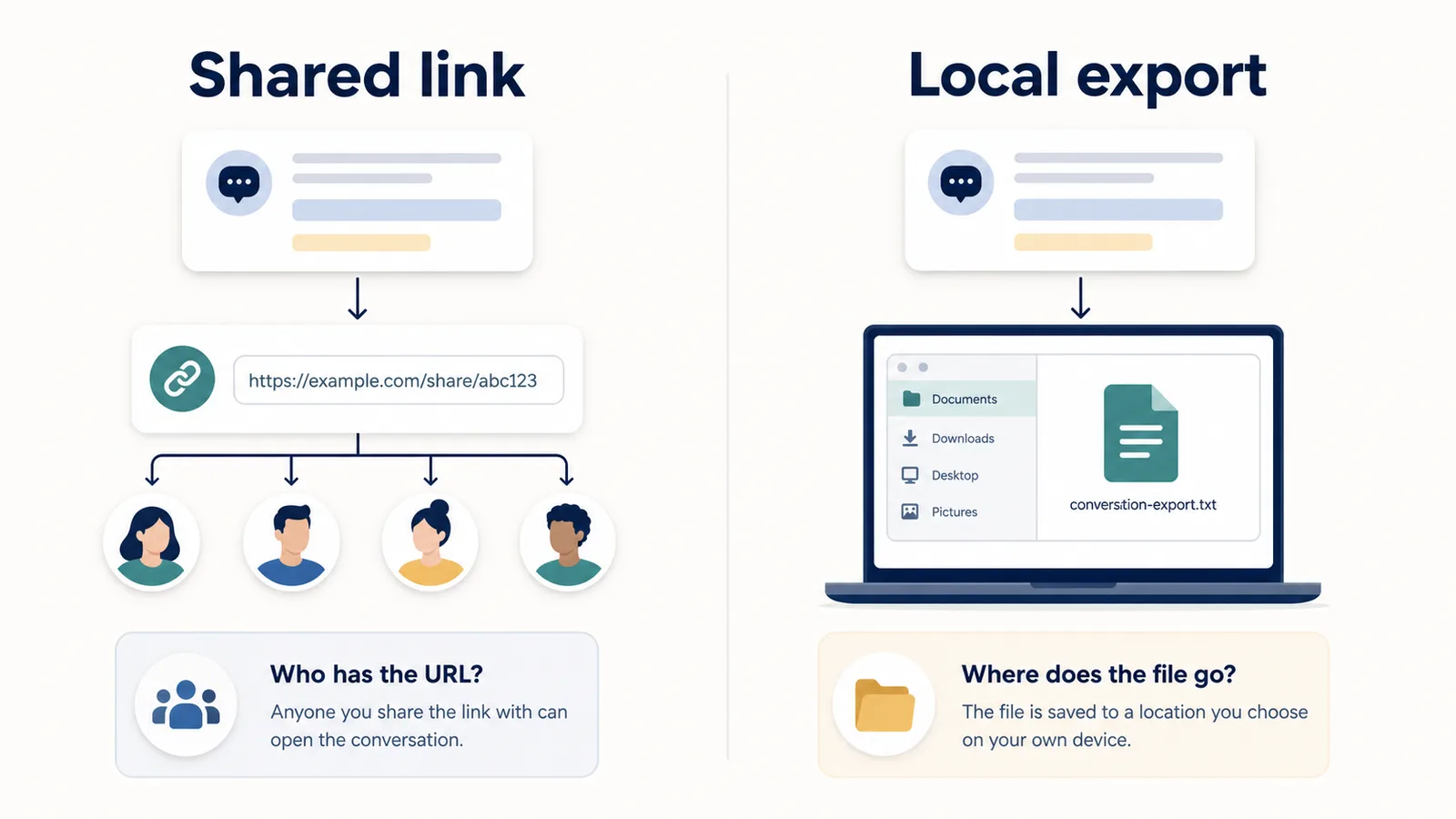
Shared links and local exports have different privacy questions.
With shared links, the key question is:
Who can access the link?
With local export, the key question is:
Where does the exported content go?
| Method | Privacy question |
|---|---|
| Shared link | Who has the URL, and can they share it further? |
| Local export | Does the file stay on your device, or does the export tool upload it? |
A shared link is simple, but anyone with access to the link can view the linked conversation snapshot.
A local export can give you more control, but only if the export workflow is actually local or clearly explains any upload.
Related guide: Is It Safe to Use a ChatGPT Export Extension?
Shared links and sensitive conversations
Be careful with shared links if the conversation contains sensitive information.
Sensitive content may include:
- private personal notes;
- workplace details;
- client information;
- legal or financial questions;
- health-related topics;
- unreleased product ideas;
- private code;
- internal strategy;
- confidential documents.
If the conversation is sensitive, ask:
- does this need to be shared at all?
- can I share only a small excerpt instead?
- should I remove sensitive details first?
- would a local note be safer?
- who might forward or access the link?
A shared link is best for conversations you are comfortable making viewable by link.
Local export and sensitive conversations
Local export can be better for sensitive conversations when you want your own copy without creating a link for others to access.
But local export is not automatically safe.
You still need to know:
- what tool creates the export;
- what permissions it uses;
- whether data stays local;
- whether the content is uploaded;
- where the file is saved;
- who can access your device or storage folder.
A local file gives you control, but it also gives you responsibility.
Do not export secrets, passwords, tokens, private customer data, or confidential information unless you know how the exported file will be protected.
Editability comparison
A shared link is useful for viewing.
It is not designed as an editable notes file.
If you want to rewrite, reorganize, summarize, highlight, annotate, or convert a conversation into another format, local export is usually better.
| Task | Better method |
|---|---|
| Show someone the original chat | Shared link |
| Edit the saved conversation | Local export |
| Turn the chat into study notes | Local export |
| Extract only useful Q&A pairs | Local export |
| Copy sections into a document | Local export |
| Keep a clean local archive | Local export |
If the conversation is still working material, local export is usually more flexible.
Ownership comparison
A shared link lets you reference a conversation.
A local export gives you a copy.
That difference matters.
A shared link may depend on:
- the link remaining active;
- account settings;
- product behavior;
- access rules;
- whether the source conversation or account is deleted.
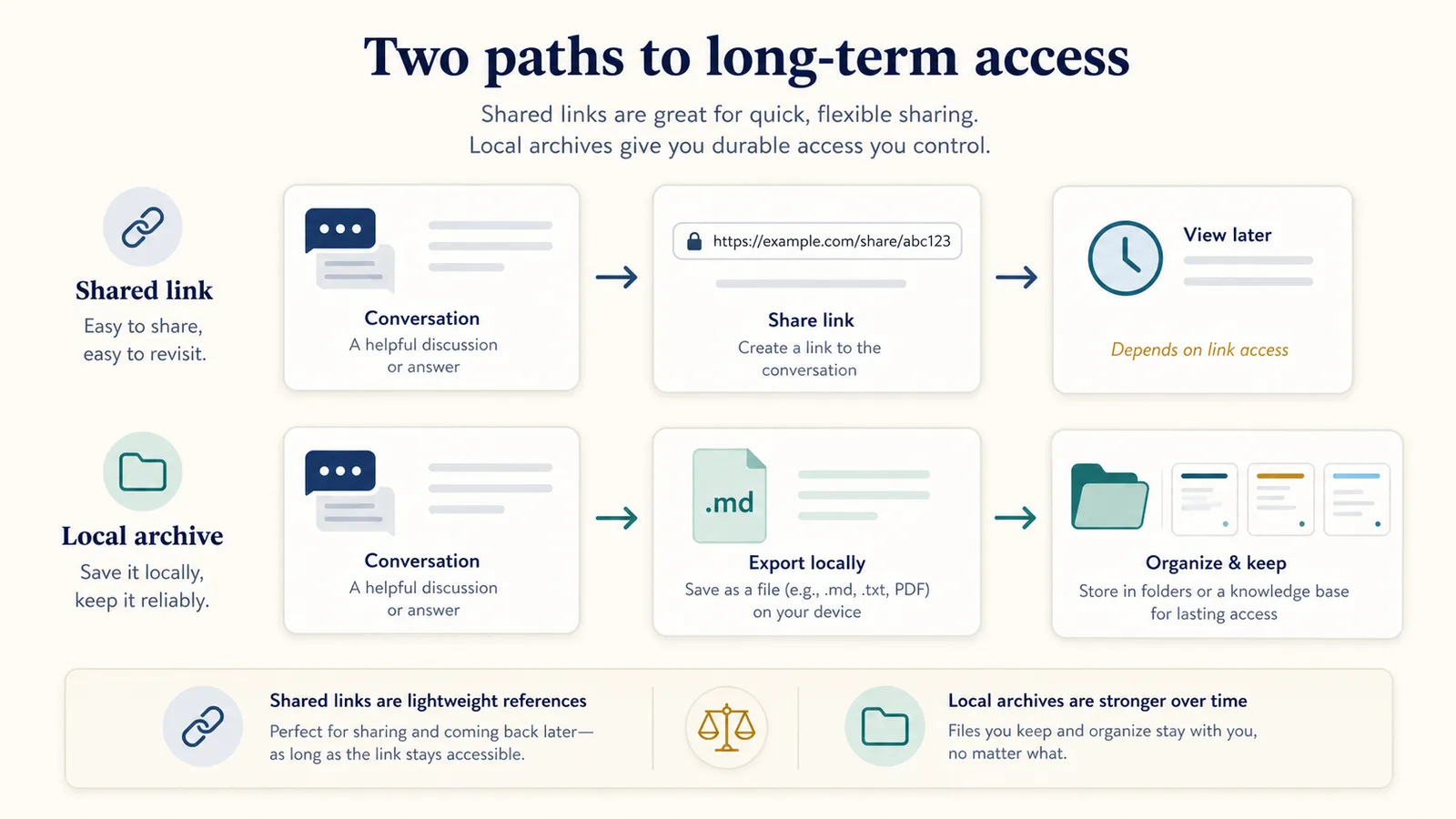
A local export gives you a file that can be stored independently.
That does not make local export perfect, but it does mean you are not relying only on a link.
For long-term personal knowledge, a file is usually a stronger archive than a URL.
Long-term access
If you need long-term access, think carefully about the method.
Shared links are convenient, but they are not the same as an offline archive.
They are better for:
- short-term sharing;
- references;
- collaboration;
- showing a conversation.
Local exports are better for:
- long-term notes;
- offline access;
- backups;
- local search;
- personal knowledge bases;
- project archives.
If a conversation matters enough that losing access would be a problem, local export is usually safer.
Reuse and the thinking trail
The most valuable part of a ChatGPT conversation is often not the final answer.
It is the thinking trail:
- the original prompt;
- constraints;
- follow-up questions;
- draft versions;
- rejected ideas;
- attempted fixes;
- comparisons;
- decisions;
- final output.
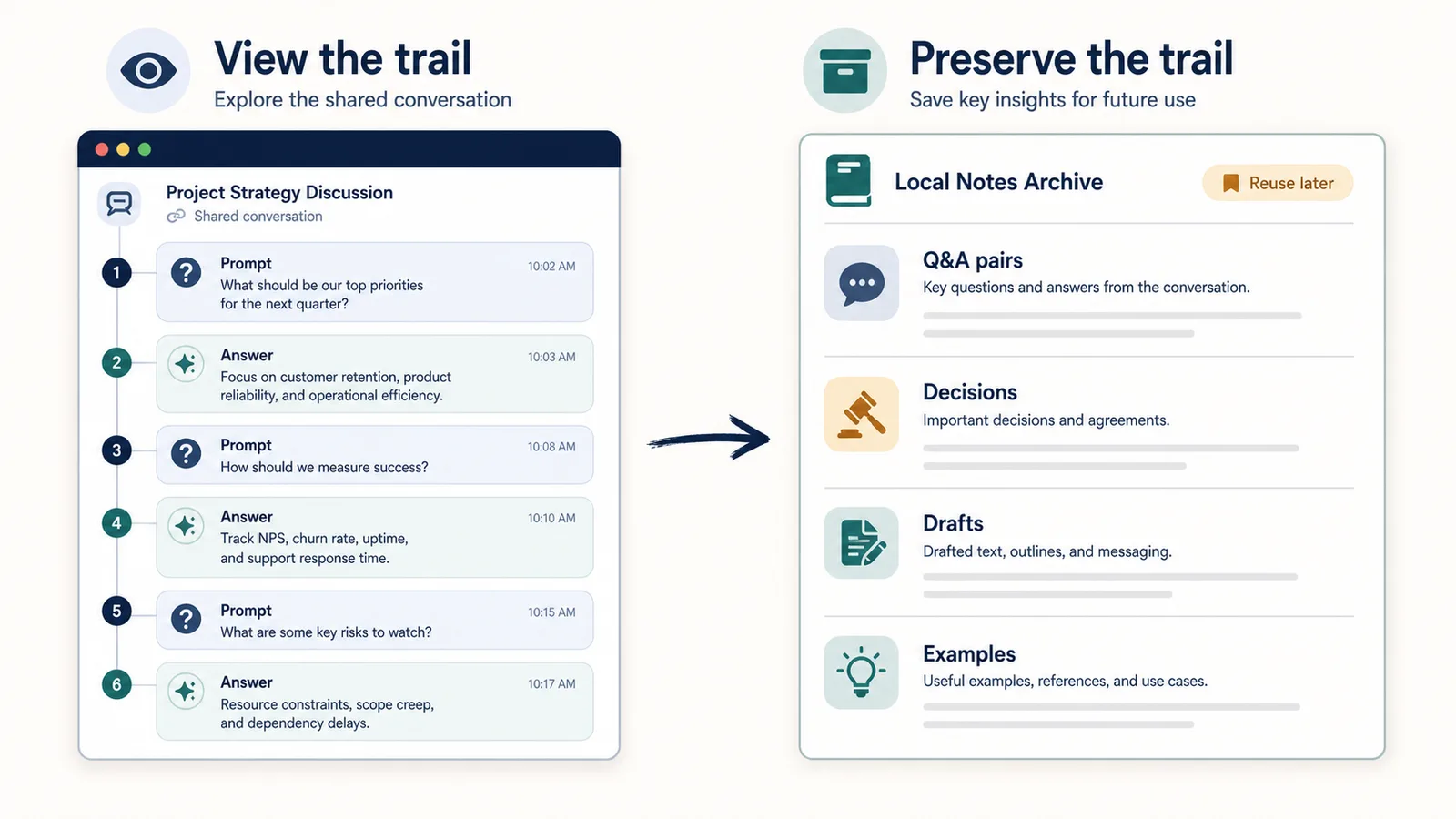
A shared link can show the trail.
A local export can turn the trail into reusable notes.
That distinction matters.
If your goal is to preserve how the conversation developed so you can use it later, local export is usually the better workflow.
Q&A notes
Local export is especially useful for Q&A-style notes.
A Q&A note preserves each user prompt with the assistant answer it produced.
Example:
Q1: What is the difference between a shared link and local export?

A1: A shared link is mainly for showing a conversation to someone else. Local export is mainly for saving the conversation as a file you can control, edit, search, and reuse.

Q2: Which one is better for long-term notes?

A2: Local export is usually better because you keep your own file.
This is easier to search and reuse than a shared web link.
Related guide: How to Export ChatGPT Conversations as Question-Answer Pairs
Sharing exported files
Local export does not mean you cannot share.
You can still share a local export by sending the file or copying selected sections.
The difference is that you choose what to share.
For example, you can share:
- the full exported file;
- a cleaned summary;
- only the final answer;
- selected Q&A pairs;
- a PDF version;
- a Markdown document;
- a redacted version.
This gives you more control than sharing the whole conversation link.
Shared links vs screenshots
Shared links are usually better than screenshots when you want someone to view a conversation.
Screenshots are limited because they are:
- hard to search;
- hard to copy from;
- difficult for long conversations;
- easy to crop badly;
- not reusable as text;
- inconvenient for accessibility.
A shared link is cleaner for showing a conversation.
But screenshots and shared links are both weaker than local export when the goal is editable notes.
Shared links vs account export
Shared links are not the same as account export.
| Method | Main purpose |
|---|---|
| Shared link | Share a conversation snapshot by URL |
| Local export | Save one conversation as your own file |
| Account export | Export broader account-level data |
If you want someone else to view a chat, use a shared link.
If you want one conversation as reusable notes, use local export.
If you need broader account backup, use account export.
Related guide: How to Export a Single ChatGPT Conversation
Local export formats
Local export can use different file formats.
| Format | Best for |
|---|---|
| TXT | Simple reusable notes |
| Markdown | Structured notes and documentation |
| Reading and sharing | |
| JSON | Automation and structured data |
The best format depends on what you want to do after export.
For Q&A-style notes, TXT and Markdown are usually strongest.
For reading or sharing a final document, PDF can be useful.
For developer workflows, JSON may be better.
Related guides:
Decision guide
Use this simple decision guide:
| Goal | Better choice |
|---|---|
| Show someone the conversation | Shared link |
| Send a quick reference | Shared link |
| Keep your own copy | Local export |
| Edit or rewrite the conversation | Local export |
| Build a knowledge base | Local export |
| Preserve the thinking trail | Local export |
| Save Q&A notes | Local export |
| Share a polished final document | PDF export |
| Back up broader account data | Account export |
The choice is not about which method is “better.”
It is about which method fits the job.
When to use shared links
Use shared links when:
- the conversation is safe to share;
- someone else needs to view it;
- you want a quick reference;
- the original chat format is useful;
- you do not need to edit the content;
- you do not need a local archive;
- a URL is more convenient than a file.
Shared links are a good sharing tool.
They are not the same as reusable notes.
When to use local export
Use local export when:
- you want your own file;
- the chat contains reusable knowledge;
- you want to search it later;
- you want editable notes;
- you need long-term access;
- you want to organize it by project;
- you want to preserve Q&A structure;
- you want to move the content into another tool.
Local export is a better fit when the conversation becomes part of your work, research, study, writing, or debugging process.
When to use both
Sometimes the best workflow uses both.
Example:
- Use local export to save the conversation as your own notes.
- Clean or summarize the useful part.
- Share only the relevant section with someone else.
- Use a shared link only if they need to see the original conversation snapshot.
This gives you both control and collaboration.
You keep the archive.
They get the reference.
How ChatGPT Session Saver fits
ChatGPT Session Saver is a local-first browser tool for saving one active ChatGPT conversation as clean Q&A-style TXT notes.
It is designed for the local export side of this comparison.
It is useful when you want:
- one active conversation;
- local TXT notes;
- Q&A-style structure;
- reusable context;
- a searchable file;
- a record of the thinking trail.
It is not:
- a shared link tool;
- a full account export tool;
- a cloud backup product;
- a PDF-first exporter;
- a JSON automation tool;
- a bulk historical archive.
Use shared links when you want to show a conversation to someone else.
Use ChatGPT Session Saver when you want to keep one active conversation as local reusable notes.
Common mistakes
Avoid these mistakes when choosing between shared links and local export:
- using shared links as your only long-term archive;
- sharing sensitive conversations by link;
- assuming local export is safe without checking the tool;
- using PDF when you need editable notes;
- saving only the final answer and losing the prompt;
- treating shared links and account export as the same thing;
- forgetting to delete shared links you no longer want accessible;
- relying on links when you need offline access;
- exporting everything without organizing it.
A good workflow starts with the question:
Am I trying to share this conversation, or keep it as reusable context?
Part of the ChatGPT Export Guides
This guide is part of a practical series about saving, exporting, structuring, and reusing ChatGPT conversations.
- Compare all long-chat export methods
- Export one specific ChatGPT conversation
- Export ChatGPT chats as durable TXT notes
- Understand why copy-paste fails
- Save a long conversation without scrolling forever
- Turn a messy thread into clean Q&A notes
- Export ChatGPT conversations as question-answer pairs
- Understand why long chats are hard to reuse later
- Compare TXT, Markdown, PDF, and JSON export formats
- Learn how browser extensions read an active page
- Understand why export extensions break after interface updates
- Save developer debugging conversations
- Archive writing and brainstorming sessions
- Save research conversations as structured notes
- Turn ChatGPT chats into study notes
- Is it safe to use a ChatGPT export extension?
- Read the ChatGPT export glossary
- Install ChatGPT Session Saver
- Read the Session Saver privacy policy
FAQ
What is the difference between ChatGPT shared links and local export?
A ChatGPT shared link is mainly for sharing a conversation with other people through a URL. Local export is mainly for saving a conversation as a file you control, edit, search, reuse, and archive.
When should I use a ChatGPT shared link?
Use a shared link when you want someone else to view a specific ChatGPT conversation without copying the whole chat manually.
When should I use local export?
Use local export when you want your own copy of a conversation for notes, reuse, editing, searching, archiving, or preserving the thinking trail of a session.
Are ChatGPT shared links private?
Shared links should be treated carefully because anyone with access to the link can view the linked conversation snapshot. Avoid sharing sensitive content through shared links.
Is local export more private than a shared link?
Local export can give you more control because the conversation becomes a file on your device. However, privacy still depends on the export tool, permissions, and whether anything is uploaded to a backend.
Can I edit a ChatGPT shared link?
A shared link is not designed as an editable notes file. You can manage or delete shared links, but local export is better when you want editable notes.
Which method is better for long-term access?
Local export is usually better for long-term access because you keep your own file. Shared links are useful for sharing, but access can depend on the link status, account state, and product behavior.
Which method is better for Q&A notes?
Local export is usually better for Q&A notes because it can preserve prompts and answers in a reusable text format. Shared links are better for viewing the conversation as a shared reference.
Final thought
Shared links and local export are both useful, but they are not interchangeable.
A shared link helps someone else view a conversation.
A local export helps you keep, edit, search, reuse, and archive the conversation.
If the conversation is only something to show, a shared link may be enough.
If the conversation contains a thinking trail you want to preserve, local export is usually the stronger workflow.