How to Export a ChatGPT Conversation as Question-and-Answer Pairs
Short answer
To export a ChatGPT conversation as Q&A pairs, preserve each user question with the assistant answer that follows it. This keeps long conversations searchable and reusable without losing the prompt that gives each answer its context.
A messy ChatGPT thread usually contains follow-ups, rewrites, corrections, examples, decisions, and abandoned directions. If you save it as one block of text, it becomes hard to understand later.
A clean Q&A format keeps the original structure:
Question: What did the user ask?
Answer: What did ChatGPT respond?
This makes the conversation easier to search, review, quote, summarize, and reuse in notes, documents, research, or a personal knowledge base.
Difference in one sentence: Q&A notes preserve the relationship between each prompt and each answer; a raw transcript only preserves message order.
How to turn a ChatGPT conversation into Q&A pairs
- Capture the active conversation while it is open.
- Keep each user prompt paired with its corresponding answer.
- Remove interface noise instead of rewriting the conversation.
- Save the result as searchable text and reuse it later with a clear filename.
| Format | What it preserves | Best for |
|---|---|---|
| Raw copy-paste | Message order, imperfectly | Short chats |
| Summary | Main conclusions | Quick review |
| Q&A pairs | Prompt-answer relationships | Reuse and search |
| Full transcript | All visible messages | Audit or reading |
ChatGPT Session Saver extracts the active chat into clean local Q&A-style TXT notes.
Export the active chat as Q&A notes: Try ChatGPT Session Saver.
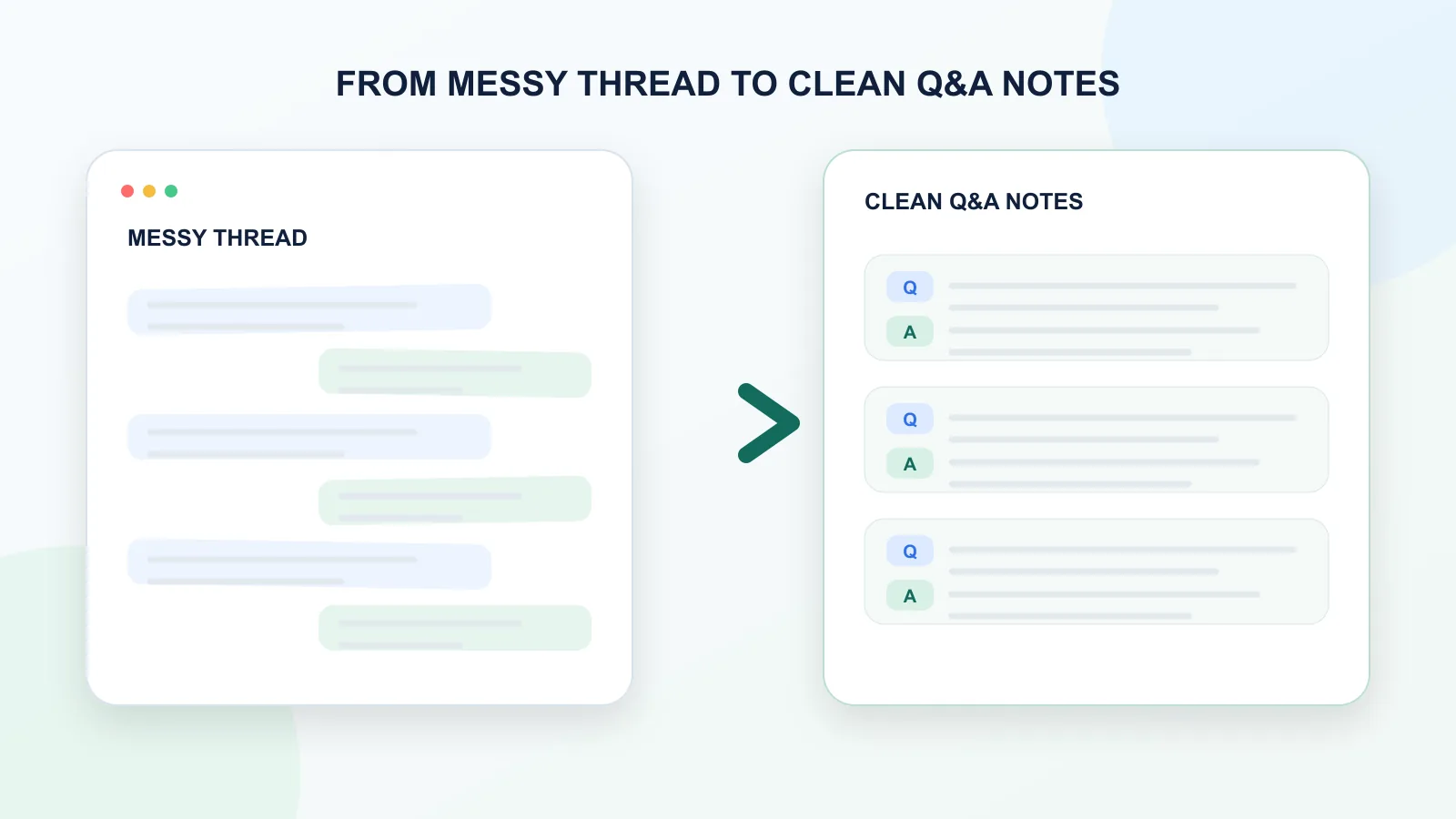
What makes a ChatGPT thread messy?
A ChatGPT thread becomes messy when it stops being a single question and answer.
That happens quickly.
A useful conversation may include:
- the first rough prompt;
- several follow-up questions;
- partial answers;
- rewritten versions;
- corrections;
- examples;
- tables;
- code blocks;
- decisions;
- rejected ideas;
- final summaries.
This is normal. ChatGPT is often useful because of the back-and-forth.
The problem starts when you try to save the conversation.
A long thread that felt clear while you were working inside ChatGPT can become confusing later. Once it is copied into a document, you may not remember why an answer was written, which prompt created it, or what changed between versions.
That is why saving the structure matters.
Why a raw transcript is often not enough
A raw transcript saves the conversation in order. That sounds good, but it is not always enough.
The longer the conversation gets, the harder it becomes to scan.
A raw transcript can make it difficult to see:
- where one topic ends and another begins;
- which answer belongs to which question;
- which version was final;
- which ideas were rejected;
- which part is worth reusing;
- what the original context was.
This matters because ChatGPT answers are contextual.
An answer like “Use the second option” is only useful if you know what the two options were. A rewritten paragraph is only meaningful if you know the original task. A coding explanation is easier to trust when you can see the exact question that produced it.
A transcript keeps the conversation. Q&A notes make the conversation usable.
What are Q&A notes?
Q&A notes are a structured version of a conversation where each user message is paired with the assistant response that follows it.
Instead of this:
Long chat transcript with many messages, follow-ups, corrections, and answers mixed together.
You get this:
Question 1:
What was the user trying to solve?
Answer 1:
What did ChatGPT answer?
Question 2:
What did the user clarify or ask next?
Answer 2:
How did ChatGPT update the answer?
This structure keeps the relationship between each prompt and each response.
That is the main value.
Q&A notes are not just cleaner-looking transcripts. They preserve the logic of the conversation.
The companion guide explains the format itself: how to export ChatGPT conversations as question-answer pairs.
The difference in one example
Before:
User: Make this shorter.
Assistant: Sure - here is a shorter version...
User: Make it more professional.
Assistant: Here is a more professional version...
Without the user prompts, the saved answers are hard to interpret because you cannot see what changed between versions.
After:
Q1: Make this shorter.
A1: ...

Q2: Make it more professional.
A2: ...
The Q&A version makes the editing path visible.
Before and after: messy thread vs. clean Q&A notes
| Messy thread | Clean Q&A notes |
|---|---|
| Long continuous conversation | Separated question-answer pairs |
| Hard to scan | Easy to review |
| Context can be unclear | Each answer stays connected to its prompt |
| Final version may be buried | Useful answers are easier to find |
| Difficult to reuse | Easier to quote, summarize, or move into notes |
| Works as a record | Works as a knowledge asset |
The goal is not to make the conversation shorter. The goal is to make it easier to use later.
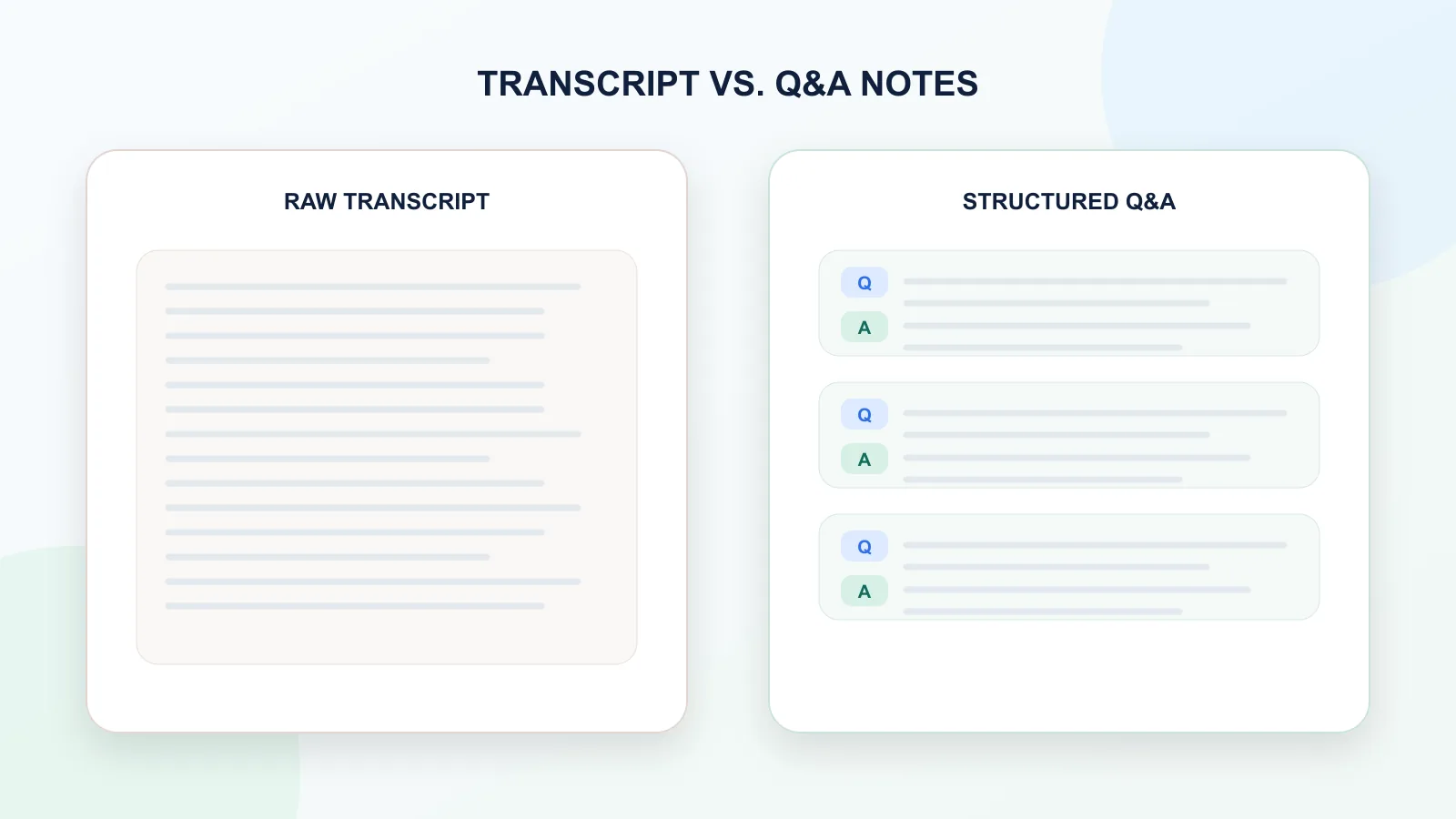
When Q&A notes are better than summaries
A summary can be useful, but it is not the same as Q&A notes.
A summary compresses the conversation. Q&A notes preserve the conversation structure.
| Format | Best for | Main risk |
|---|---|---|
| Summary | Quick overview | Can remove important context |
| Raw transcript | Complete record | Hard to scan and reuse |
| Q&A notes | Reusable structured archive | Longer than a summary |
| Final answer only | Fast copying | Loses the reasoning path |
Use a summary when you only need the conclusion.
Use Q&A notes when the prompts, decisions, alternatives, and intermediate answers still matter.
For research, writing, strategy, coding, learning, and planning, Q&A notes are often more useful than a summary because they preserve how the answer was created.
Common use cases for Q&A notes
Q&A notes are useful when a ChatGPT conversation contains more than one simple answer.
Research
You can save research questions, source ideas, comparisons, explanations, and follow-up prompts as a structured research log.
Writing
You can preserve drafts, rewrites, headline options, feedback, and final versions while keeping the original instructions visible.
For a writing-specific workflow, see how to archive ChatGPT brainstorming sessions as an editorial trail.
Coding
You can keep debugging questions, explanations, code suggestions, and fixes connected to the exact prompt that produced them.
Learning
You can turn a tutoring-style conversation into study notes where every explanation is connected to a question.
Work and strategy
You can save planning discussions, rejected options, decisions, and next steps without losing the context behind them.
Personal knowledge base
You can move important ChatGPT conversations into Obsidian, Notion, local folders, or any other notes system as reusable reference material.
What clean Q&A notes should include
Good Q&A notes should be easy to scan and easy to reuse.
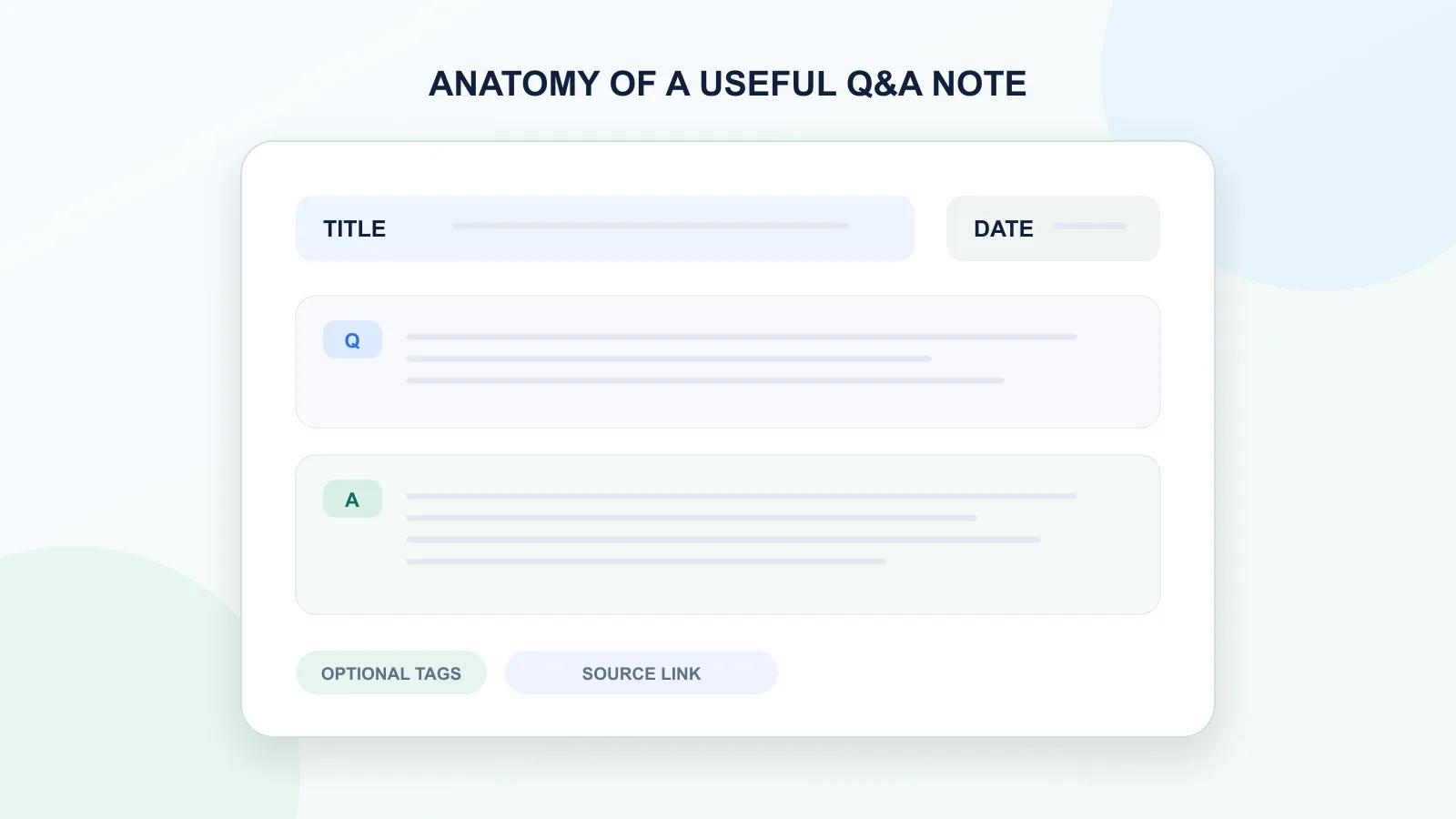
At minimum, they should include:
- the user question;
- the assistant answer;
- clear separation between Q&A pairs;
- original order of the conversation;
- readable spacing;
- enough context to understand the answer later.
Optional additions can include:
- date;
- conversation title;
- source URL;
- tags;
- section headings;
- short summary;
- file name with topic and date.
A simple structure is often better than a complicated one.
What Q&A notes should not include
Clean Q&A notes do not need to preserve every piece of interface noise.
They usually should not include:
- sidebar text;
- buttons;
- timestamps unless useful;
- duplicated regenerated answers unless they matter;
- unrelated UI labels;
- empty messages;
- repeated boilerplate;
- broken copied formatting.
The goal is to preserve the useful conversation, not the entire visual interface.
A simple Q&A note template
You can use this template when saving a ChatGPT conversation manually:
# Conversation title
Date: YYYY-MM-DD
Topic: Short topic name

## Q1
User question:
...

Assistant answer:
...

## Q2
User question:
...

Assistant answer:
...

## Q3
User question:
...

Assistant answer:
...
This format works because it keeps the conversation readable without adding too much structure.
For most people, a clean TXT or Markdown file is enough.
How to turn a ChatGPT thread into Q&A notes manually
You can clean up a ChatGPT thread manually if the conversation is short.
A simple manual workflow looks like this:
- Copy the conversation into a plain text editor.
- Remove duplicated or irrelevant UI text.
- Separate user prompts from assistant answers.
- Add labels like
QuestionandAnswer. - Keep the original order.
- Remove abandoned sections only if they are not useful.
- Add a title and date.
- Save the file as TXT or Markdown.
This works for short or medium conversations.
But for long threads, manual cleanup becomes slow. You may miss messages, mix up prompts and answers, or spend more time cleaning the conversation than using it.
Read more about why copy-paste fails for long ChatGPT conversations.
How to turn a long ChatGPT thread into Q&A notes faster
For long conversations, the better workflow is to export the active conversation in a structured format from the start.
A practical workflow:
- Keep the ChatGPT thread focused on one topic or project.
- Export the conversation before it becomes too large to review manually.
- Preserve the original Q&A order.
- Save the export as TXT or Markdown.
- Add a clear filename with the topic and date.
- Store the file in your notes app, project folder, or local archive.
- Add your own summary later if needed.
This gives you both the original conversation and a usable note structure.
The key is to avoid turning a long conversation into one giant wall of text. The related guides explain how to export long ChatGPT chats, save a long ChatGPT conversation without scrolling forever, or export a single ChatGPT conversation depending on the job.
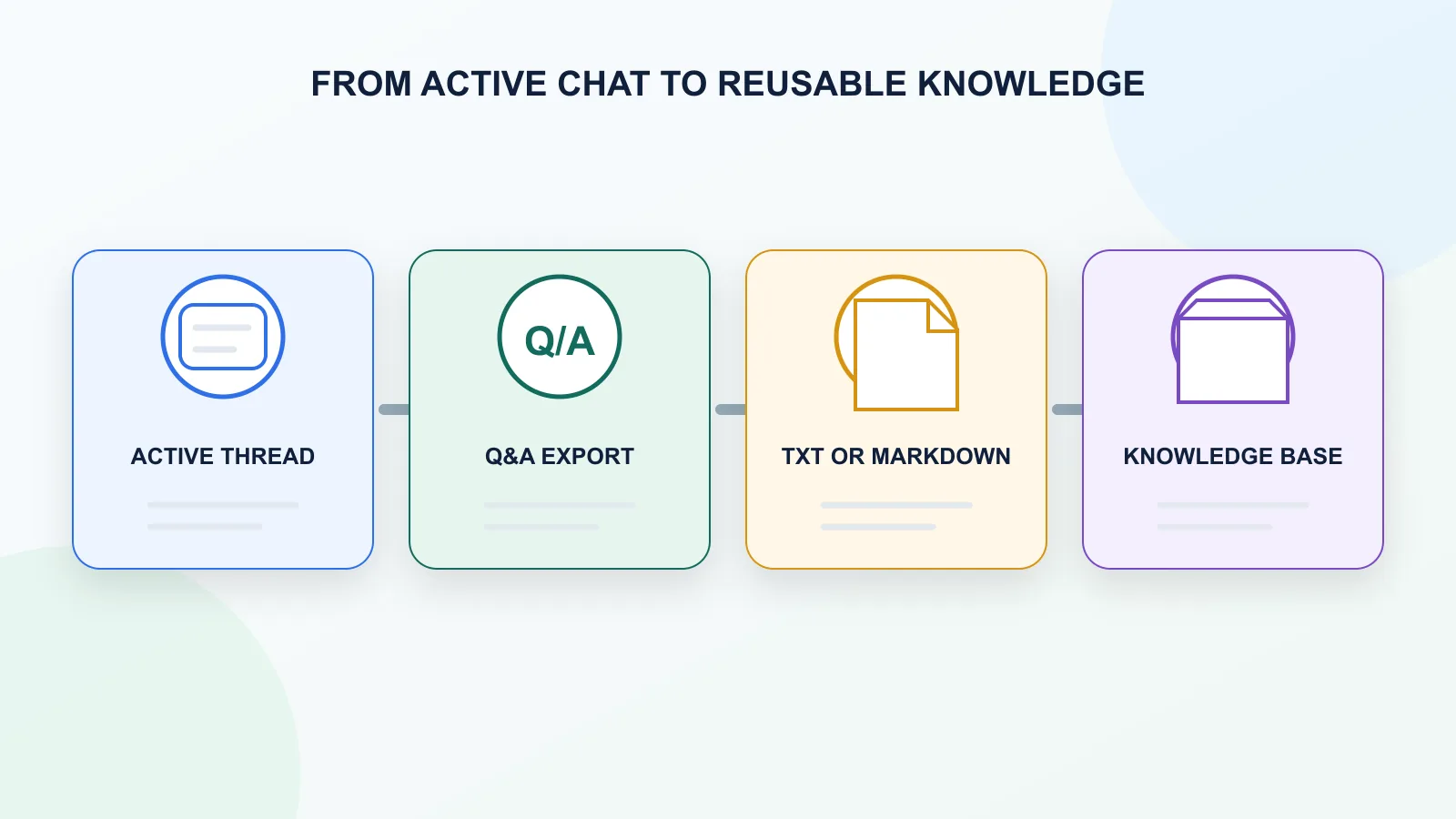
Best formats for Q&A notes
| Format | Best for Q&A notes? | Why |
|---|---|---|
| TXT | Yes | Simple, searchable, easy to store |
| Markdown | Yes | Good for notes apps and documentation |
| Sometimes | Good for reading, weaker for editing | |
| JSON | For developers | Useful for automation, not normal reading |
| Shared link | No | Good for sharing, not local structured notes |
TXT and Markdown are usually the best formats for Q&A notes because they are easy to search, edit, and move between tools.
PDF is useful if you only want to read or share the conversation. It is less useful if you want to reuse the content.
Q&A notes vs. final answer only
| Saving style | What you keep | What you lose |
|---|---|---|
| Final answer only | The polished result | Original prompt, constraints, rejected options |
| Raw transcript | Everything in order | Easy scanning and reuse |
| Summary | Main conclusion | Detailed context and exact prompts |
| Q&A notes | Prompt-answer structure | Some visual formatting |
For important conversations, Q&A notes usually give the best balance between completeness and usability.
Why Q&A notes are useful for AI reuse
Q&A notes are also useful if you want to bring old ChatGPT work back into a new AI conversation.
A clean Q&A export makes it easier to:
- paste only the relevant part;
- show the original prompt;
- preserve constraints;
- reuse an answer with context;
- ask another AI model to continue the work;
- turn old conversations into structured knowledge.
This matters because long ChatGPT threads often contain useful thinking that gets trapped inside the interface.
A clean export turns that thinking into something portable.
How ChatGPT Session Saver helps
ChatGPT Session Saver is a local-first browser tool for saving one active ChatGPT conversation as clean Q&A-style TXT notes.
It is useful when you want to turn a messy or long ChatGPT thread into reusable notes without manually copying and cleaning every message.
It focuses on:
- one active ChatGPT conversation;
- clean TXT export;
- question-answer structure;
- local saving;
- search inside the extracted session;
- reusable notes.
It does not replace every export method.
Use official account export if you need a full backup of your ChatGPT history.
Use shared links if you want to show a conversation to someone else.
Use PDF if you want a visual reading copy.
Use ChatGPT Session Saver if you want one conversation saved locally as clean Q&A notes.
When not to use Q&A notes
Q&A notes are useful, but they are not always necessary.
You may not need Q&A structure if:
- the conversation has only one answer;
- you only need a final paragraph;
- the chat was temporary;
- you already have a polished final document;
- you need a visual PDF for sharing;
- you need JSON for automation.
Q&A notes are best when the conversation itself has value.
If the back-and-forth matters, preserve it. If only the final output matters, a simple copy may be enough.
Common mistakes
Avoid these mistakes when turning a ChatGPT thread into notes:
- saving only the final answer and losing the prompt;
- mixing several unrelated topics in one note;
- removing too much context;
- keeping every abandoned direction even when it adds noise;
- using PDF when you need editable notes;
- using shared links as a private archive;
- forgetting to add a clear title and date;
- creating one huge text file without Q&A separation.
The goal is not to save everything perfectly. The goal is to make the conversation useful later.
Recommended structure for saved Q&A notes
A clean saved note can be very simple:
Title: ChatGPT export strategy ideas
Date: 2026-06-12
Source: ChatGPT conversation

Q1: What was the original question?
A1: The answer that followed.

Q2: What changed or got clarified?
A2: The updated answer.

Q3: What was the final useful output?
A3: The final answer or recommendation.
This is enough for most workflows.
You can always add summaries, tags, or links later.
FAQ
What are ChatGPT Q&A notes?
ChatGPT Q&A notes are exported conversation notes where user questions and assistant answers are preserved as pairs. This keeps the context of each answer clear.
Why not just summarize a ChatGPT thread?
A summary is useful when you only need the conclusion. Q&A notes are better when you want to preserve the prompts, follow-ups, decisions, and context behind the answers.
Can I turn a ChatGPT thread into notes manually?
Yes. You can copy the conversation, separate user questions from assistant answers, add labels, and save the result as TXT or Markdown. This works best for short conversations.
What is the best format for ChatGPT Q&A notes?
TXT and Markdown are usually best because they are easy to search, edit, and reuse. PDF is better for reading or sharing, but weaker for editing.
Are Q&A notes better than a transcript?
For reuse, yes. A transcript preserves the conversation, but Q&A notes make the prompt-answer structure easier to scan and understand.
Can Q&A notes help with a personal knowledge base?
Yes. Clean Q&A notes can be stored in a notes app, project folder, or knowledge base and reused later for writing, research, learning, coding, or planning.
Does ChatGPT Session Saver summarize the conversation?
No. ChatGPT Session Saver is focused on saving the active conversation as clean Q&A-style TXT notes. If you want a summary, you can create one separately after exporting.
When should I use ChatGPT Session Saver?
Use ChatGPT Session Saver when you want to save one active ChatGPT conversation locally as clean, searchable, reusable Q&A-style TXT notes.
Related guides
- How to Export Long ChatGPT Chats Without Losing Context
- How to Reuse Long ChatGPT Conversations Without Losing Context
- How to Export a Single ChatGPT Conversation
- How to Copy an Entire ChatGPT Conversation
- How to Download a Full ChatGPT Conversation
- ChatGPT Session Saver
FAQ
What are ChatGPT Q&A notes?
ChatGPT Q&A notes are exported conversation notes where user questions and assistant answers are preserved as pairs. This keeps the context of each answer clear.
Why not just summarize a ChatGPT thread?
A summary is useful when you only need the conclusion. Q&A notes are better when you want to preserve the prompts, follow-ups, decisions, and context behind the answers.
Can I turn a ChatGPT thread into notes manually?
Yes. You can copy the conversation, separate user questions from assistant answers, add labels, and save the result as TXT or Markdown. This works best for short conversations.
What is the best format for ChatGPT Q&A notes?
TXT and Markdown are usually best because they are easy to search, edit, and reuse. PDF is better for reading or sharing, but weaker for editing.
Are Q&A notes better than a transcript?
For reuse, yes. A transcript preserves the conversation, but Q&A notes make the prompt-answer structure easier to scan and understand.
Can Q&A notes help with a personal knowledge base?
Yes. Clean Q&A notes can be stored in a notes app, project folder, or knowledge base and reused later for writing, research, learning, coding, or planning.
Does ChatGPT Session Saver summarize the conversation?
No. ChatGPT Session Saver is focused on saving the active conversation as clean Q&A-style TXT notes. If you want a summary, you can create one separately after exporting.
When should I use ChatGPT Session Saver?
Use ChatGPT Session Saver when you want to save one active ChatGPT conversation locally as clean, searchable, reusable Q&A-style TXT notes.
Related guides
This guide is part of a practical series about saving, exporting, structuring, and reusing ChatGPT conversations.
Final thought
A messy ChatGPT thread is not useless. It is just unstructured.
The value is often already there: questions, answers, revisions, examples, decisions, and useful explanations. The problem is that the conversation is hard to reuse when it stays trapped inside a long chat interface or a messy transcript.
Clean Q&A notes solve that problem.
They preserve the back-and-forth that made the conversation valuable while making it easier to search, review, and use later.