How to Reuse Long ChatGPT Conversations Without Losing Context
Quick answer
To reuse a long ChatGPT conversation, keep the prompts and answers together, preserve their order, mark the final decisions, and save the result as searchable structured notes. A clean Q&A-style TXT export is usually easier to search and trust later than a final answer, summary, or raw wall of text.
How to make a long ChatGPT conversation reusable
- Preserve the original prompts with the answers they produced.
- Keep the message order and note the final decision or version.
- Export the active thread as searchable structured notes instead of a screenshot alone.
- Use a clear filename with the project and date.
- Store the file in a folder or notes system you can search later.
ChatGPT Session Saver turns one active conversation into local Q&A-style TXT notes, making the context easier to retrieve after the original thread is gone from view.
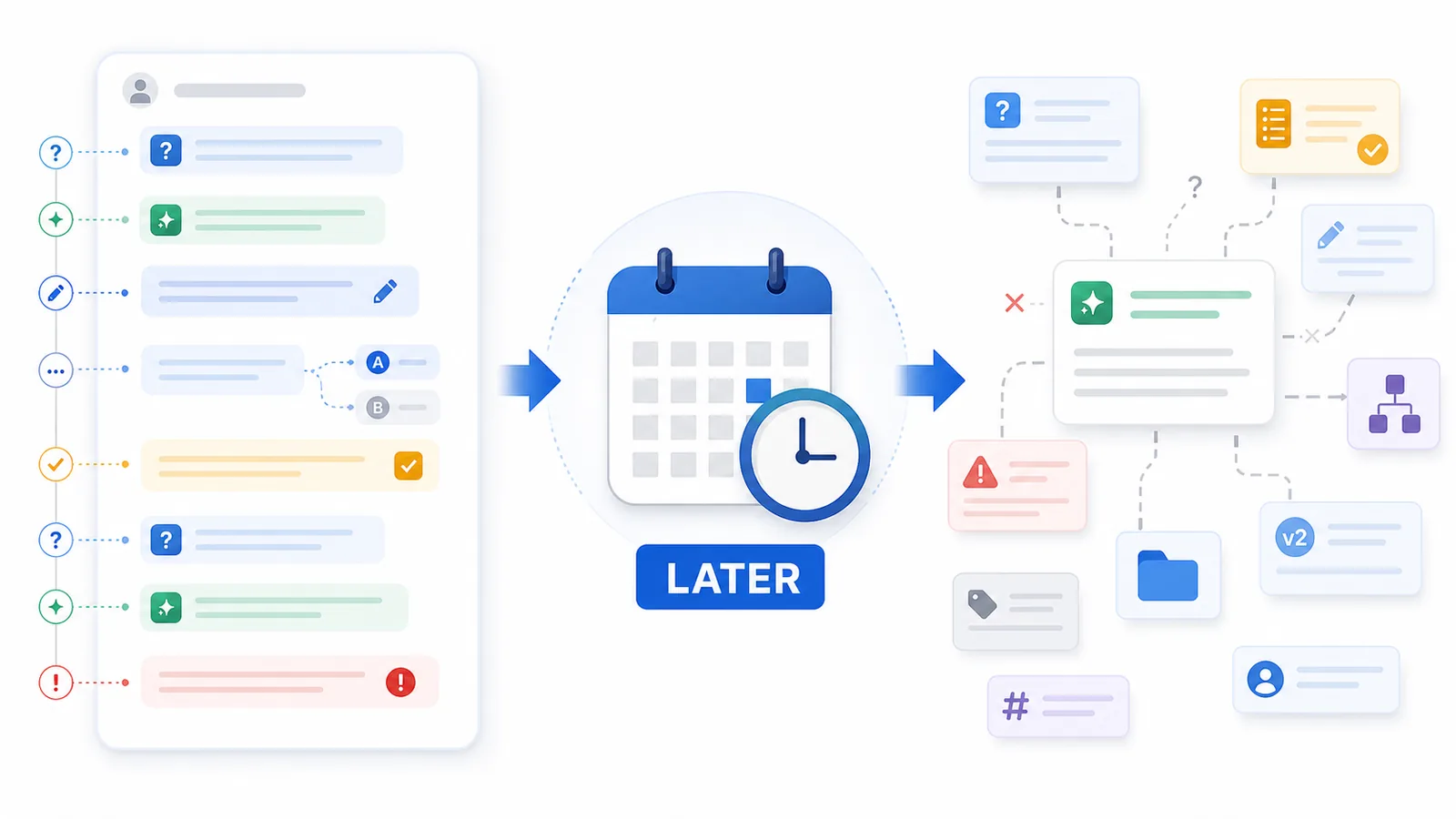
Why reuse is different from saving
Saving a ChatGPT conversation is easy to understand: you want to keep the content somewhere outside the chat interface.
Reusing a ChatGPT conversation is different.
Reuse means you want to come back later and do something useful with the conversation:
- find the answer again;
- copy part of it into a document;
- continue the same project;
- reuse the research;
- turn the output into a brief;
- compare versions;
- remember why a decision was made;
- use the conversation as context for another AI prompt.
A saved chat can still fail at reuse.
You may have the text, but not the structure. You may have the final answer, but not the prompt that shaped it. You may have a transcript, but not a clear way to find the useful part.
That is why long chats need more than storage. They need structure.
The common problem: the chat made sense at the time
Long ChatGPT conversations often make perfect sense while you are inside them.
You remember:
- what you were trying to do;
- which answer was the good one;
- why you rejected earlier ideas;
- which constraints mattered;
- what “make it better” referred to;
- which version you planned to use.
But that memory disappears quickly.
A week later, the same conversation may feel confusing because ChatGPT threads are full of context that lives between messages.
The chat may include short follow-ups like:
- “make it shorter”;
- “more professional”;
- “not that angle”;
- “use the second version”;
- “combine this with the previous one”;
- “now turn it into a plan”;
- “ignore the pricing part”;
- “use this for the article instead.”
Those instructions make sense when you remember the flow. Later, they can become hard to interpret.
What usually gets lost
When a long ChatGPT conversation becomes hard to reuse, the missing piece is often not the text itself.
It is the relationship between the text blocks.
| What you saved | What you may have lost |
|---|---|
| The final answer | The prompt and constraints that shaped it |
| A raw transcript | The difference between useful and abandoned parts |
| Several rewritten versions | Which one was final |
| A long research thread | The decision points and conclusions |
| A copied answer | The original question |
| A PDF snapshot | Editable, searchable note structure |
| A shared link | Local ownership and long-term control |
This is why a conversation can be “saved” but still be useless later.
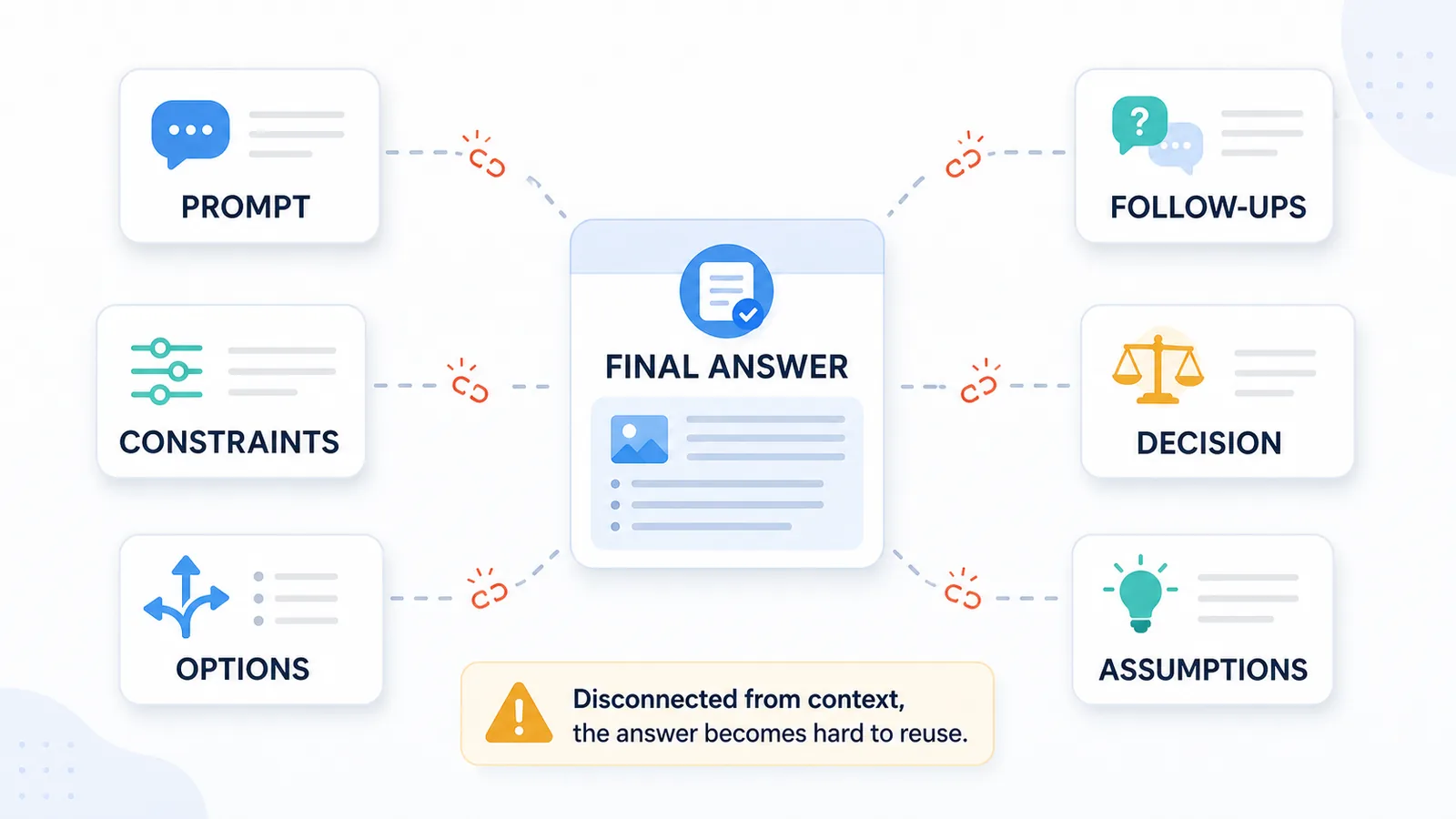
Lost prompts make answers harder to understand
ChatGPT answers are shaped by prompts.
The same answer can mean different things depending on what the user asked before it.
For example, this saved answer may look complete:
Use the second structure, but make the introduction more direct and remove the comparison table.
But without the original prompt, you may not know:
- second structure of what?
- which introduction?
- what comparison table?
- why was it removed?
- was this the final direction?
The answer is not self-contained. It depends on the prompt.
That is why saving only assistant messages is usually not enough. To reuse a ChatGPT conversation, you need to preserve the user questions and the assistant answers together.
Follow-up messages create hidden meaning
Long ChatGPT chats often contain many small follow-up instructions.
Those follow-ups may be short, but they carry a lot of meaning.
Examples:
- “No, make it more practical.”
- “Use my tone.”
- “Keep the structure but rewrite the intro.”
- “This is too generic.”
- “Now turn it into a table.”
- “Use this for the landing page.”
- “Remove the salesy part.”
Each follow-up changes the direction of the work.
If the saved chat does not clearly show which answer belongs to which follow-up, the conversation becomes hard to reconstruct later.
This is one reason Q&A structure matters. It keeps each answer attached to the instruction that created it.
Final versions are often unclear
Another reuse problem: long ChatGPT threads often contain many versions of the same output.
You may ask for:
- a first draft;
- a shorter version;
- a more detailed version;
- a more casual version;
- a more professional version;
- a version with examples;
- a version without examples;
- a final rewrite.
In the moment, you know which one you liked.
Later, the thread may contain six similar answers, and it may not be obvious which one was final.
This is especially common in:
- writing sessions;
- strategy chats;
- coding and debugging threads;
- SEO article drafts;
- email rewrites;
- product messaging;
- research summaries.
For a focused workflow, see how writers can turn a brainstorming thread into a structured editorial archive.
The same reuse problem appears in research conversations and student learning chats, where questions, evidence, mistakes, and next steps can disappear inside a raw transcript.
A long conversation becomes reusable only when the final or useful versions are easy to identify.
Decisions get buried
Long ChatGPT chats are often decision-making tools.
You may use a conversation to compare options, reject weak ideas, choose a direction, or define a plan.
But decisions can get buried inside the thread.
For example, a long chat may contain:
- five possible article angles;
- three rejected structures;
- two useful examples;
- one final recommendation;
- several caveats;
- a naming decision;
- a short checklist at the end.
If you export the chat as one long transcript, the decision may be technically present but practically invisible.
When you return later, you may need to search through the whole file just to answer:
What did we decide?
A reusable note should make decisions easier to find.
Topics get mixed together
Long ChatGPT conversations often start with one topic and slowly drift into another.
A single thread can contain:
- research;
- writing;
- planning;
- debugging;
- personal notes;
- product ideas;
- SEO strategy;
- implementation details;
- next actions.
This is normal while working, but it creates problems later.
A mixed-topic chat is hard to reuse because the file no longer has one clear purpose.
You may remember that the conversation included “the useful answer,” but not where it appeared or what the surrounding context was.
This is why long chats are easier to reuse when they are either:
- kept focused on one project;
- exported in clear sections;
- saved as Q&A notes;
- split into topic-based files;
- named with a clear date and topic.
Raw transcripts are hard to scan
A raw transcript preserves the conversation in order.
That sounds useful, but it can still be difficult to work with.
Raw transcripts often become long walls of text with:
- repeated answers;
- partial drafts;
- regenerated versions;
- broken formatting;
- copied interface noise;
- unclear message boundaries;
- old context mixed with new context.
For short conversations, this is fine.
For long conversations, it becomes tiring.
A reusable export should make the conversation easier to scan than the original chat, not harder.
Summaries can remove too much context
One common solution is to summarize the conversation.
Summaries are useful, but they are not always enough.
A summary can tell you the main idea, but it may remove:
- exact prompts;
- detailed reasoning;
- rejected options;
- examples;
- wording you wanted to reuse;
- code blocks;
- comparison tables;
- subtle constraints.
This matters when the conversation was not just informational but productive.
If you used ChatGPT to create something, a summary may not preserve the working material.
| Saving style | Good for | Weakness |
|---|---|---|
| Final answer only | Quick copying | Loses prompt and reasoning |
| Summary | Fast review | Removes details |
| Raw transcript | Completeness | Hard to scan |
| Reading | Hard to edit and reuse | |
| Q&A notes | Reuse and context | Less visual than PDF |
For important conversations, the best workflow is often not summary instead of transcript. It is structured notes plus enough original context.
Why Q&A notes solve the reuse problem
Q&A notes are useful because they preserve the basic unit of a ChatGPT conversation:
user prompt → assistant answer
This makes the saved file easier to understand later.
Instead of a long transcript, you get a structured record:
Q1: What was the original goal?
A1: The assistant's answer.

Q2: What did the user clarify?
A2: The updated answer.

Q3: What decision was made?
A3: The final recommendation.
This structure helps with reuse because it shows:
- what was asked;
- what was answered;
- how the conversation changed;
- where the final useful output came from;
- which parts belong together.
If your goal is to reuse the chat later, Q&A structure is usually more useful than a raw transcript.
Related guide: How to Turn a Messy ChatGPT Thread into Clean Q&A Notes
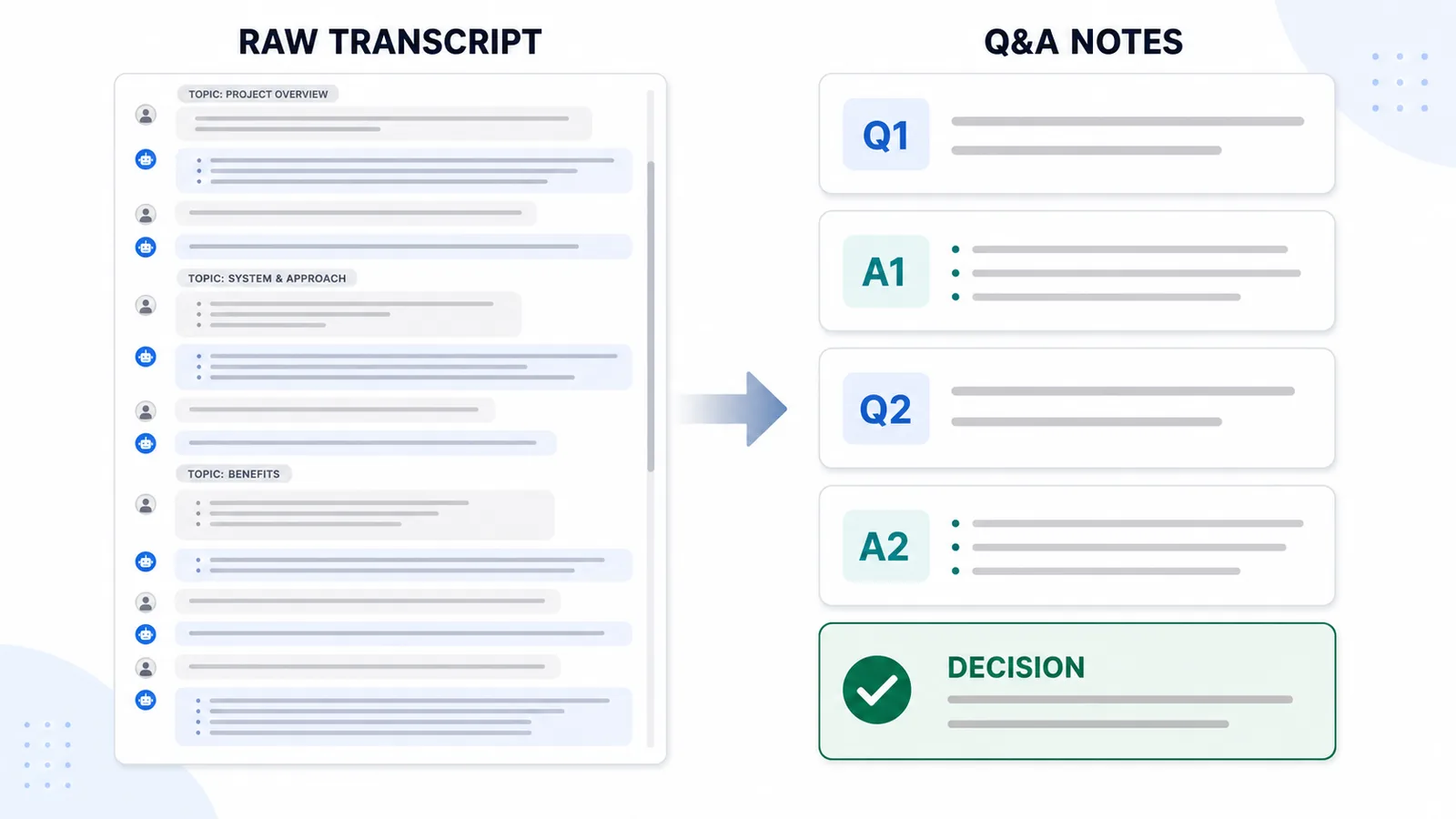
What reusable ChatGPT notes should preserve
A reusable ChatGPT note does not need to preserve every pixel of the original interface.
It should preserve the parts that make the conversation useful.
A good reusable note keeps:
- the original question;
- the assistant answer;
- follow-up prompts;
- important constraints;
- final decisions;
- useful examples;
- code blocks or tables when relevant;
- enough ordering to understand the flow;
- clear message boundaries;
- a useful filename.
It does not need to keep:
- sidebar labels;
- buttons;
- interface clutter;
- repeated boilerplate;
- empty messages;
- unrelated UI text.
The goal is not to recreate the ChatGPT screen. The goal is to preserve the useful conversation.
How to make long chats easier to reuse later
The best time to make a ChatGPT chat reusable is before it becomes a mess.
A simple workflow helps:
- Keep one long chat focused on one topic or project.
- Ask ChatGPT to mark decisions explicitly when they happen.
- Avoid mixing unrelated tasks in the same thread.
- Export important conversations before they become too long.
- Preserve prompts and answers together.
- Use clear filenames with date and topic.
- Save the file in a project folder or notes system.
- Convert important threads into Q&A notes.
- Add a short summary only after preserving the original structure.
This makes the exported conversation easier to search, review, and continue later.
Naming matters more than it seems
A reusable export should be easy to find.
Bad filenames:
chat.txt
export.txt
conversation.txt
notes-final.txt
Better filenames:
2026-06-12-ai-seo-strategy-chatgpt-notes.txt
2026-06-12-session-saver-glossary-draft.txt
2026-06-12-debugging-auth-error-chatgpt-qa.txt
A useful filename usually includes:
- date;
- project;
- topic;
- format or purpose.
This is especially important if you save many ChatGPT conversations over time.
From long chats to a personal knowledge base
Long ChatGPT chats become more valuable when they stop being isolated conversations and start becoming part of a knowledge base.
That can be simple.
You do not need a complicated system. You can store exported conversations in folders like:
AI notes/
  SEO/
  Product ideas/
  Coding/
  Writing/
  Research/
  Client work/
Or you can use a notes app and organize files by:
- project;
- topic;
- date;
- type of work;
- reusable answer;
- research session.
The important thing is that the conversation becomes findable and understandable later.
A good export is not only a backup. It is a reusable knowledge object.
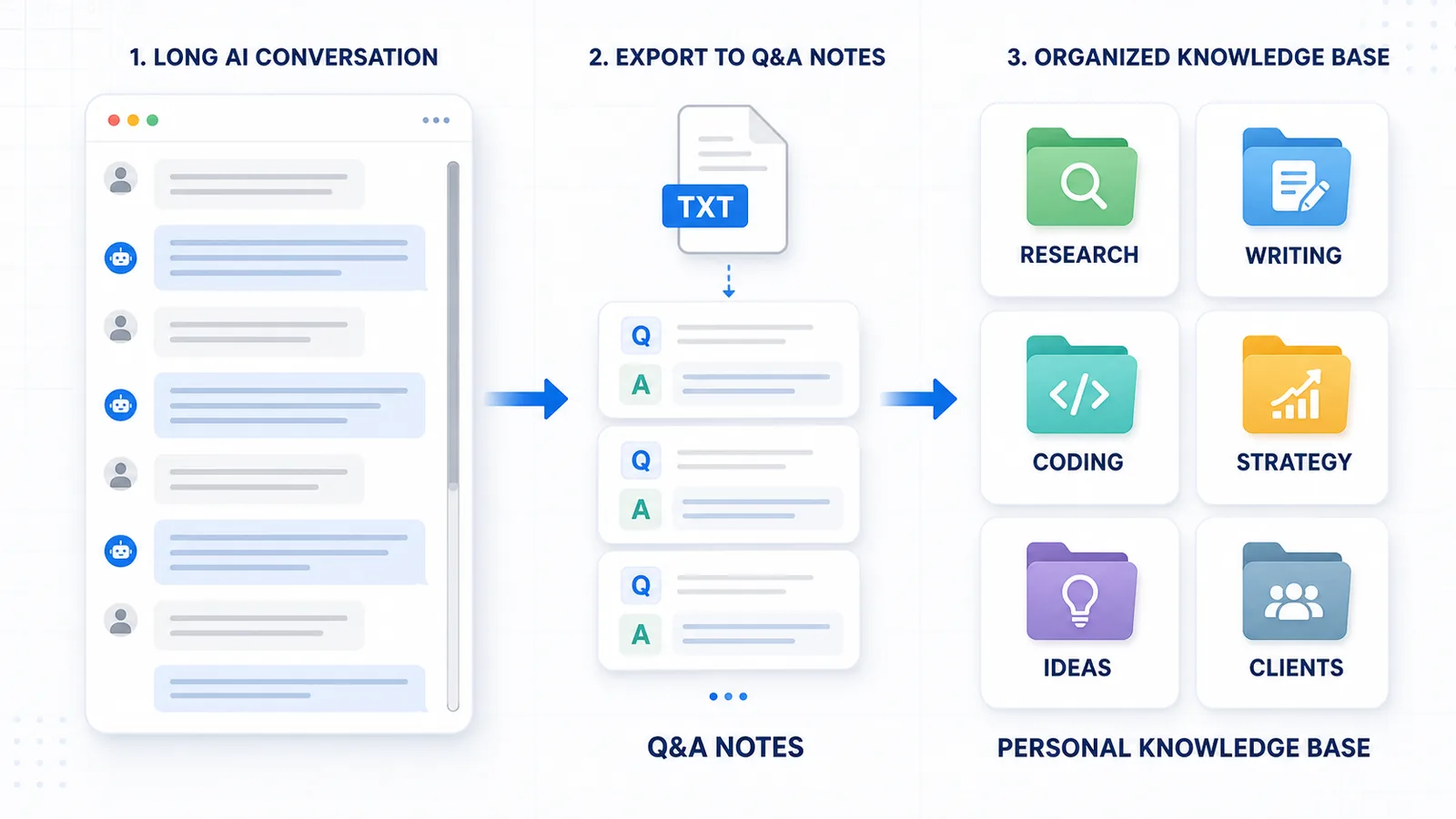
How ChatGPT Session Saver helps
ChatGPT Session Saver is a local-first browser tool for saving one active ChatGPT conversation as clean Q&A-style TXT notes.
It is designed for the reuse problem, not just the download problem.
It helps when you want to keep:
- the original prompt;
- the assistant answer;
- the question-answer structure;
- one active long conversation;
- a local TXT file;
- a cleaner note for later use.
It is not meant to replace every export method.
Use official account export for full account backup.
Use shared links for sharing.
Use PDF for reading.
Use ChatGPT Session Saver when your goal is to turn one active conversation into reusable local Q&A notes.
When a long chat does not need reuse
Not every ChatGPT conversation needs to become a reusable note.
You probably do not need a structured export if:
- the chat was temporary;
- you only needed one quick answer;
- the final result is already copied elsewhere;
- the conversation has no decisions;
- the thread contains no reusable context;
- you would not search for it later.
For small chats, copy-paste is fine.
For important long chats, structure matters.
Common mistakes
When trying to reuse long ChatGPT chats, avoid these mistakes:
- saving only the final answer;
- losing the original prompt;
- keeping six versions without marking the final one;
- exporting as PDF when you need editable notes;
- relying only on a shared link for private work;
- mixing unrelated topics in one thread;
- using unclear filenames;
- saving a raw transcript without Q&A structure;
- forgetting to store the file somewhere searchable.
Most reuse failures happen because the chat was saved too late or saved in the wrong structure.
Best format for reusable ChatGPT chats
The best format depends on how you plan to reuse the conversation.
| Format | Best for | Reuse weakness |
|---|---|---|
| TXT | Simple searchable notes | Less visual formatting |
| Markdown | Structured notes and documentation | Requires a Markdown-friendly workflow |
| Reading and sharing | Harder to edit or restructure | |
| JSON | Automation and developers | Not comfortable for normal reading |
| Shared link | Showing someone the chat | Not a controlled local note |
For most reusable notes, TXT or Markdown works better than PDF.
PDF is good when the conversation is finished and mostly needs to be read. TXT or Markdown is better when the conversation is still useful as working material.
Related guides
- How to Export a ChatGPT Conversation as Question-and-Answer Pairs
- How to Export Long ChatGPT Chats Without Losing Context
- How to Export a Single ChatGPT Conversation
- How to Save a ChatGPT Conversation as PDF
- Why Copy-Paste Fails for Long ChatGPT Conversations
- ChatGPT Session Saver
FAQ
Why are long ChatGPT chats hard to reuse later?
Long ChatGPT chats are hard to reuse because the useful context is spread across prompts, follow-ups, answers, decisions, and revisions. If the saved file does not preserve that structure, the chat becomes difficult to understand later.
Is saving the final ChatGPT answer enough?
Sometimes, but not always. Saving only the final answer can lose the original prompt, constraints, rejected options, and reasoning that made the answer useful.
What is the best way to make ChatGPT chats reusable?
The best way is to save the conversation in a structure that preserves prompts and answers together. Q&A-style TXT or Markdown notes are usually easier to reuse than raw transcripts or PDFs.
Are summaries enough for long ChatGPT conversations?
Summaries are useful for quick review, but they can remove details, exact prompts, examples, code blocks, and rejected options. For important conversations, keep structured notes as well as a summary.
Why does Q&A structure matter?
Q&A structure keeps each assistant answer connected to the user prompt that created it. This makes long conversations easier to scan, understand, and reuse later.
Should I export every ChatGPT conversation?
No. Short or temporary chats may not need structured export. Export long or important chats when they contain decisions, reusable answers, research, drafts, or project context.
What format is best for reusable ChatGPT notes?
TXT and Markdown are usually best for reusable notes because they are easy to search, edit, copy, and move into a notes app or knowledge base. PDF is better for reading and sharing.
Final thought
Long ChatGPT chats are not hard to reuse because they are long.
They are hard to reuse because their meaning is distributed across many prompts, answers, follow-ups, decisions, and revisions.
If you save only the text, you may lose the structure.
For important conversations, the best export is not just a file. It is a reusable note that preserves the question-answer flow and the context behind the final result.