Why Copy-Paste Fails for Long ChatGPT Conversations
Short answer
Copy-paste works when you only need to save one or two ChatGPT messages. It starts to fail when the conversation becomes long, structured, or important enough to reuse later.
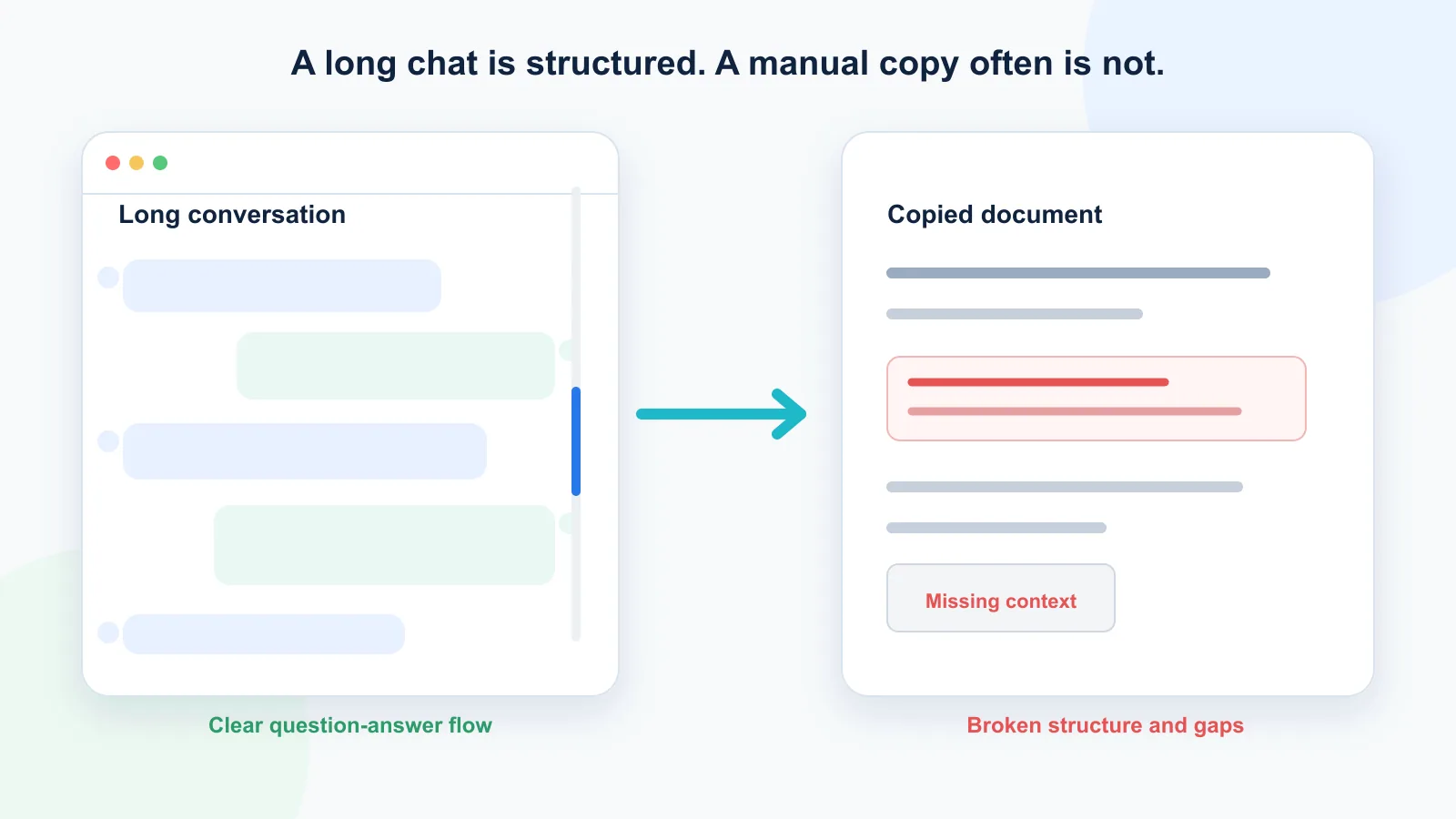
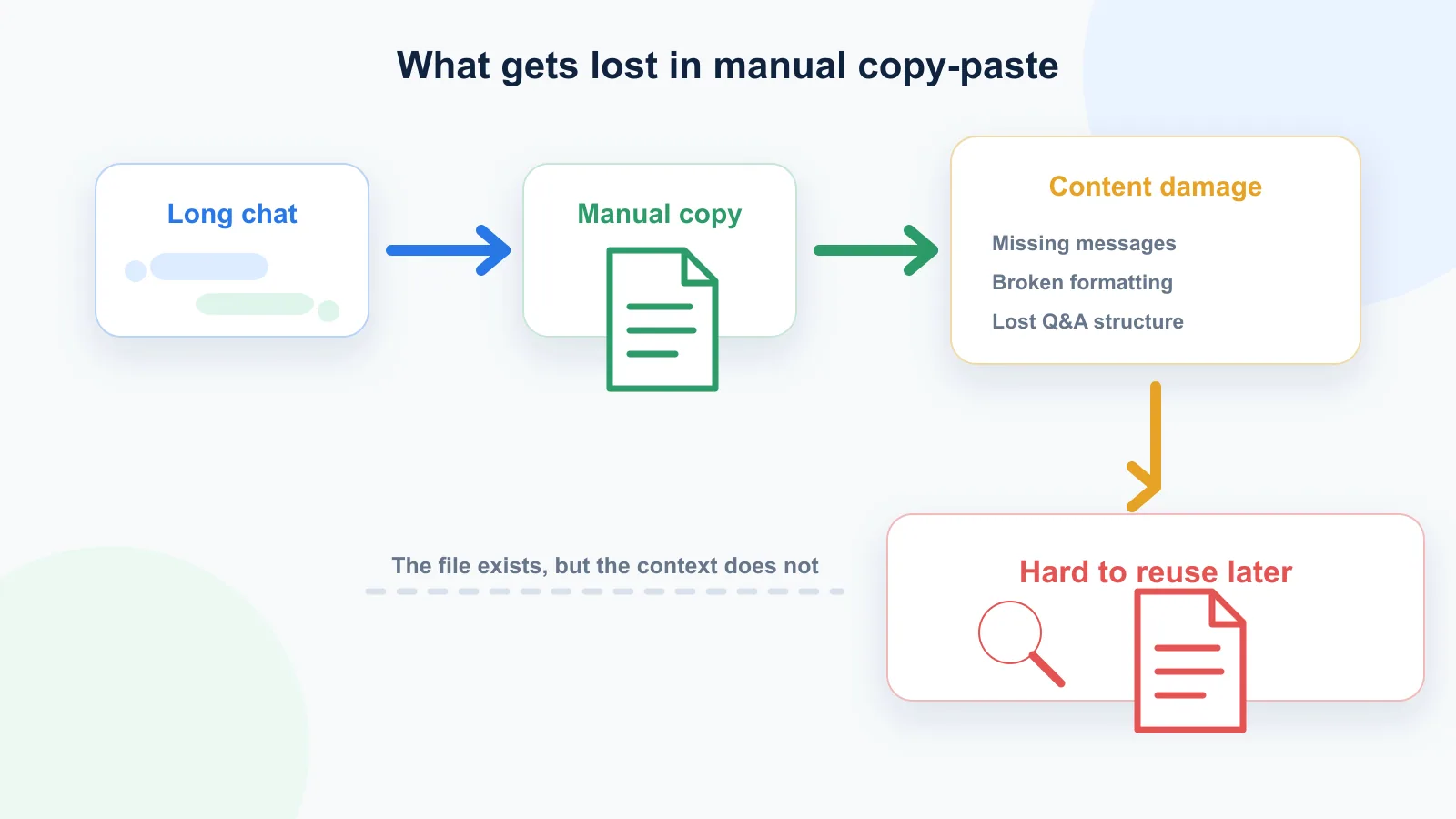
Long ChatGPT chats often include multiple questions, follow-ups, corrections, examples, tables, and decisions. When you copy them manually, it is easy to miss messages, break formatting, lose the question-answer structure, or create a text file that is hard to search and reuse.
For short snippets, manual copy-paste is fine. For long conversations, a structured export method is usually better.
Difference in one sentence: Copy-paste saves text, but it often fails to preserve the structure that makes a long ChatGPT conversation useful later.
Why people copy-paste ChatGPT chats
Copy-paste is the most natural way to save a ChatGPT answer.
It feels simple:
- Select the text.
- Copy it.
- Paste it into a document, note, email, or text file.
For a short answer, this is often enough. If you asked ChatGPT for a recipe, a quick explanation, a few code lines, or a short draft, manual copy-paste does the job.
The problem starts when the conversation becomes more than a single answer.
A long ChatGPT chat is not just text. It is a sequence of questions, answers, clarifications, changes, and context. Saving only part of it can make the final result much less useful later.
What makes long ChatGPT conversations different
A long ChatGPT conversation usually has structure.
It may include:
- the original question;
- follow-up questions;
- alternative versions;
- corrections;
- examples;
- tables;
- code blocks;
- decisions;
- rejected ideas;
- final summaries.
This structure matters because the answer often only makes sense together with the question that produced it.
For example, an answer like “Option 2 is better” is useless if you no longer know what Option 1 and Option 2 were. A rewritten paragraph may look good, but without the original prompt, you may not remember what task it solved. A strategy recommendation may seem clear, but without the earlier constraints, it can become misleading.
That is why exporting a long ChatGPT conversation is not the same as copying text from a normal webpage.
What copy-paste actually loses
| What you think you saved | What may be missing |
|---|---|
| The final answer | The prompt that shaped it |
| The visible messages | Older messages that were not loaded or copied |
| The text | Formatting, tables, code blocks, and spacing |
| The conclusion | The rejected options and assumptions |
| A transcript | The original question-answer structure |
The risk is not only losing words. The bigger risk is losing the context that made those words useful.
Why copy-paste fails for long ChatGPT chats
1. You can miss messages
The longer the chat, the easier it is to miss something.
ChatGPT conversations often require scrolling. If the thread is long enough, you may copy only the visible part of the chat, skip an earlier message, or accidentally leave out an important follow-up.
This is especially risky when the conversation includes several rounds of refinement.
If navigation itself has become the problem, use a workflow designed to save a long ChatGPT conversation without scrolling forever.
You may save the final answer but lose:
- the question that shaped it;
- the assumptions behind it;
- the intermediate reasoning;
- the rejected versions;
- the final correction.
Later, the saved text may look complete, but the useful context is gone.
2. The Q&A structure gets messy
A ChatGPT conversation is built around turns:
- user asks;
- assistant answers;
- user clarifies;
- assistant updates;
- user pushes back;
- assistant improves.
When you copy-paste manually, this turn-by-turn structure can become unclear.
You may end up with a long block of text where it is hard to tell:
- what was the user’s question;
- what was ChatGPT’s answer;
- where one answer ends and another begins;
- which answer belongs to which prompt.
This matters if you want to reuse the conversation later. A saved chat is much more useful when it preserves the original question-answer pairs.
3. Formatting can break
Manual copy-paste often changes formatting.
Depending on where you paste the conversation, you may lose or damage:
- headings;
- bullet lists;
- tables;
- code blocks;
- indentation;
- spacing;
- links;
- quotes.
This is annoying for normal text, but it can be much worse for technical, research, or planning conversations.
A broken code block may become harder to read. A damaged table may lose its structure. A long strategy chat may turn into an unreadable wall of text.
4. Long copied text becomes hard to search
Copy-paste gives you text, but not always clean text.
If the saved version contains broken spacing, mixed formatting, duplicated fragments, or missing labels, it becomes harder to search later.
You may remember that the chat included something about “pricing”, “migration”, “study notes”, or “Chrome extension permissions”, but the saved file may not be structured enough to help you find it quickly.
A long ChatGPT conversation should be saved in a way that makes search easy. Otherwise, you are not really building an archive — you are just creating a pile of text.
5. You lose context when you save only the final answer
Many people only copy the final ChatGPT answer.
That can work for simple tasks. But for deeper work, the final answer is often only the visible result of a longer thinking process.
The earlier parts of the conversation may include:
- why this direction was chosen;
- what alternatives were considered;
- what constraints mattered;
- what the user rejected;
- what assumptions were corrected.
If you save only the final answer, you may lose the logic behind it.
This is one of the biggest problems with using ChatGPT for research, writing, strategy, learning, or technical debugging. The value is often in the conversation, not only in the final message.
6. Copy-paste is slow and repetitive
Manual copying becomes painful when you need to save more than one long chat.
You have to scroll, select, copy, paste, clean up, rename the file, and repeat. If you do this often, the workflow becomes annoying enough that you may stop saving useful conversations altogether.
This creates a second problem: important ChatGPT sessions stay trapped inside the interface.
You may have valuable conversations about work, learning, writing, code, research, or personal projects, but they are not available in your own notes or local archive.
Copy-paste failure checklist
Before relying on manual copy-paste, check whether the saved file still includes:
- the original prompt;
- every follow-up question;
- the final answer;
- important rejected options;
- tables or code blocks;
- clear separation between user and assistant messages;
- a readable file name;
- enough context to understand the conversation later.
If several of these are missing, the conversation was not really exported. It was only partially copied.
When copy-paste is still fine
Copy-paste is not always bad.
It is fine when you need to save:
- one short answer;
- a small snippet;
- a single paragraph;
- a quick list;
- a temporary draft;
- a short piece of code.
For small tasks, manual copying is fast and simple.
The problem is not copy-paste itself. The problem is using copy-paste as your main export method for long, important, reusable ChatGPT conversations.
Better ways to save long ChatGPT conversations
There are several ways to save a ChatGPT conversation. Each one is useful for a different purpose.
| Method | Best for | Main weakness |
|---|---|---|
| Manual copy-paste | Short snippets | Easy to miss context in long chats |
| Print to PDF | Reading and sharing | Harder to edit, search, or reuse |
| Shared link | Showing a conversation to someone else | Not a private local backup |
| Official data export | Full account archive | Not convenient for one active chat |
| Local export tool | Saving one specific long chat | Depends on output quality and permissions |
| Q&A-style TXT export | Reusable long-chat notes | Less visual than PDF |
If the chat is short, copy-paste is fine. If the chat is long enough that you need to check whether you missed something, use a structured export workflow instead.
For one current thread, compare the options for exporting a single ChatGPT conversation. The broader trade-offs are compared in How to Export Long ChatGPT Chats Without Losing Context.
Why Q&A structure matters
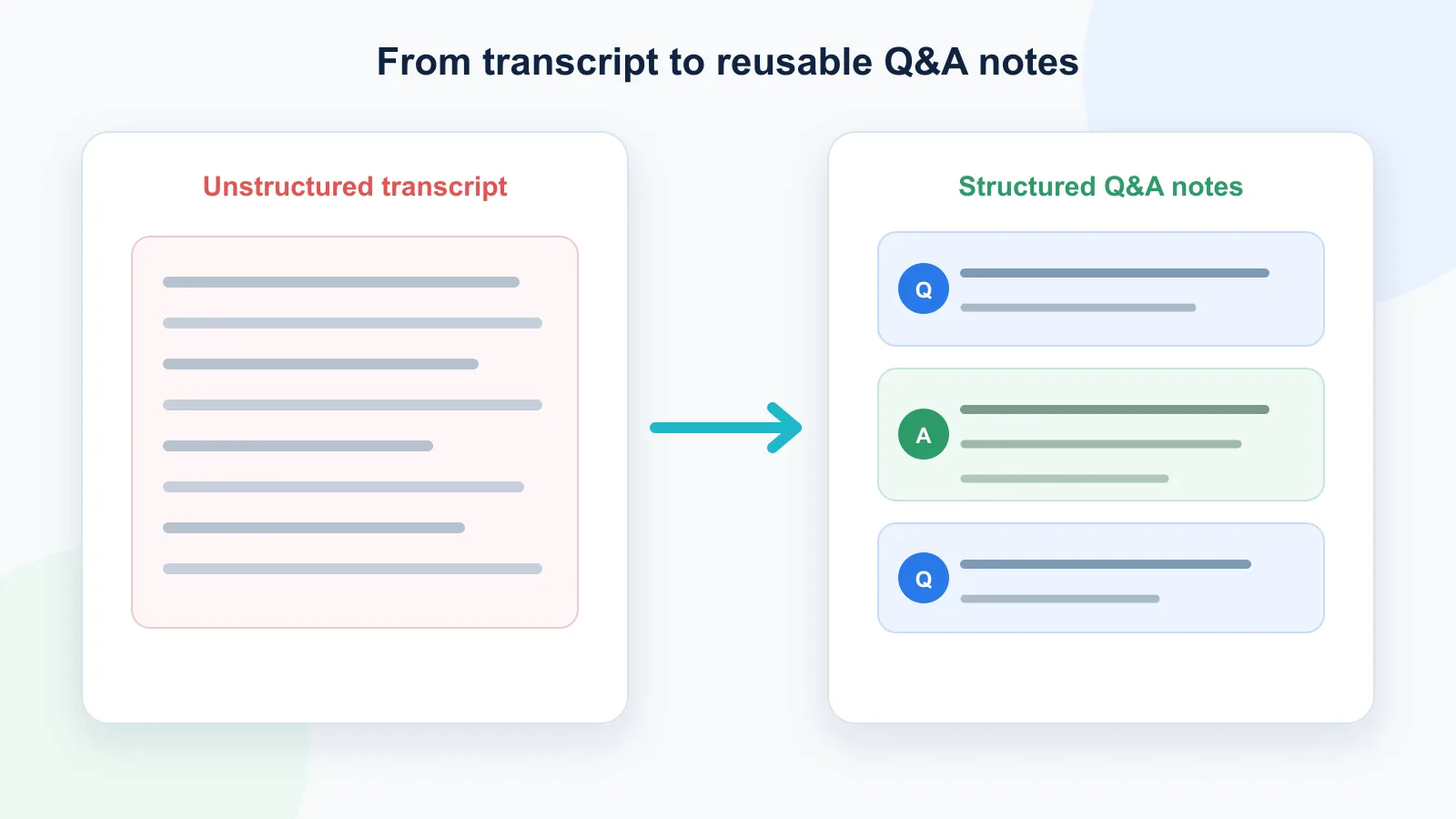
The most useful way to save a long ChatGPT conversation is often as Q&A notes.
That means keeping the conversation in pairs:
Question: What did the user ask? Answer: What did ChatGPT answer?
This structure makes the saved chat easier to understand later.
It helps you see:
- what problem each answer solved;
- which follow-up changed the direction;
- where the final output came from;
- what context shaped the answer;
- which parts are worth reusing.
Without Q&A structure, a long export can become just another messy transcript. With Q&A structure, it becomes a reusable knowledge asset. The dedicated guide shows how to turn a messy ChatGPT thread into clean Q&A notes.
TXT vs PDF for long ChatGPT chats
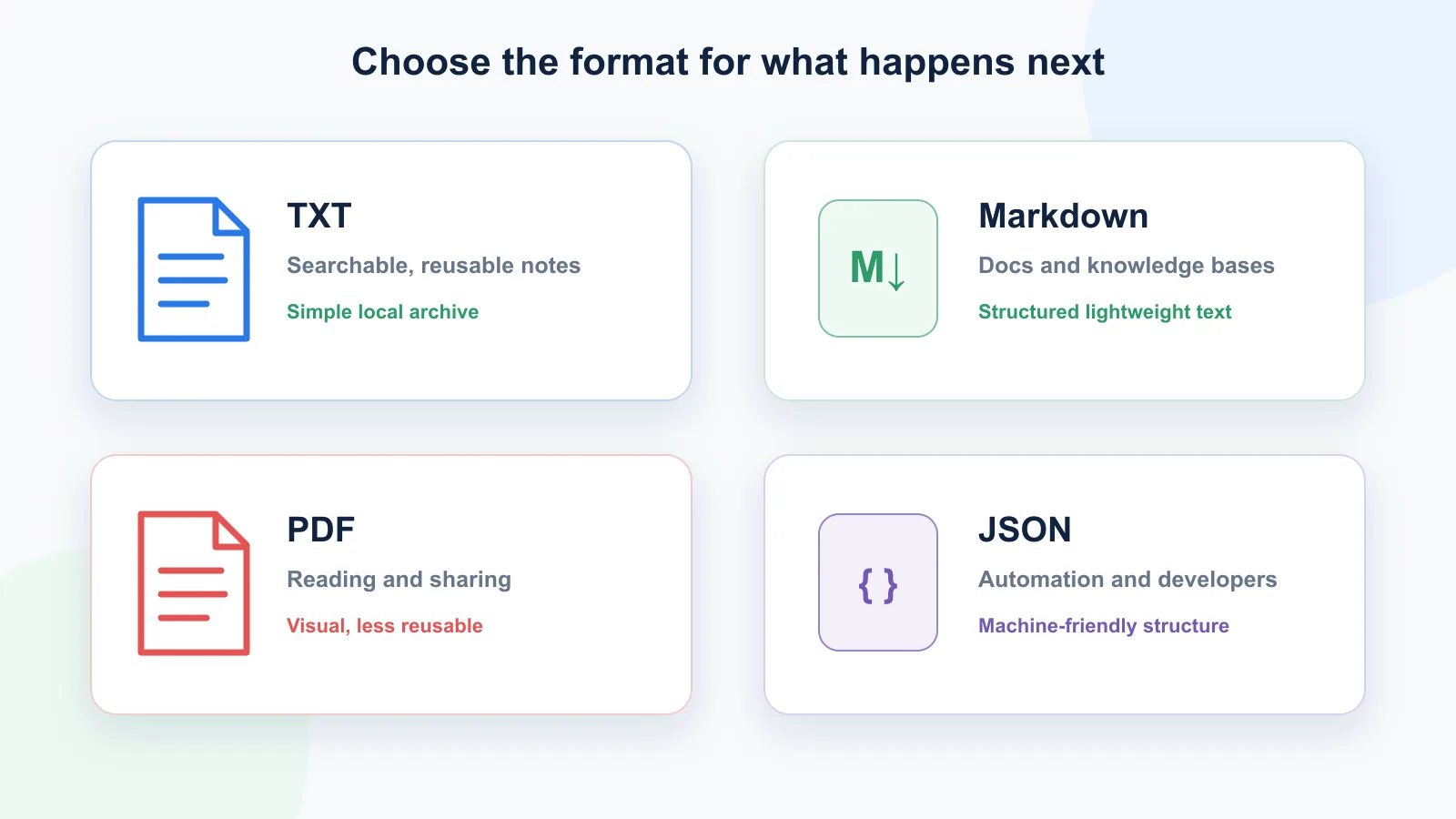
PDF is good when you want to read or share a conversation as a document. It preserves the visual look better than plain text.
But TXT is usually better when you want to reuse the content.
| Format | Best for | Weakness |
|---|---|---|
| TXT | Search, reuse, clean local notes | No rich visual formatting |
| Reading and sharing | Harder to edit and reuse | |
| Markdown | Notes and documentation | Requires clean formatting |
| JSON | Automation and developers | Not comfortable for normal reading |
For long ChatGPT chats, TXT or Markdown usually works better than PDF if your goal is to search, edit, quote, summarize, or reuse the conversation later.
PDF is better when the conversation is final and mostly needs to be read.
A practical workflow for saving long ChatGPT chats
A better workflow looks like this:
- Keep the ChatGPT thread focused on one topic or project.
- Export the conversation before it becomes too long to review manually.
- Preserve the question-answer structure.
- Save the output as TXT or Markdown if you plan to reuse it.
- Use clear filenames with topic and date.
- Store the file in your local notes, project folder, or knowledge base.
- Avoid using shared links for sensitive conversations.
This turns ChatGPT from a temporary chat interface into something closer to a reusable thinking archive.
How ChatGPT Session Saver helps
ChatGPT Session Saver is a local-first browser tool for saving one active ChatGPT conversation as clean Q&A-style TXT notes.
It helps when manual copy-paste becomes too messy because it focuses on:
- long ChatGPT chats;
- clean TXT export;
- question-answer structure;
- local saving;
- search inside the session;
- reusable notes.
It is not meant to replace every export method. If you need a full account archive, official data export is a better fit. If you need a polished document for sharing, PDF may be better.
Before installing any browser exporter, review the extension’s requested access using Chrome’s official permissions guidance and read its privacy policy.
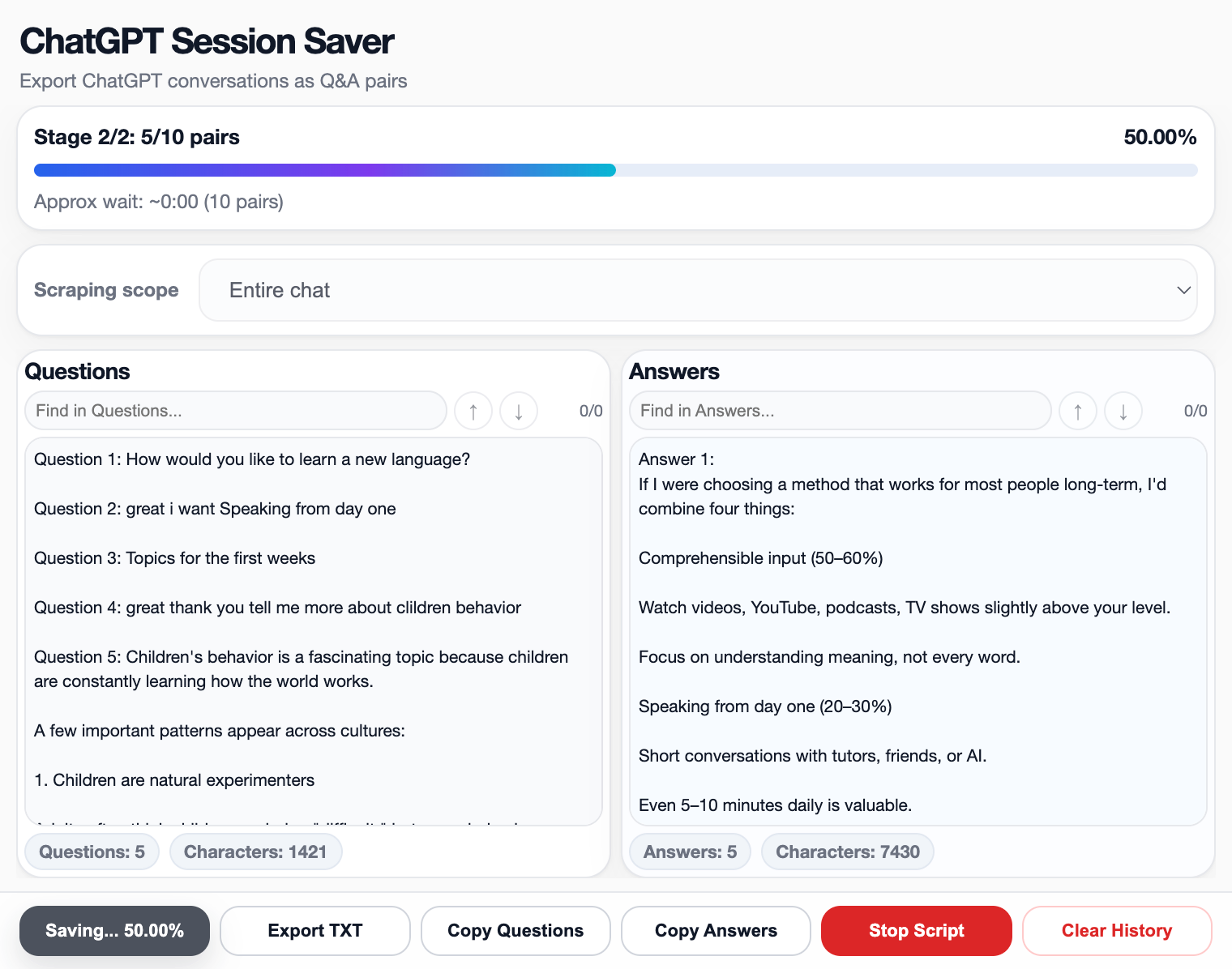
But if you want to save one important long ChatGPT conversation as clean local notes, a Q&A-style TXT export is usually much easier than manual copy-paste.
FAQ
Is copy-paste a good way to save ChatGPT conversations?
Copy-paste is fine for short answers and small snippets. It is not ideal for long conversations because you can miss messages, break formatting, and lose the original question-answer structure.
Why do long ChatGPT chats become hard to copy?
Long chats require scrolling, contain multiple turns, and often include tables, code, follow-ups, and corrections. Manual copying can easily skip or damage parts of the conversation.
What is the best format for saving long ChatGPT chats?
TXT or Markdown is usually best when you want to search and reuse the conversation. PDF is better for reading or sharing. JSON is better for automation.
What is Q&A export?
Q&A export saves a conversation as pairs of user questions and assistant answers. This makes long ChatGPT chats easier to review, search, and reuse later.
Is PDF better than TXT for ChatGPT export?
PDF is better for visual reading and sharing. TXT is better for clean notes, search, editing, and reuse.
Can I use shared links as a backup?
Shared links are useful for sharing a conversation with someone else, but they are not the same as a private local backup. OpenAI notes that anyone with access to a shared link can view the linked conversation. For long-term control, saving a local file is safer.
When should I use ChatGPT Session Saver?
Use ChatGPT Session Saver when you want to save one long active ChatGPT conversation locally as clean Q&A-style TXT notes.
Part of the ChatGPT Export Guides
This guide is part of a practical series about saving, exporting, structuring, and reusing ChatGPT conversations.
Final thought
Copy-paste is simple, but it was never designed for long ChatGPT conversations.
Once a chat becomes important enough to reuse, archive, search, or turn into notes, the export method matters. The goal is not just to save text. The goal is to preserve the conversation in a form that still makes sense later.
For short snippets, copy-paste is enough. For long ChatGPT chats, structured local export is usually the better choice.