Is It Safe to Use a ChatGPT Export Extension?
Quick answer
A ChatGPT export extension can be safe to use, but you should not install one blindly.
The safety question is not only:
“Does this extension export my chat?”
The better question is:
“What can this extension access, what does it do with the conversation, and where does the exported data go?”
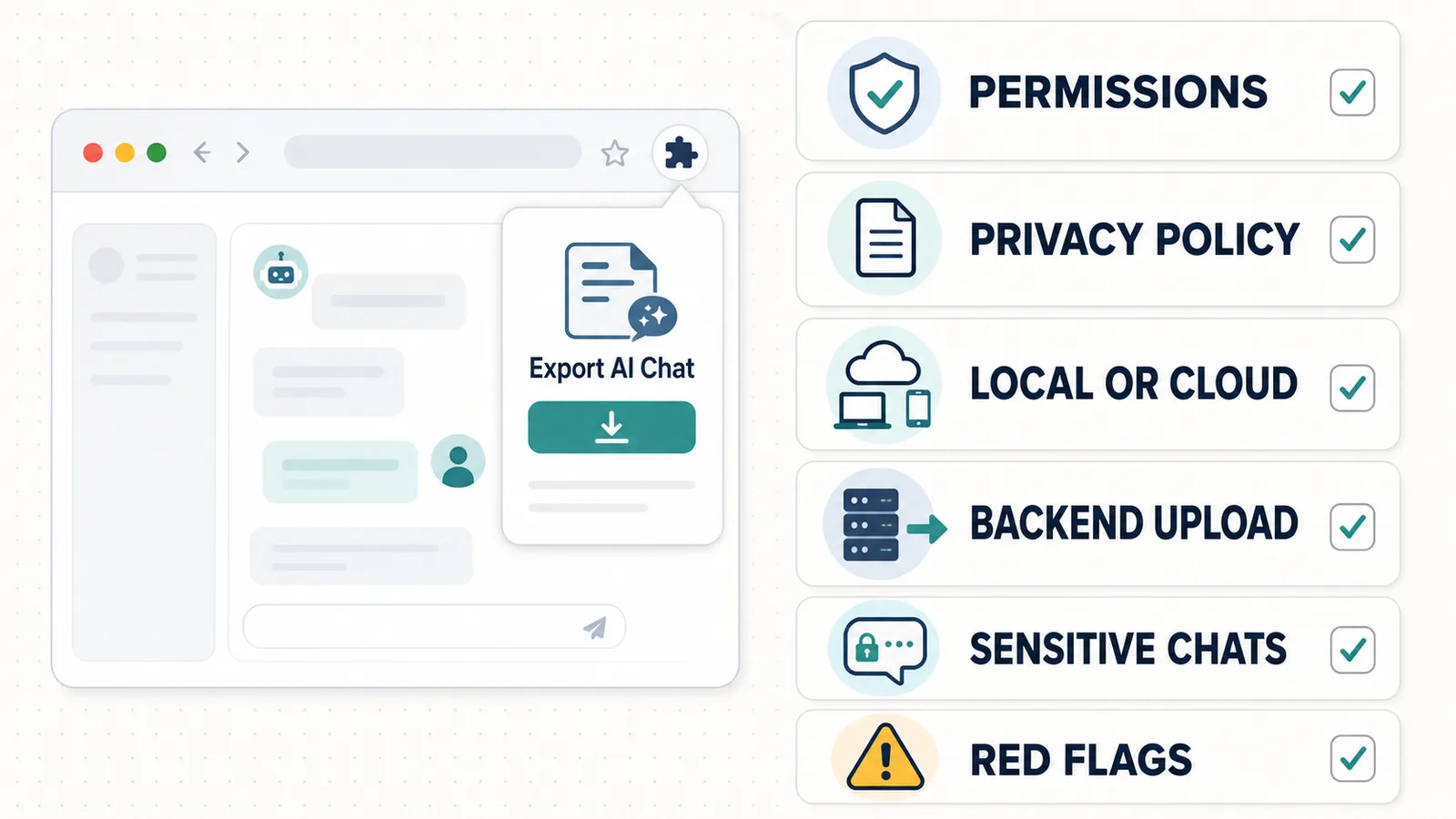
A safer ChatGPT export extension should have:
- a clear purpose;
- permissions that match that purpose;
- a transparent privacy policy;
- no unnecessary login requirement;
- clear explanation of local vs cloud processing;
- no hidden backend upload;
- understandable export formats;
- a way to save your conversation without extra data exposure.
Difference in one sentence: A ChatGPT export extension is safer when its access, data handling, permissions, and export workflow are clear before you use it.
Why safety matters for ChatGPT export tools
ChatGPT conversations can contain more private information than people realize.
A single thread may include:
- work context;
- business ideas;
- client details;
- code;
- drafts;
- research notes;
- personal reflections;
- financial questions;
- legal or administrative topics;
- health-related questions;
- sensitive project decisions.
When you use an export tool, you are asking it to help save that conversation.
That means the tool may need some level of access to the active page.
This does not automatically make the tool unsafe. Browser extensions often need permissions to work.
But it does mean you should understand the extension’s data model before using it.
The main risks
The main risks with ChatGPT export extensions are practical and understandable.
| Risk | What it means |
|---|---|
| Unclear permissions | You do not know what the extension can access |
| Hidden upload | Conversation content may be sent to a backend |
| Vague privacy policy | Data handling is not explained clearly |
| Broad access | The extension asks for more access than the task requires |
| Required login | The tool connects your exports to an account unnecessarily |
| Third-party sharing | Data may be shared with analytics, AI APIs, or other services |
| Poor maintenance | The extension may break or behave unpredictably after UI changes |
| Sensitive content exposure | Private conversations may be saved or shared in the wrong place |
The goal is not to avoid every extension.
The goal is to choose tools where the risks are visible and reasonable.
An extraction failure is not automatically a privacy failure. See Why ChatGPT Export Extensions Break When OpenAI Updates the Interface for the technical distinction.
Local export vs cloud export
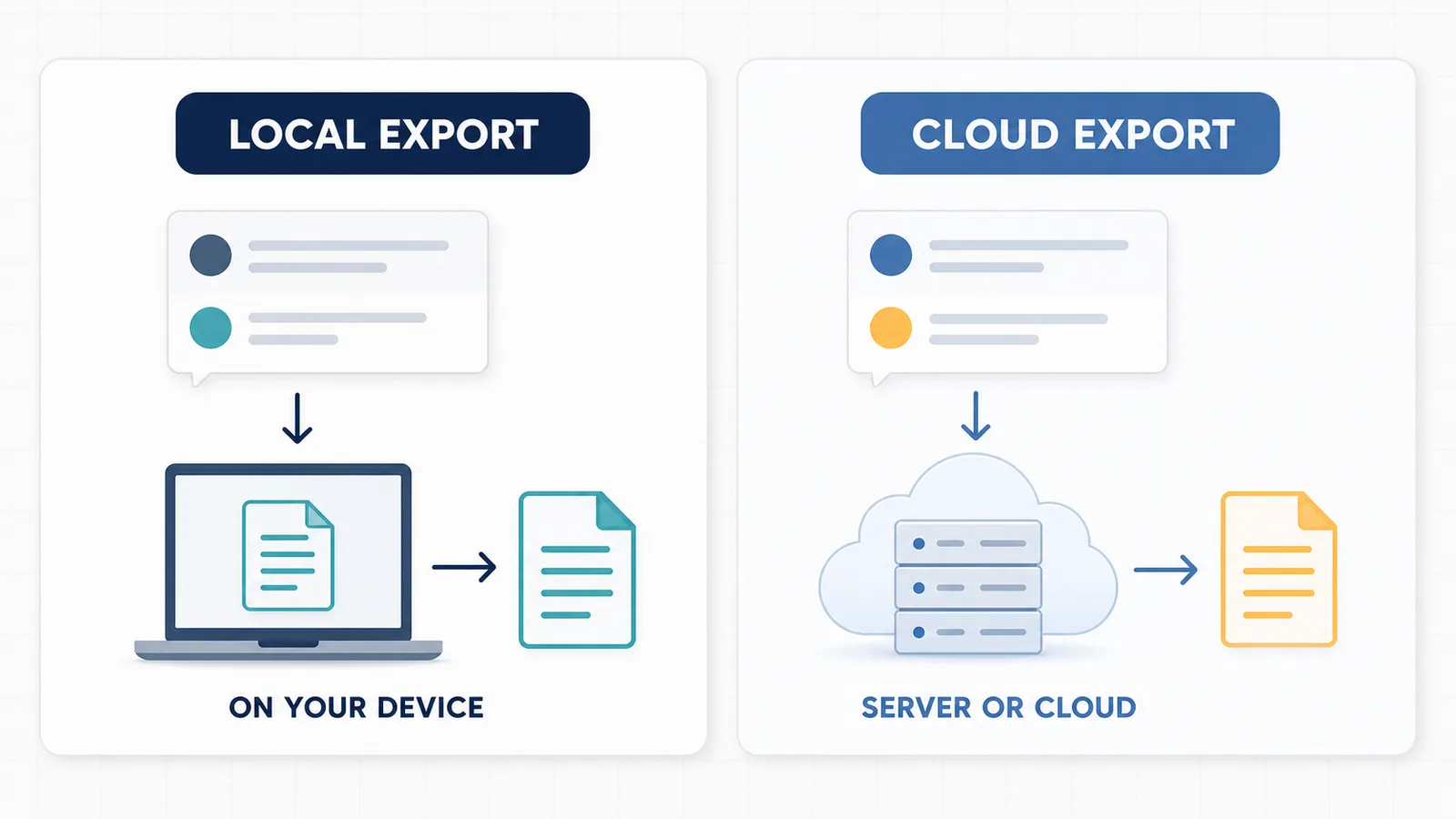
One of the most important differences is whether the export happens locally or in the cloud.
Local export means the conversation is processed and saved on your device or inside your browser workflow.
Cloud export means the conversation may be uploaded to a server for storage, processing, sync, search, backup, or collaboration.
Both models can be legitimate.
But they have different trust requirements.
| Export model | Best for | Main trust question |
|---|---|---|
| Local export | Private notes, one active chat, personal archive | Does the tool keep processing on the device? |
| Cloud export | Sync, team access, backups, multi-device workflows | Who stores the data and how is it protected? |
Local export usually gives you more control.
Cloud export can be useful, but you should understand what is uploaded, why it is uploaded, and who can access it.
Local does not automatically mean safe
Local-first is a good sign, but it is not a magic guarantee.
A tool can say “local” and still have unclear behavior.
Before trusting a local export tool, check:
- does it explain whether conversations leave the browser?
- does it require login?
- does it call a backend?
- does it use analytics?
- does it store anything outside your device?
- does it explain permissions?
- does it have a privacy policy?
A local workflow is strongest when the product clearly explains what happens to your data.
Cloud does not automatically mean unsafe
Cloud-based tools are not automatically bad.
Cloud processing can be useful when you need:
- automatic backup;
- sync across devices;
- team access;
- shared workspaces;
- AI summarization;
- searchable cloud archives;
- account-based history.
But cloud workflows require more trust.
If a ChatGPT export tool uploads conversations to a backend, the privacy policy should explain:
- what is uploaded;
- why it is uploaded;
- how long it is stored;
- whether it is shared;
- whether it is used for analytics or training;
- how users can delete it;
- who operates the service.
If those answers are missing, be careful.
Browser extension permissions
Browser extension permissions are the capabilities an extension requests from the browser.
For a ChatGPT export extension, permissions may be needed to:
- run code on the active page;
- read visible conversation content;
- copy or download text;
- save local settings;
- interact with a specific website;
- open a popup or toolbar action.
Permissions are not automatically dangerous.
But permissions should match the job.
A simple local export extension should not need broad, unrelated access.
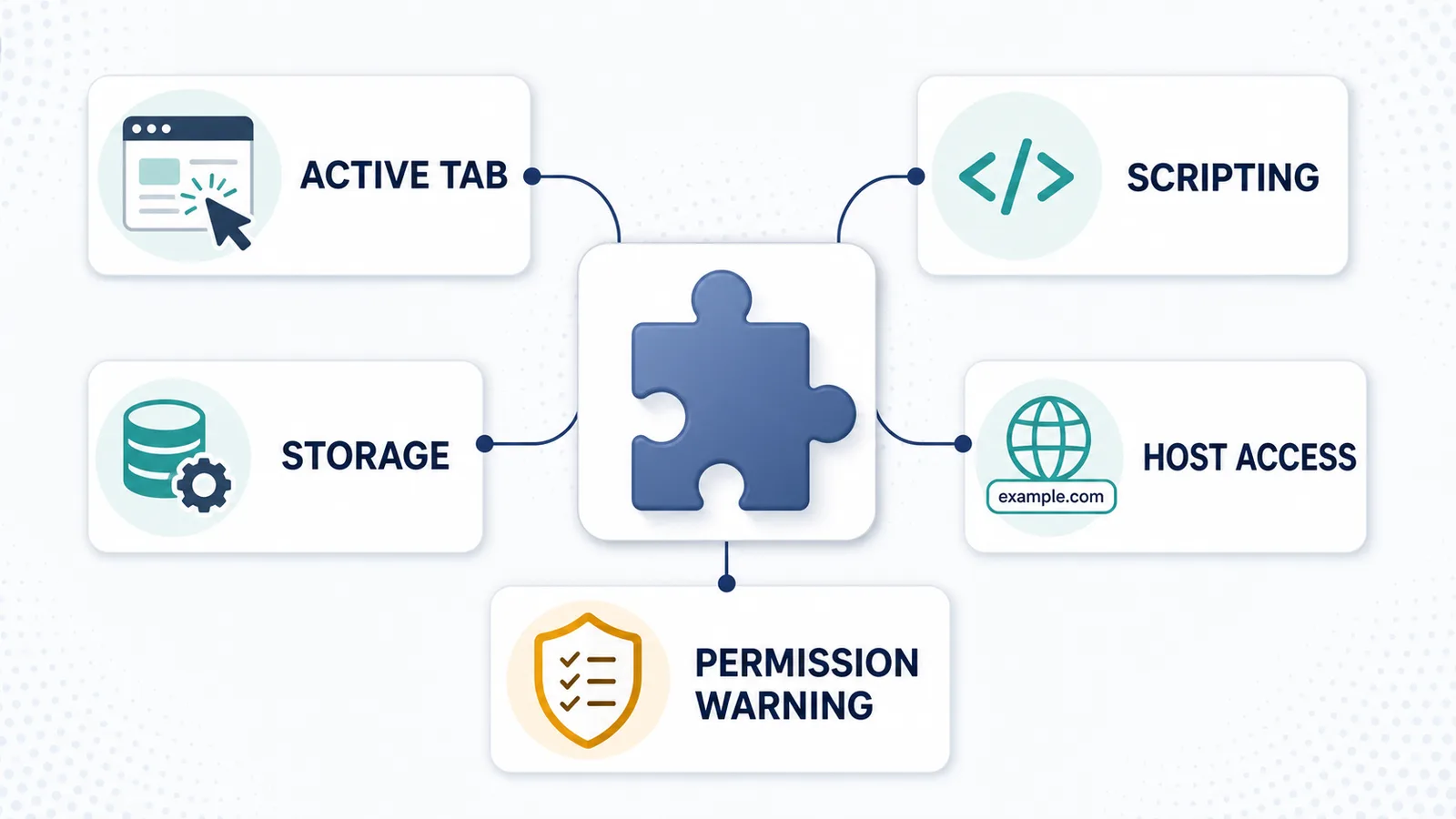
Common permission concepts
| Permission concept | Plain-English meaning |
|---|---|
activeTab | Temporary access to the currently active tab after the user invokes the extension |
scripting | Ability to run extension scripts on a page |
storage | Ability to save extension settings or local data |
| Host permissions | Permission to access specific websites or URL patterns |
| Permission warning | A browser message explaining what access the extension may get |
For a ChatGPT export extension, it can be reasonable to need access to the current ChatGPT page.
It is less reasonable to request broad access that is not explained by the product.
Official references:
- Chrome Extensions: Declare permissions
- Chrome Extensions: The activeTab permission
- Chrome Extensions: Permission warning guidelines
For the implementation details behind these permissions, read How Browser Extensions Read an Active ChatGPT Page.
What permissions should match the purpose?
A good permission model should be easy to explain.
For example:
| Tool purpose | Permission logic |
|---|---|
| Export the current ChatGPT page | Needs access to the active page or relevant host |
| Save preferences | May need local storage |
| Download a TXT file | Needs a way to generate or trigger a download |
| Sync exports across devices | May need account and backend access |
| Search all past exports in the cloud | May need cloud storage and login |
| Read every page you visit | Usually too broad for a simple export tool |
The more powerful the permission, the clearer the explanation should be.
Privacy policy checklist
A privacy policy is not just a legal page.
For an export extension, it should help you understand the product.
When reviewing a ChatGPT export extension, check whether the privacy policy explains:
- what data is collected;
- whether conversation content is collected;
- whether conversations are uploaded;
- whether data is stored locally or remotely;
- whether data is shared with third parties;
- whether analytics are used;
- whether user accounts are required;
- how long data is retained;
- how to request deletion;
- how to contact the developer.
If the extension handles user data, the privacy policy should be accurate and current.
Official reference: Chrome Web Store Privacy Policies
Backend upload
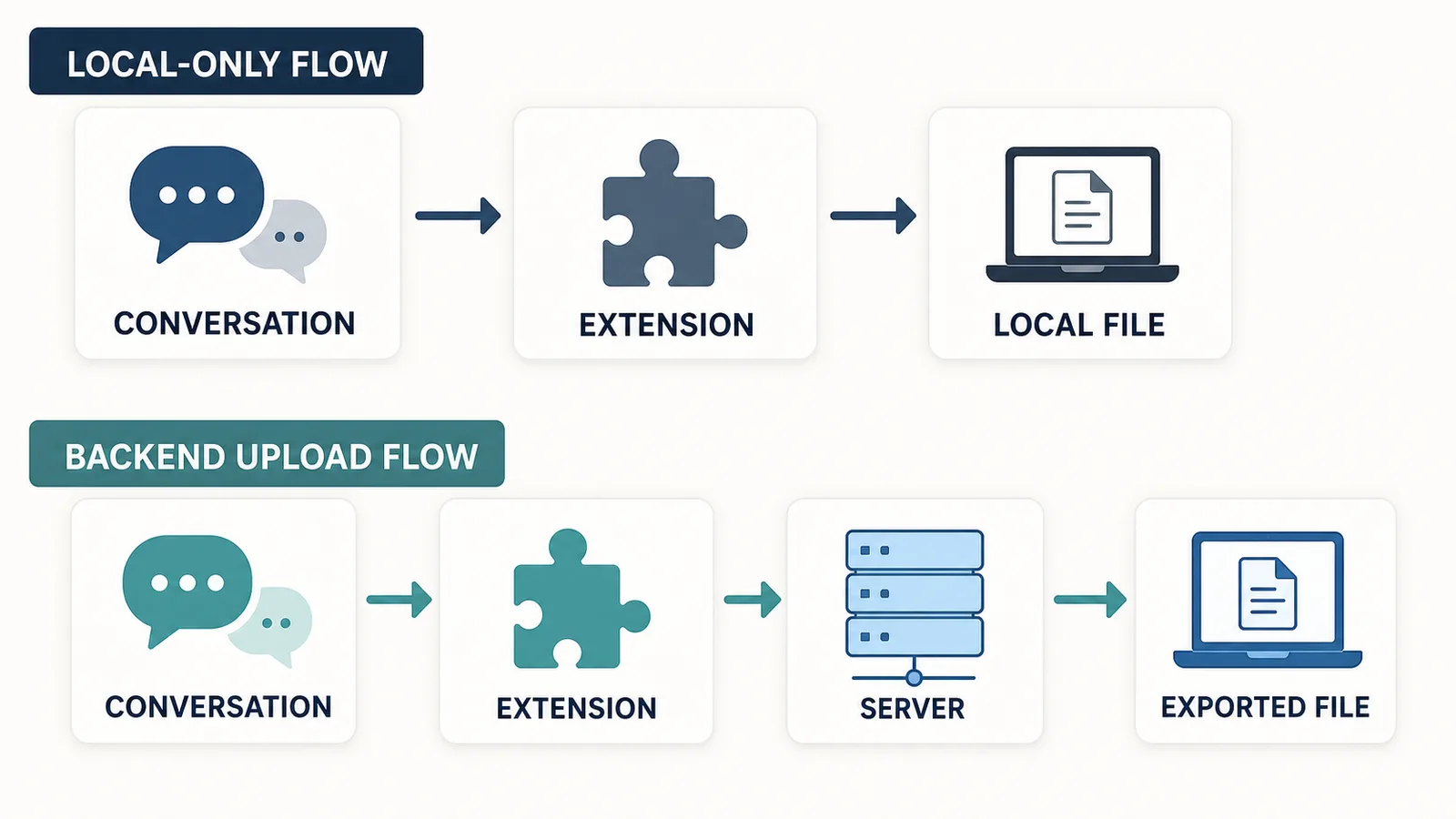
Backend upload means the extension sends conversation content or metadata to a server.
Backend upload is not always wrong.
It may be necessary for:
- cloud backup;
- account sync;
- team workspaces;
- server-side search;
- AI summarization;
- format conversion;
- multi-device access.
But backend upload should be disclosed clearly.
A tool should not quietly upload conversation content if the user expects a local export.
Questions to ask:
- Does the tool upload the full conversation?
- Does it upload only metadata?
- Does it upload files for conversion?
- Does it use third-party APIs?
- Does it store the conversation after export?
- Can I delete uploaded data?
- Is upload required or optional?
If the product does not explain this, that is a trust problem.
No-login tools
A no-login export tool can be useful because it may reduce account-level data exposure.
If a tool does not require login, it may be better for:
- saving one active conversation;
- local TXT export;
- quick personal notes;
- avoiding cloud accounts;
- reducing stored user identity.
But no-login does not automatically prove safety.
A no-login tool could still upload data if it is designed that way.
At the same time, login is not automatically bad.
Login may be legitimate if the product offers:
- cloud sync;
- team workspaces;
- saved history;
- account-based search;
- billing;
- collaboration;
- cross-device access.
The key question is whether login matches the job.
For a simple local export of one active conversation, required login may be unnecessary.
Sensitive conversations
Be more careful when exporting sensitive conversations.
Sensitive conversations may include:
- client information;
- workplace strategy;
- unpublished business ideas;
- private personal notes;
- legal or administrative details;
- financial planning;
- medical or health-related topics;
- passwords, tokens, or secrets;
- source code from private projects;
- confidential documents.
Before exporting sensitive chats, ask:
- Do I need to save this conversation at all?
- Can I remove sensitive parts first?
- Is local export enough?
- Am I using a trusted tool?
- Does the tool upload anything?
- Where will I store the exported file?
- Could someone else access the exported notes?
Sometimes the safest choice is not to export the full chat.
You can export only the useful non-sensitive parts or create a short manual note instead.
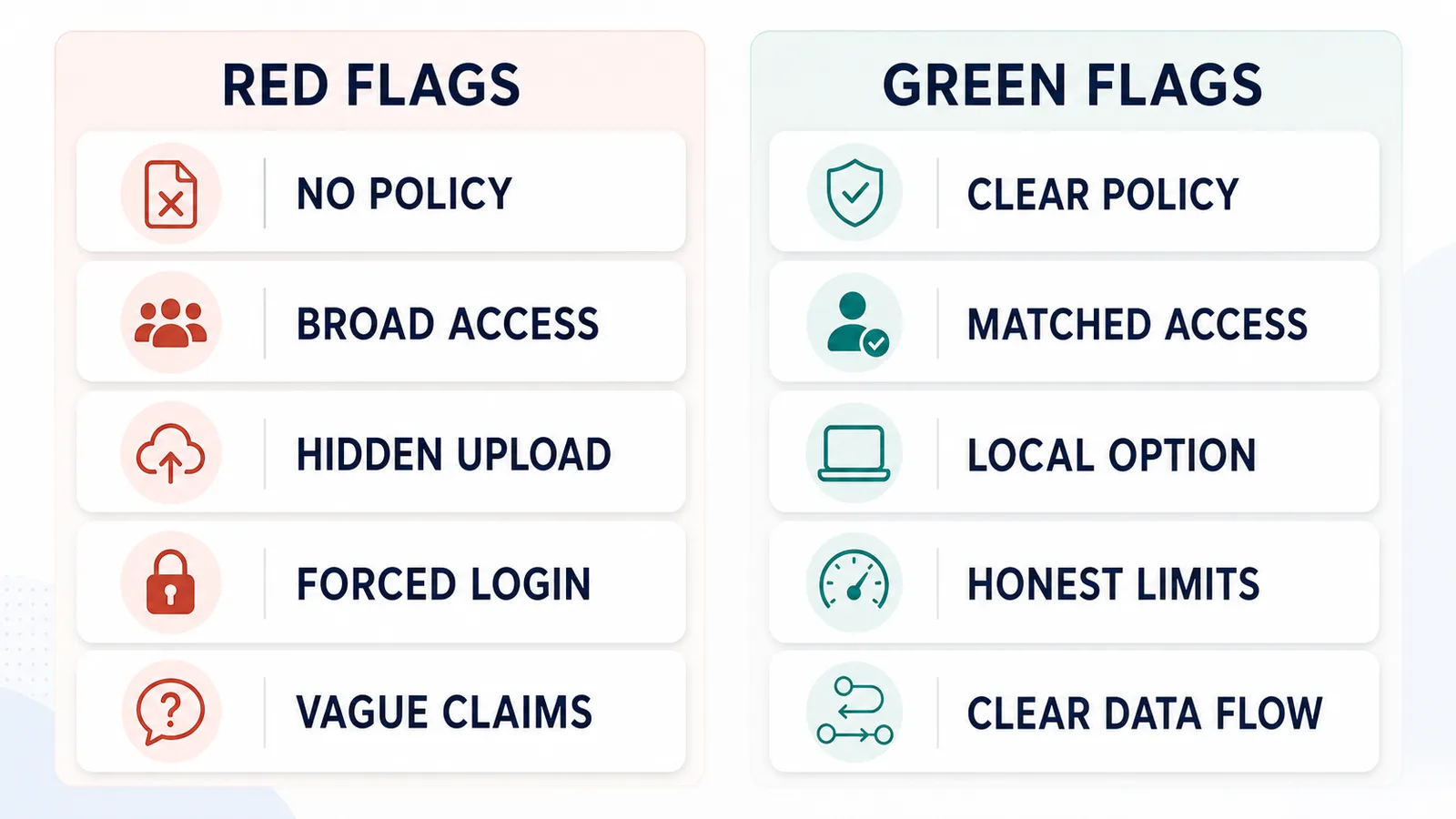
Red flags
Red flags do not always prove a tool is unsafe, but they are reasons to slow down.
Be careful if a ChatGPT export extension:
- has no privacy policy;
- makes vague claims like “100% secure” without explanation;
- requires login for a simple local export;
- requests broad permissions without explaining why;
- says “local” but also uploads conversations;
- does not explain whether data is shared;
- has no clear developer or support contact;
- has many unrelated features;
- pushes cloud sync without explaining storage;
- hides pricing or account requirements;
- asks for access that does not match the feature;
- has broken documentation;
- has no clear update history or maintenance signals.
A good tool should make the data flow easy to understand.
Green flags
Positive signs include:
- clear privacy policy;
- narrow feature scope;
- permissions explained in plain language;
- local-first processing for local export;
- no login for simple local tasks;
- transparent limitations;
- clear product page;
- visible developer/contact information;
- simple export format;
- no unnecessary cloud storage;
- honest explanation of what the tool does not do.
A trustworthy tool does not need to claim it is perfect.
It needs to explain how it works.
Safety checklist before using a ChatGPT export extension
Before installing or using a ChatGPT export extension, run this checklist:
| Question | Why it matters |
|---|---|
| What does the extension export? | Clarifies the scope |
| Does it read only the active chat? | Reduces unnecessary access |
| Does it require login? | Shows whether account data is involved |
| Does it upload conversations? | Determines local vs cloud risk |
| What permissions does it request? | Shows browser access level |
| Is there a privacy policy? | Explains data handling |
| Does the policy mention conversation content? | Important for export tools |
| Is the format useful for your goal? | Avoids wrong export workflows |
| Can you delete exported data? | Important for cloud tools |
| Does it explain limitations? | Reduces misleading claims |
If you cannot answer these questions, do not assume the tool is safe.
Local export safety checklist
For local export tools, check:
- no unnecessary account login;
- clear explanation of local processing;
- clear privacy policy;
- permissions match the export task;
- exported file is saved to your device;
- no hidden upload;
- no unrelated tracking;
- no unclear third-party processing.
Local export is most useful when you want control over your own file.
Cloud export safety checklist
For cloud export tools, check:
- account security;
- storage model;
- data retention;
- deletion options;
- third-party processors;
- privacy policy;
- terms of service;
- whether conversations are used for analytics or AI processing;
- whether team members or admins can access exports.
Cloud tools can be useful, but they should be transparent.
Is a shared link safer than an export extension?
A shared link and an export extension solve different jobs.
A shared link is useful when you want someone else to view the conversation.
A local export is useful when you want your own file.
| Method | Best for | Safety question |
|---|---|---|
| Shared link | Showing a conversation to another person | Who can access the link? |
| Local export | Keeping a private file | Does the tool keep data local? |
| Cloud export | Sync and backup | Who stores the data? |
A shared link is not the same as a private local archive.
For private or sensitive conversations, be careful with any method that makes the chat accessible outside your own device.
For a deeper comparison of these trust models, read ChatGPT Shared Links vs Local Export: What’s the Difference?.
How ChatGPT Session Saver fits
ChatGPT Session Saver is a local-first browser tool for saving one active ChatGPT conversation as clean Q&A-style TXT notes.
It is designed for users who want a local file rather than a cloud backup workflow.
It is best for:
- one active ChatGPT conversation;
- clean Q&A-style TXT notes;
- local export;
- reusable notes;
- avoiding manual copy-paste cleanup.
It is not:
- a full account export tool;
- a cloud backup product;
- a PDF-first exporter;
- a JSON automation tool;
- a bulk historical archive.
This matters because the safety model should match the product scope.
Use official account export for broader account backup. Use shared links for sharing. Use a cloud tool if you need sync or team features. Use a local-first TXT workflow when your goal is one active conversation saved as reusable notes.
Before using any export extension, review its privacy policy and permissions.
When not to use an export extension
Do not use an export extension if:
- you do not trust the developer;
- the permissions do not make sense;
- the privacy policy is missing or vague;
- the conversation is too sensitive to export;
- you only need one short answer;
- the tool requires upload but you need local control;
- the tool’s data handling is unclear;
- you cannot explain where your conversation will go.
Sometimes the safest workflow is manual.
For example, if you only need one paragraph from a sensitive conversation, copy that paragraph manually instead of exporting the whole thread.
Common mistakes
Avoid these mistakes when evaluating ChatGPT export extensions:
- assuming Chrome Web Store presence means every privacy question is solved;
- ignoring permissions;
- installing tools with no privacy policy;
- exporting sensitive conversations without thinking;
- using cloud tools when you wanted local files;
- using shared links as private backups;
- choosing PDF when you need editable notes;
- choosing a tool because it has more features, not because it fits your need;
- trusting vague claims instead of checking the data flow.
A safe export workflow is usually simple and understandable.
Part of the ChatGPT Export Guides
This guide is part of a practical series about saving, exporting, structuring, and reusing ChatGPT conversations.
FAQ
Is it safe to use a ChatGPT export extension?
It can be safe if the extension has a clear purpose, requests only necessary permissions, explains how data is handled, avoids unnecessary uploads, and has a transparent privacy policy. You should still review each extension before using it.
What is the biggest risk with ChatGPT export extensions?
The biggest risk is giving a tool access to conversation content without understanding whether that content stays local, is uploaded to a backend, or is shared with third parties.
Are browser extension permissions always dangerous?
No. Permissions are not automatically dangerous. Extensions need permissions to work. The question is whether the requested permissions match the tool’s purpose.
Is local export safer than cloud export?
Local export usually gives you more control because the saved file stays on your device. Cloud export can still be legitimate, but it requires more trust because conversation content may leave your browser.
Should a ChatGPT export extension require login?
Not always. A no-login tool can reduce account-level data exposure, but login may be legitimate for tools that offer sync, cloud storage, teams, or multi-device access.
What should I check in a privacy policy?
Check what data is collected, whether conversations are uploaded, whether data is shared with third parties, how long data is stored, and how you can contact the developer.
Should I export sensitive ChatGPT conversations?
Be careful with sensitive conversations. If a chat contains private, legal, financial, health, client, workplace, or personal information, review the export method and privacy model before saving or sharing it.
What are red flags for a ChatGPT export extension?
Red flags include vague privacy claims, unnecessary broad permissions, no privacy policy, required login for a simple local task, unclear data handling, hidden cloud upload, and no explanation of what the extension actually reads.
Final thought
A ChatGPT export extension is not safe or unsafe because it is an extension.
It depends on what the tool can access, what it does with the conversation, whether it uploads data, and how clearly it explains its privacy model.
For any export tool, the safest question is simple:
Can I understand where my conversation data goes?
If the answer is yes, you can make an informed choice. If the answer is no, choose a more transparent workflow.